

Cloud video storage means your cameras send footage to remote servers instead of, or in addition to, a recorder in your back office. You then search, watch and download that footage from a browser or phone. For a small business it removes the box in the closet, but it adds an internet dependency, a recurring fee and a few security and privacy decisions. This guide covers how it works, how it differs from local and hybrid recording, what drives cost, and what to check before you sign.
TL;DR
- Cloud video surveillance sends camera footage over the internet to remote storage, where authorized users can search and replay it from any device.
- Pure cloud systems need steady upload bandwidth and usually carry a monthly fee. Local systems keep recording during an outage. Hybrid systems try to combine both.
- Retention is a product setting, not a law of nature. Choose it based on how quickly you notice incidents and on what your legal and insurance obligations require.
- Before buying, check encryption, access controls, outage behavior, contract terms and who answers the phone when something breaks.
- Ohio and Michigan businesses should settle camera placement, audio and notice rules before the cameras go up.
Table of Contents
- What cloud video storage actually is
- Cloud, local and hybrid: the data path is what counts
- Bandwidth and storage: sizing it before you buy
- How long should you keep cloud footage?
- What drives the cost of cloud video storage
- How secure is cloud camera storage?
- What happens during an internet or power outage
- Privacy and legal rules to settle first
- Perspective
- A short evaluation checklist
- How Mavericks helps
- FAQ
- Sources
What cloud video storage actually is
The International Telecommunication Union describes cloud storage for surveillance as an on-demand network storage model. It can receive video streams from cameras or uploaded files from recorders and mobile devices, and authorized users can browse, search, download and replay what is stored.
That definition matters because it shows cloud surveillance is more than rented disk space. A working system also handles who is allowed to see what, how footage is found, how it is recovered after a failure, how privacy is protected and how usage is monitored and billed. When you compare vendors, you are comparing all of those pieces, not just gigabytes.
In practice the chain looks like this:
- An IP camera captures video and compresses it.
- The footage travels over your office network and internet connection, sometimes through a small buffering device on site.
- A cloud service records and stores it for a set number of days.
- You or your managers open a browser or mobile app and find clips by time, date, camera or event.
Cloud storage is not the same as cloud file sharing
Many of the pages that rank for this topic are about consumer file-sync services for movies and family videos. Those tools are built for sharing and syncing files you already have. Surveillance storage is different: cameras write to it around the clock, footage must be tamper-resistant and time-stamped, and you need to pull up a specific two-minute window from last Tuesday fast. If your question is about Microsoft 365 or shared drives for documents and marketing videos, that is a separate topic, and our Microsoft 365 backup guide for Ohio SMBs covers it.
Cloud, local and hybrid: the data path is what counts
The word “cloud” gets attached to very different products. Some record everything remotely. Others record on the camera or a recorder and use the cloud only for remote viewing, alerts or backup. The useful question is always: where does the footage get written first, and where does the second copy live?
| Cloud-only | Local (DVR/NVR or on-camera) | Hybrid | |
|---|---|---|---|
| Where footage is recorded | Remote servers | Camera, hub or recorder on site | On site first, with selected clips or backups sent to the cloud |
| Internet outage | Recording depends on the connection and the product’s buffering | Keeps recording | Keeps recording locally |
| Fees | Usually recurring | Hardware up front | Hardware plus a service fee |
| Theft or fire on site | Footage survives | Footage can be lost with the device | Cloud copy survives |
| Remote access | Built in | Varies by product | Built in |
This table follows the trade-offs WIRED lays out: cloud videos are uploaded to remote servers and usually require a subscription, while local footage sits on a camera, hub or recorder and can keep recording through an internet outage. WIRED also notes that local storage can be limited, that theft can destroy footage and that hardware is an upfront cost, so it recommends weighing both approaches.
Why most small offices end up hybrid
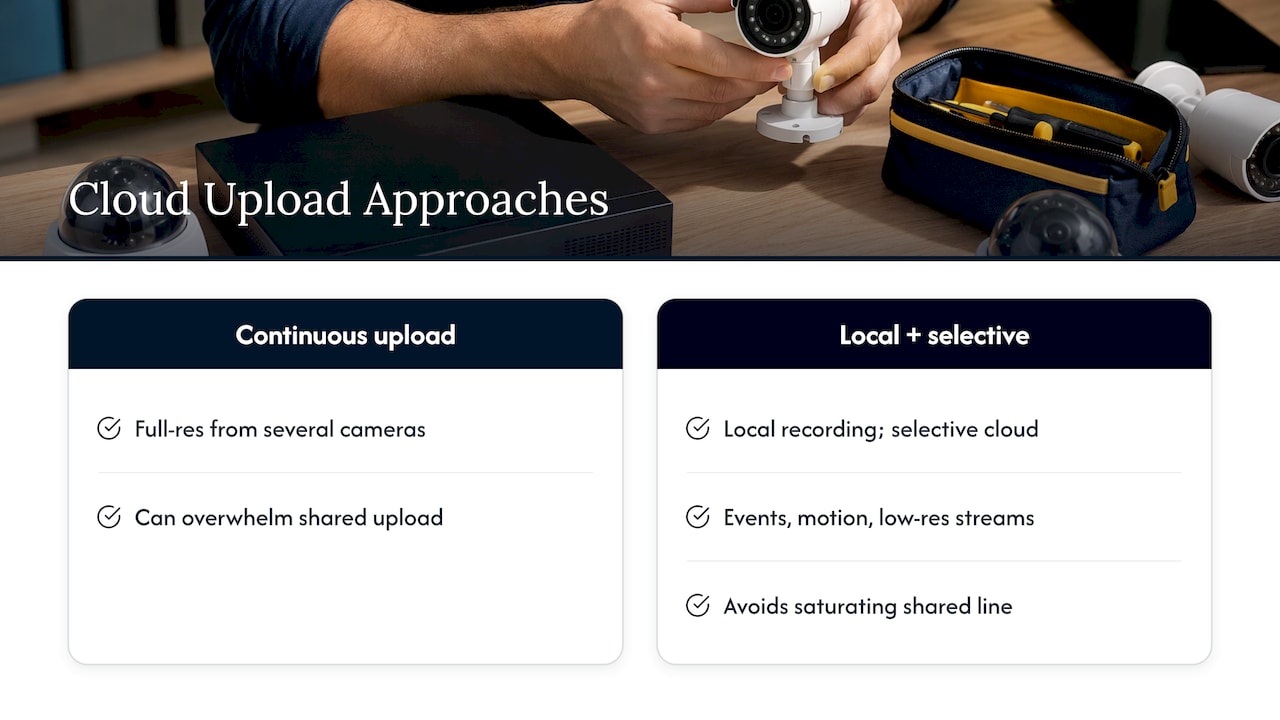
Continuous full-resolution upload from several cameras can overwhelm the upload side of an ordinary business internet connection, which is usually much slower than its download side. That is why many systems sold as cloud are effectively hybrid: the camera or a small appliance records locally and sends only events, motion clips or a lower-quality stream to the cloud. You get an off-site copy of what matters without saturating the line your phones and point-of-sale system share.
If you also stream events, trainings or town halls live, that is a different job from surveillance archiving. A dedicated live streaming and video production service can handle that side, while your camera system keeps its own local buffering and selective uploads for security footage. Keeping the two separate also keeps your security archive out of your marketing workflow.
If you are mapping this against the rest of your infrastructure, our four-step hybrid cloud readiness plan walks through bandwidth, backup and ownership questions in the order an IT lead usually needs them.
Bandwidth and storage: sizing it before you buy
Two numbers decide whether a cloud camera setup feels smooth or frustrating: sustained upload speed and how many days of footage you keep.
Upload bandwidth scales with resolution, frame rate, compression and whether the camera uploads continuously or only on motion. A single HD camera uploading nonstop needs a steady slice of your upload capacity, and every additional camera adds to it. Higher-resolution cameras need several times more. Your internet plan’s advertised speed is usually the download figure, so ask your carrier for the upload figure and test it during business hours, when other traffic competes for it.
Storage needs follow a simple chain: camera count times resolution times frame rate times retention days. Doubling the retention period roughly doubles the storage you pay for, and recording continuously instead of on motion can multiply it again.
A practical sizing routine:
- List every camera location and decide which ones truly need continuous recording (entrances, cash handling, loading docks) and which can record on motion only.
- Pick the lowest resolution that still lets you read a license plate or identify a face at the distance that matters.
- Get your measured upload speed and subtract what voice, point-of-sale and cloud applications already use.
- Ask each vendor what the system does when upload is constrained: does it throttle, queue, drop frames or stop?
That last question is where a managed IT partner earns its keep. We can review your circuit, your firewall rules and your network segmentation before cameras go in, so video traffic does not compete with your phones. See our managed IT services for how that review fits into onboarding.
How long should you keep cloud footage?

Retention is set by the plan you choose, not by a universal rule. WIRED reports that event-based plans commonly keep clips for 30 or 60 days, while continuous-recording plans generally keep about seven to 30 days. Clips you do not save are deleted once the window passes.
So the right number depends on your own reality:
- How fast do you find out about incidents? A retail counter that reconciles daily can live with a shorter window than a property manager who hears about a parking lot claim six weeks later.
- Do you have contractual or insurance obligations? Some contracts and insurers ask you to hold footage for a period after an incident. Confirm with your insurer and attorney.
- Can you place a legal hold? Whatever the default window, you need a way to export and lock specific clips the moment an incident occurs.
- Is longer always better? Not necessarily. Footage you no longer need is a liability. The Security Industry Association’s 2025 data privacy code recommends deleting footage when it is no longer reasonably necessary or legally required.
We go deeper on setting and documenting a window you can defend in our guide to a compliant SMB video retention policy, and the same logic for system logs is in our log retention policy guide.
What drives the cost of cloud video storage
Cloud video is almost always a subscription, and the price is built from a handful of inputs. When you collect quotes, ask each provider to state every one of them so the numbers are comparable:
- Number of cameras. Most plans bill per camera per month.
- Retention days. More days, higher price.
- Resolution and frame rate. Higher quality means more storage and more upload.
- Recording mode. Continuous costs more than event-only.
- Analytics and AI add-ons. Features such as people or vehicle detection are often separate line items.
- Camera compatibility. Some services only work with their own cameras; others accept cameras you already own.
- Fees for pulling footage out. Ask whether exporting large volumes of video costs extra.
- Contract term and support. Check the length of the commitment, what happens to your footage if you cancel, and who you call when a camera drops offline.
Because pricing varies this much by retention, resolution and camera count, a single published per-camera price rarely tells you what your total will be. Compare the monthly total for your actual camera list and retention target, then add the cost of any bandwidth upgrade you need. For hardware, also compare the cost of a local recorder over its useful life against the subscription over the same period; the answer depends on how many cameras you run and how long you keep them.
How secure is cloud camera storage?
Security is the reason many owners hesitate, and it deserves a direct answer: cloud video can be very secure or very exposed, depending on configuration and vendor controls. The ITU’s requirements list the safeguards to look for: authentication, authorization, content protection, backup, recovery, privacy protection, attack resistance and avoidance of single-node failures.
Translated into a checklist you can bring to a vendor call:
- Encryption in transit and at rest. Footage should be protected both while traveling and while stored.
- Multi-factor authentication for every account that can view or export video, and individual logins rather than a shared password.
- Role-based access. The receptionist does not need export rights to every camera.
- Audit logs showing who viewed or downloaded what and when.
- Backup and recovery so that a failure at the provider does not erase your history.
- Third-party security review of the provider’s service. The SIA’s 2025 code also recommends a privacy impact assessment, privacy zones that block sensitive areas from recording, employee training and restricted access.
- Camera hardening. Change default credentials, keep firmware current and keep cameras on their own network segment, away from your workstations and servers.
That last point is where video systems most often fail in small offices. A camera is a networked computer, and an unpatched one is an entry point. Our cybersecurity services include the monitoring and patching discipline that keeps cameras from becoming the weak link, and 24/7 monitoring means an offline or misbehaving device gets noticed outside business hours.
What happens during an internet or power outage
This is the question that separates marketing from engineering. Behavior is product-specific. Some cameras keep recording to a memory card while the internet is down and upload afterward; some cache only a short window of events; a pure cloud camera with no local buffer records nothing it cannot upload. And no camera records without power, so a small battery backup on the camera switch and the router is cheap insurance.
Before buying, ask the vendor in writing:
- Does the camera or appliance record locally if the internet drops?
- For how long, and at what quality?
- Does it automatically upload the gap when the connection returns?
- Will I be alerted when a camera goes offline?
The same thinking applies to door hardware tied to the cloud. If you are pairing cameras with badge readers, read our piece on keeping doors working offline with cloud access control.
Privacy and legal rules to settle first
Storing footage in the cloud does not change your obligations, but it adds a third party that holds your data. The SIA’s 2025 code of practice says businesses should assess the applicable laws and industry standards, establish a justified purpose for surveillance, give notice, restrict access, secure the footage and keep it only as long as reasonably necessary or legally required. The code treats privacy as a design decision: camera placement, exclusions, purpose, notice, access and retention should be decided before deployment, not after.
A few specifics to keep in mind:
- Audio is a different legal question from video. Recording conversations is governed by wiretap and state recording laws, and some states require every party’s consent. Many businesses disable microphones on cameras unless they have a clear reason and legal advice.
- Health information raises the bar. The National EMS Information System’s guidance on body-worn cameras says covered EMS agencies must have a business associate agreement with a vendor or cloud storage provider that maintains recordings containing protected health information. If your cameras can capture patient information, such as in a clinic, involve your compliance officer and attorney before choosing a provider.
- Ohio has its own rules. Camera placement, audio and notice questions are covered in our Ohio security camera laws checklist. If you operate in Michigan too, have counsel confirm the rules there.
- Keep private areas private. Restrooms, locker rooms and similar spaces should be excluded from coverage.
This is general information, not legal advice. For anything involving employee monitoring, audio or regulated data, talk to an attorney licensed in your state.
Perspective
Most small businesses do not need to choose between cloud and local. They need to know who is accountable when footage is missing on the one day someone asks for it.
When we design camera systems for clients, we start from the data path: where video is written first, where the second copy lives, what the network has to carry and who gets alerted when a camera goes dark. Then we fit the cameras to the plan, not the other way around. That is why we treat video as part of your overall technology stack rather than a standalone gadget. The same team that secures your network and monitors your devices around the clock can look after your cameras, your access control and your retention settings.
Our help desk is local and USA-based, with an average response under 12 minutes. When a camera drops offline or someone needs an export for an insurance claim, you talk to a person in Ohio who already knows your setup. For most of our small and mid-sized clients, a single provider for IT, security and physical security is simpler, and simpler systems get maintained.
Jeffrey
A short evaluation checklist
Use this when comparing any provider, including us:
| Question | What a good answer sounds like |
|---|---|
| Where is footage recorded first? | A clear description of the camera, appliance and cloud roles |
| What is the monthly total for my camera list? | An itemized quote covering retention, resolution, analytics and support |
| What happens in an outage? | Local recording or buffering with automatic catch-up and offline alerts |
| Who can see and export footage? | Individual accounts, MFA, role-based permissions and audit logs |
| Can I export clips and leave? | Standard formats and a documented exit process |
| Who supports me? | A named support team and response expectations in the contract |
| How is retention enforced? | Configurable windows, legal hold and automatic deletion |
A provider who answers these specifically has probably done this before. Vague answers are a signal to keep looking, and a good reason to bring your IT partner into the conversation early. Our scorecard for choosing a managed IT provider uses the same approach for evaluating support.
How Mavericks helps
Mavericks Office Solutions operates as an outsourced IT department for small and mid-sized businesses in Ohio and Michigan. For video, that means we can plan the cameras, the network they sit on, the security around them and the retention policy behind them as one project, then keep monitoring it afterward. Our cameras and access control solutions sit alongside managed IT, cybersecurity, cloud hosting, VoIP and managed print, so you have one team to call.

If you are weighing cloud, local or hybrid video for your business, talk to our team about managed IT and physical security. We will review your internet connection, camera locations and retention needs and recommend a setup that fits.
FAQ
Is cloud video storage worth it for a small business?
It is worth it when you want off-site protection from theft or fire, remote viewing across several locations and less hardware to maintain. It costs a recurring fee and relies on your internet connection. Many small offices choose a hybrid setup that records locally and sends key footage to the cloud.
How much upload bandwidth do I need for cloud cameras?
It depends on resolution, frame rate and whether cameras upload continuously or only on motion. Each additional continuously uploading camera adds to the total, and higher-resolution cameras need substantially more. Measure your real upload speed during business hours and ask the vendor for per-camera requirements before ordering.
What happens to my footage if I cancel the subscription?
That depends on the provider’s contract. Many services delete footage after the retention window, and some limit exports after cancellation. Ask in advance how to export clips in a standard format and how long data remains available after you leave.
Can I use the cameras I already have?
Sometimes. Some cloud services accept standard IP cameras, while others only work with their own hardware. Ask for a compatibility list and have your IT provider confirm that your cameras support the needed video formats and security settings.
Sources
- Recommendation ITU-T F.743.2: Requirements for cloud storage in visual surveillance
- WIRED: Cloud vs. Local: What’s the Best for Security Camera Video Storage
- Security Industry Association: Data Privacy Code of Practice for Video Surveillance (2025)
- NEMSIS: EMS Body-worn Camera Quickstart Guide, Legal Considerations (2021)