

Printer fleet management is the centralized monitoring, security, and lifecycle control of every printer and copier across your business, run from a single dashboard instead of a stack of spreadsheets. Done well, it cuts consumables spend, slashes help-desk tickets, and closes the network security gap that unmanaged printers quietly leave open. If your fleet is scattered across sites with no unified visibility, the fix starts with an audit, not a new printer.
TL;DR:
- Managing printer fleets centrally improves visibility and control over costs, uptime, and security risks, especially for scattered multi-site setups.
- Effective solutions include real-time monitoring, automated supplies ordering, secure print release, and integration with security tools like SIEM and EDR.
- Cloud-native deployment reduces infrastructure overhead but may face limitations with legacy protocols, whereas on-premises fits legacy systems and isolated networks.
- Securing printers requires encryption, firmware updates, role-based access, and logs, as they are a significant attack surface often overlooked in security plans.
- Ongoing lifecycle management, staff training, and a proactive approach to audits and decommissioning are essential to prevent data leaks and ensure compliance.
Table of Contents
- What Does Printer Fleet Management Actually Cover?
- Key Capabilities to Look for in a Fleet Management Solution
- Should You Choose Cloud-Native, On-Prem, or Hybrid Deployment?
- How Do You Secure Printers as Network Endpoints?
- What Are the Real Cost Levers in a Print Fleet?
- How Should You Manage the Printer Lifecycle?
- How Do You Choose the Right Managed Print Partner?
- How Do You Control Who Can Print and Print What?
- What Data Privacy Rules Apply to Printer Fleets?
- What Is the Environmental Impact of a Printer Fleet?
- How Do You Train Staff and Support Administrators?
- What SMBs Get Wrong About Fleet Management
- A Managed Print Partner That Actually Answers the Phone
- Sources
What Does Printer Fleet Management Actually Cover?
A modern printer fleet management program is broader than most IT managers expect. It covers device monitoring, supplies logistics, firmware health, security posture, and end-of-life disposal, all tracked from one platform rather than chased device by device.
The core function is centralizing meter reads, alerts, supplies status, and device telemetry so nobody is manually walking the floor to check toner levels or restart a jammed queue. That single shift, from reactive to visible, is where most of the value shows up.
The measurable benefits tend to land in four places:
- Cost control: consolidated purchasing and usage data expose which devices actually earn their footprint.
- Uptime: alerts fire before a device goes dark, not after someone calls the help desk.
- Fewer tickets: self-healing queues and remote diagnostics resolve issues before a human gets involved.
- Compliance: device-level logs give auditors a paper trail instead of a shrug.
A typical outcome looks like this: a fleet gets right-sized after usage data reveals which printers sit idle, while automated supply reordering eliminates the “we ran out of toner on deadline day” scramble entirely.
Key Capabilities to Look for in a Fleet Management Solution
Not every platform marketed as “fleet management” actually manages the fleet. Some just report meter counts. If you are evaluating vendors or writing an RFP, use this list as your baseline.
- Centralized monitoring and reporting — real-time meter reads, device alerts, and usage breakdowns by user or department, not just a monthly PDF.
- Automated supplies ordering — toner and drum replacement triggered by actual consumption data, with contract terms that specify cost-per-page or supplies-only pricing.
- Remote configuration and queue automation — the ability to push driver updates and deploy print queues to new devices without a technician on site.
- Telemetry and predictive maintenance — analytics that flag a failing fuser or feed roller before it jams a print run.
- Secure print release and mobile support — pull printing and BYOD access that does not require opening a VPN tunnel for every laptop.
- APIs and integrations — connections into Active Directory, MDM, EDR, and SIEM tools so print data feeds your existing security stack instead of sitting in its own silo.
Pro Tip: Ask any vendor to demo the alerting workflow live, not in a screenshot. A platform that takes three clicks to silence a false alarm will generate alert fatigue inside a month, and your team will start ignoring the dashboard entirely.
Should You Choose Cloud-Native, On-Prem, or Hybrid Deployment?
The deployment model you pick shapes everything downstream, from patching cadence to how fast a new branch office comes online.
Cloud-native, serverless print management removes the need for local print servers entirely, automating driver and queue deployment across mixed-device environments. No server to patch, no single box that takes down printing for an entire floor when it fails. That is the biggest operational win: infrastructure overhead drops because there is no infrastructure to maintain.
On-prem still makes sense in specific cases:
- Legacy line-of-business software that only talks to a local print server.
- Isolated or air-gapped networks where cloud connectivity is restricted by policy.
- Specialized printing protocols (label printers, industrial output) that cloud queues do not yet support well.
Hybrid patterns are common for multi-site businesses: cloud-native management for the corporate network, with a small edge hub at branch locations to handle local queuing and buffer against connectivity drops. The trade-off to watch is scaling risk. A single on-prem print server serving twelve branch offices is a single point of failure waiting for a bad Tuesday.
How Do You Secure Printers as Network Endpoints?
Printers hold scanned documents in memory, run their own embedded operating systems, and expose network services most IT teams never audit. That makes them a real attack surface, not a footnote.
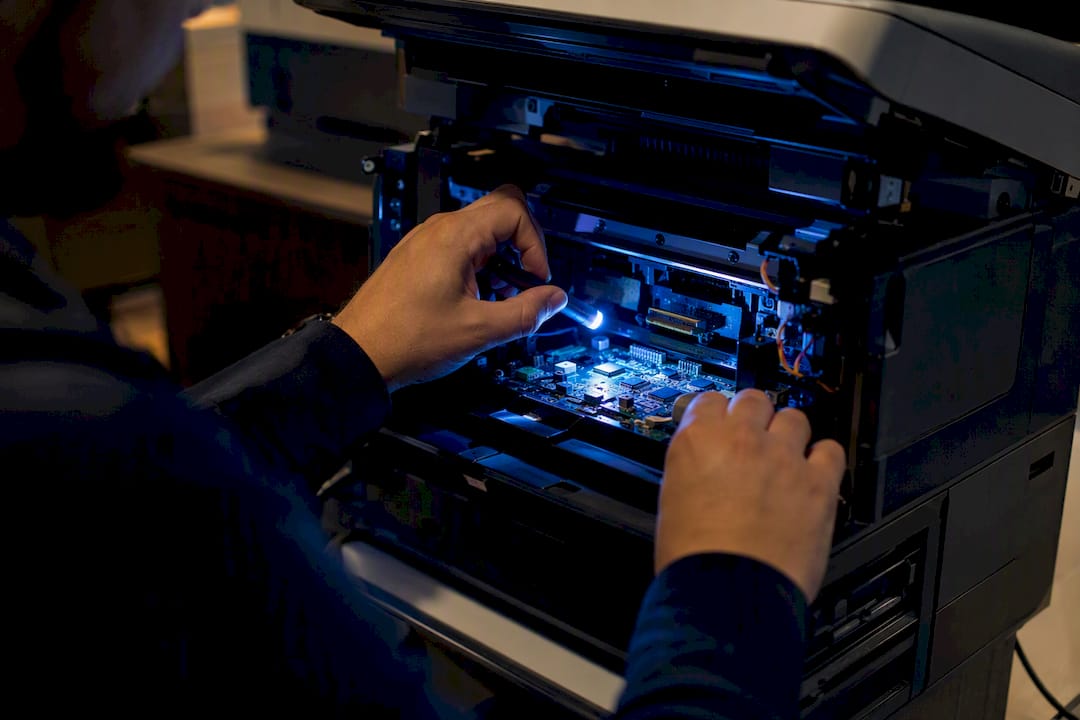
IT leaders are advised to treat printers as core network endpoints and fold them into the same security programs covering laptops and servers: firmware integrity verification, encryption in transit, and EDR integration, not ad-hoc help-desk babysitting.
Baseline controls worth requiring from any fleet:
- Firmware integrity checks and automated patching on a defined schedule.
- TLS encryption for all print jobs and management traffic.
- Role-based access control tied to your existing identity provider.
- Secure print release, so jobs sit in a queue until the user badges in at the device.
The gap is real: research cited by HP indicates a significant share of IT teams never request formal security documentation from printer vendors, and decommissioning practices vary widely across organizations, leaving retired devices with unverified data wipes.
On the integration side, enroll printers in EDR and MDM programs the same way you would a laptop, and route device logs into your SIEM so anomalous behavior gets flagged instead of buried.
What Are the Real Cost Levers in a Print Fleet?
Most businesses overspend on print for three reasons: too many devices, no supply automation, and no behavioral guardrails. Fix those three and the rest is optimization.
Start with utilization data. If a device is producing under 500 pages a month, it is a candidate for consolidation, and multiple businesses find that right-sizing and consolidation is the single fastest way to shrink a bloated fleet.
- Consumables automation: toner shipped based on actual usage, not guesswork, cuts emergency orders and rush shipping fees.
- Contract structure: cost-per-page bundles maintenance and supplies into one predictable rate; supplies-only contracts work better for low-volume, well-maintained fleets.
- Behavior controls: duplex-by-default printing, department quotas, and secure release together can meaningfully cut waste. One PaperCut customer report shows secure release alone driving significant paper savings.
For an ROI model, track four inputs monthly: device count, pages produced, service labor hours, and total supply spend. That gives you a baseline to measure any new program against.
How Should You Manage the Printer Lifecycle?
Lifecycle tracking is where most fleets fall apart, because onboarding a device is exciting and decommissioning it is not. Skip the second half and you accumulate a pile of retired printers holding unverified data.
- Onboarding: tag every device with an asset ID, record its firmware baseline, and apply access policies before it touches the network.
- Inventory maintenance: for multi-site fleets, a live inventory beats a spreadsheet updated once a quarter. Include location, firmware version, and warranty status.
- Secure decommissioning: wipe storage, document the wipe, and route the unit to a certified recycler rather than a storage closet.
- Verification: keep the wipe record on file. An inventory-exact baseline paired with a documented disposition record is what auditors actually want to see.
Lifecycle discipline pays off twice: it closes a real data-exposure risk, and it gives your sustainability reporting a defensible paper trail instead of an estimate.
How Do You Choose the Right Managed Print Partner?
Vendor selection is where good intentions meet fine print. Ask the wrong questions and you end up locked into a contract that looks cheap on page one and expensive by month six.
Evaluate on five criteria: security posture, monitoring depth, analytics quality, supplies automation, and the actual SLA behind the sales pitch.
- Does the platform integrate with your Active Directory, MDM, EDR, and SIEM tools, or does it operate in its own silo?
- What is the patching cadence for firmware, and is it automated or dependent on someone remembering?
- Does pricing cover devices, supplies, and labor in one line, or are there three separate invoices to reconcile?
- Can the platform generate department-level chargeback reports, or is that a manual export?
Pro Tip: Ask for a sample SLA with actual response-time numbers, not “prompt support” language. If a vendor cannot commit to a number in writing, that is your answer.
Red flags worth walking away from: a provider that cannot explain its decommissioning process, or one that treats “cloud-based” as a marketing label without any serverless architecture behind it.
How Do You Control Who Can Print and Print What?
Access control on a printer fleet works the same way it should on any endpoint: nobody touches a device without an identity check, and every action leaves a trail. The most common method is tying printer authentication to your existing identity provider, usually Active Directory or Azure AD, so employees log in with credentials they already use rather than a separate PIN system that IT has to maintain in parallel.
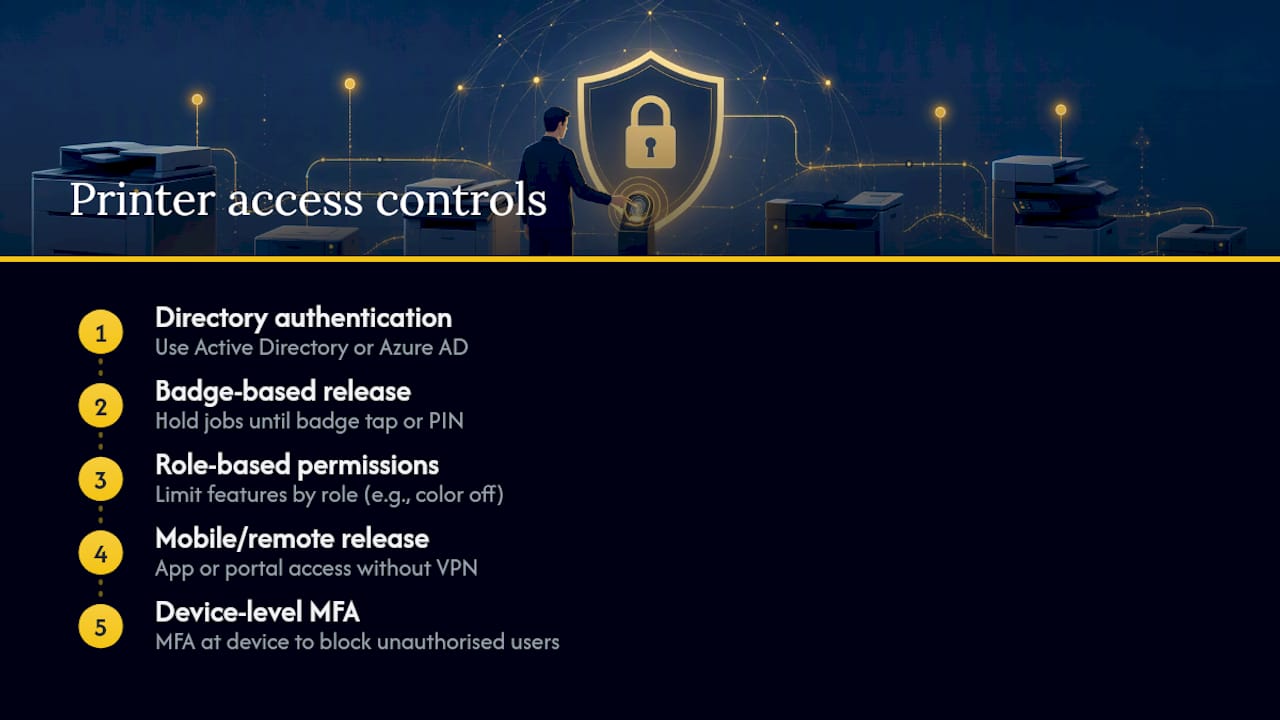
Badge-based release is the standard for offices handling sensitive documents. A job sits in a secure queue until the employee taps a badge or enters a PIN at the device, which stops the common scenario of a sensitive HR or finance printout sitting in an open tray for anyone to grab. Role-based permissions layer on top of that: a receptionist might get color printing disabled by default, while a finance manager gets access to a locked scan-to-email workflow that routes documents to encrypted storage.
For distributed teams, mobile and remote authentication matters more each year. Employees printing from a personal laptop or phone need a path that does not require VPN access just to reach a print queue. Look for platforms that support secure mobile release through an app or web portal, authenticated against the same directory service governing the rest of your network. Multi-factor authentication at the device level, not just at login, is becoming a reasonable baseline for any fleet handling regulated data, and it closes one of the more overlooked gaps between “we have access control” and “we have access control that actually stops an unauthorized user.”
What Data Privacy Rules Apply to Printer Fleets?
Printers process regulated data constantly, whether it is a scanned patient chart or a customer’s Social Security number on a mailing label, which puts them squarely inside the scope of data privacy law even though most compliance checklists skip past them.
Under GDPR, any printer that stores or transmits personal data of EU residents counts as part of the processing chain, meaning encryption, access logs, and data minimization requirements apply to the device itself, not just the servers behind it. A scanned document sitting unencrypted in a printer’s internal memory, waiting for someone to pick it up, is exactly the kind of exposure regulators flag during an incident review.
HIPAA creates a similar obligation for any business handling protected health information. A healthcare practice or a vendor with healthcare clients needs printers that support encrypted storage, audit logging of who printed or scanned what, and secure disposal procedures when a device is retired. The same logic extends to state-level privacy laws covering financial and personal data, which increasingly name endpoint devices explicitly rather than treating “network security” as computers and servers only.
The practical response is consistent across frameworks: enable encryption at rest and in transit, log every print and scan job tied to a user identity, restrict retention of scanned images on device storage, and build decommissioning into your compliance program rather than treating it as a footnote. Fleet management platforms that centralize these logs make an audit a data export instead of a weeklong scramble.
What Is the Environmental Impact of a Printer Fleet?
A poorly managed printer fleet wastes more than money. Idle devices draw power around the clock, oversized fleets consume more raw materials than the business needs, and unmanaged consumables end up in landfill rather than a recycling stream.
Energy usage is the most measurable lever. Devices with automatic sleep modes and centralized power scheduling cut electricity draw significantly compared to a fleet left running at full power overnight and on weekends. Consolidating a fleet, beyond the cost savings covered earlier, also means fewer physical units drawing standby power around the clock, which compounds over a full year of operation.
Consumables are the second lever. Toner cartridges and drum units contain plastics and metals that most manufacturers, including Brother and HP, now support through take-back and recycling programs. A fleet management platform that tracks consumable usage can also route empty cartridges into those programs automatically instead of leaving disposal to whoever empties the supply closet.
Paper consumption ties back to the behavioral controls covered in the cost section. Duplex-by-default settings and print quotas reduce paper waste as a side effect of cost control, which means the sustainability win and the budget win are often the same lever pulled once. For businesses tracking environmental reporting alongside financial reporting, that overlap makes the case for behavior controls even stronger.
How Do You Train Staff and Support Administrators?
The best fleet management platform fails if nobody knows how to use the secure release feature or if the help desk gets flooded with the same three questions every week.
End-user training works best when it is short and specific to the friction points people actually hit: how to badge in for secure release, how to send a job from a phone, and who to contact when a device jams. A five-minute walkthrough during onboarding beats a lengthy policy document nobody reads, and a one-page quick reference card taped near each device solves more tickets than most people expect.
Administrator training is a different problem. Whoever manages the fleet day to day needs to understand the monitoring dashboard, how alerts route, and how to pull usage reports for budget conversations. That person also needs a clear escalation path for anything involving firmware updates or security configuration, since a misconfigured device is a bigger risk than a jammed one.
The support model matters as much as the training itself. A fleet with 24/7 monitoring and a responsive help desk generates far fewer internal tickets than one where “call IT” means waiting on hold. Businesses that pair centralized monitoring with a fast, human support line consistently report fewer disruptions, because most print issues get caught and resolved before an employee even notices.
What SMBs Get Wrong About Fleet Management
Most businesses treat printers as furniture, not infrastructure. That mindset is the single biggest reason fleets bloat, security gaps go unnoticed, and budgets creep year over year without anyone questioning why.
The conventional advice tells IT managers to focus on cost per page. That number matters, but it is not where the real risk lives. A printer holding an unpatched firmware vulnerability or an unverified decommissioning record is a liability regardless of how cheap its toner is. I would rather see a business pay slightly more per page for a fleet that is monitored, encrypted, and properly retired than save two cents a page on a fleet nobody has audited in three years.
The other blind spot is treating fleet management as a one-time project instead of an ongoing discipline. An audit that sits in a drawer after the initial device count does nothing. The businesses that get real value run it as a cycle: audit, pilot a smaller change, measure the result, then scale what worked. That is the same discipline Mavericks Office Solutions applies with clients through Brother hardware partnerships and a US-based help desk built around fast response rather than a ticket queue that sits untouched overnight.
— Jeffrey
A Managed Print Partner That Actually Answers the Phone
Mavericks Office Solutions bundles monitoring, supplies automation, and security hardening into one contract, backed by a US-based help desk that answers in under 12 minutes instead of routing you to an overseas queue.

That combination solves the specific problem this article has walked through: fragmented tools, unpatched firmware, and no one owning the fleet end to end. Instead of juggling a print vendor, a security consultant, and an internal IT team piecing together dashboards, you get one point of contact accountable for uptime, consumables, and the security posture of every device on the network. Mavericks Office Solutions also brings its managed print services into a broader managed IT services relationship, so your printer fleet is monitored by the same team watching your servers and endpoints, not a disconnected third party.
If your fleet has never had a real audit, that is the starting point. Request a fleet assessment from Mavericks Office Solutions and find out what right-sizing, automated supplies, and endpoint-grade security would actually save your business this year.
Sources
- Expert Tips for Printer Fleet Management and Modernization (HP workforce experience)
- How to optimize printer fleet management for medium-sized businesses | PaperCut