
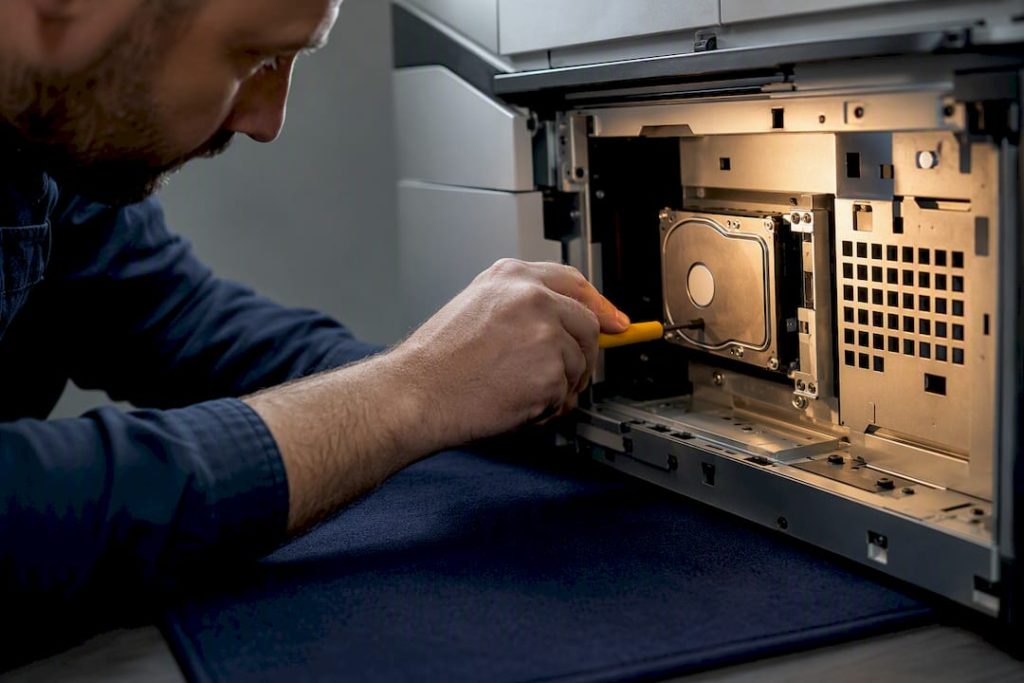
Your copier’s hard drive can hold months of scanned contracts, faxed medical forms, and emailed invoices unless you take three specific steps: enable disk encryption, verify that automatic overwrite is actually running, and require certified sanitization before the machine leaves your building. Skip any one of those, and you’re storing sensitive files on an unmonitored endpoint. The FTC and NIST 800-88 sanitization standard both exist because too many businesses treat copiers like appliances instead of data storage devices.
TL;DR:
- Enabling disk encryption and verifying scheduled overwrite are essential, but they do not protect data stored on removable modules or firmware.
- Vendors often ship encryption and overwrite features as optional, meaning many devices remain unprotected unless explicitly enabled by IT staff.
- Proper sanitization requires documented certificates and, if possible, drive removal and physical destruction at lease end to prevent data leaks.
- Regular audits should confirm that encryption and overwrite settings are active, firmware is up to date, and logs remain intact to ensure ongoing security.
- Most security breaches result from basic operational failures, like default passwords or neglected sanitization, rather than sophisticated hacking techniques.
Table of Contents
- What Does a Copier Hard Drive Actually Store?
- Where Does the Real Exposure Happen?
- How Do Encryption and Overwrite Actually Protect Data?
- What Should the Deployment Checklist Cover?
- What Happens During Service Calls and Lease Returns?
- How Do You Audit a Copier for Security Compliance?
- What Copier Security Gaps Show Up Most in the Field?
- How Mavericks Office Solutions Locks Down Your Copier Fleet
- Where to Verify These Standards Yourself
- Sources
What Does a Copier Hard Drive Actually Store?
A networked multifunction device (MFD) is a computer with a scanner attached. Every job it processes gets written to internal storage, at least temporarily, and some of that data persists far longer than users assume.
- Cached job images: temporary files from print, copy, and scan jobs, often overwritten quickly but sometimes not
- Saved jobs and mailboxes: documents users intentionally store on the device for repeat printing or retrieval
- Scan-to-email and scan-to-folder logs: records of destinations, timestamps, and sometimes file previews
- Fax logs and stored fax images: numbers dialed, received documents, transmission confirmations
- Address books and login credentials: internal directories synced from LDAP or entered manually
- Firmware and configuration data: the device’s operating software, stored on the same media as job data in many models
Scan-to-email and fax jobs tend to leave the most recoverable material, according to the FTC’s guidance, because they generate both an image file and a metadata trail. Removable storage modules, common on higher-end enterprise machines, isolate data more cleanly than embedded drives soldered to the controller board, but firmware dependencies still complicate a clean wipe.
Where Does the Real Exposure Happen?
Copier data doesn’t just leak through dramatic hacks. Most exposure happens through mundane operational gaps that nobody flagged during setup.
- Remote network exploitation: an unpatched, internet-facing MFD becomes a pivot point into the broader network, not just a print risk
- Physical drive extraction: at resale, lease return, or disposal, a drive pulled from an unsecured device can be read on a separate workstation
- Vendor service visits: technicians sometimes disable encryption or overwrite temporarily to troubleshoot, then forget to re-enable it
- Regulatory exposure: healthcare data falls under HIPAA, financial records under GLBA, and general disposal failures can trigger the FTC Disposal Rule
A single overlooked lease return can turn into a breach notification obligation. That’s the part most procurement teams never budget for.
How Do Encryption and Overwrite Actually Protect Data?
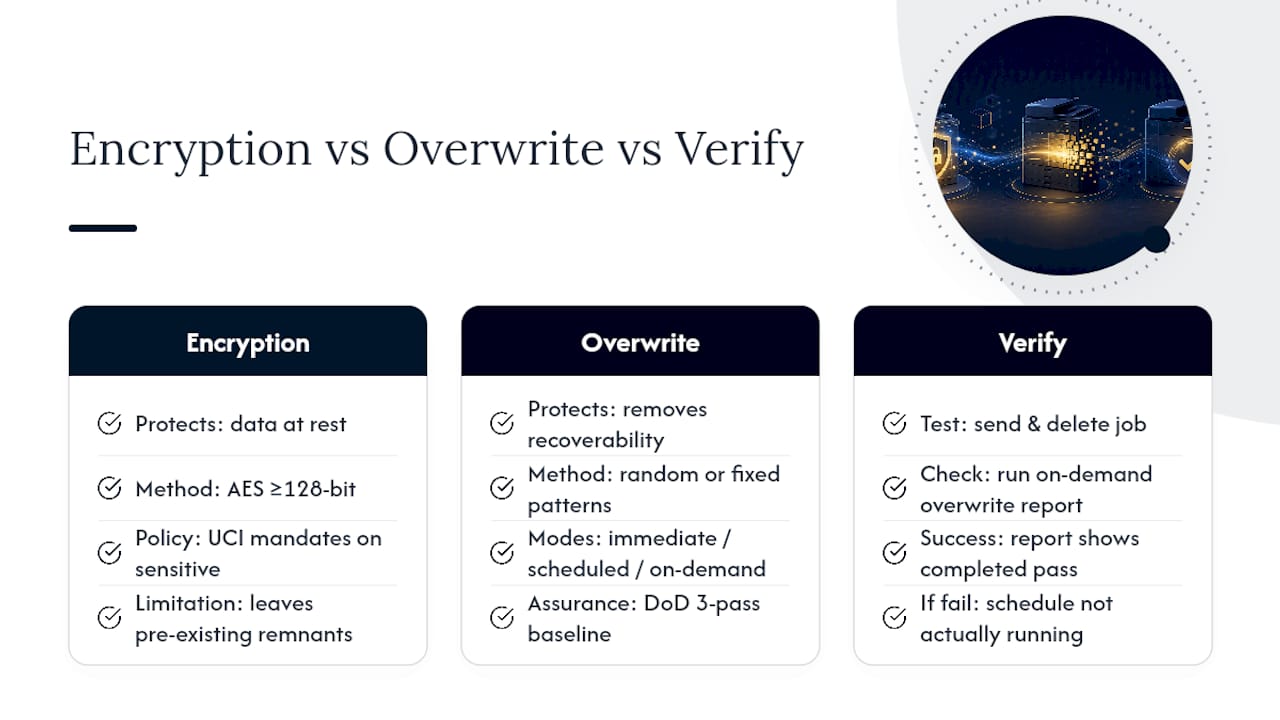
These two controls solve different problems, and confusing them is where most security gaps start.
Disk encryption scrambles data at rest using an algorithm, typically AES at 128-bit or higher, so a stolen or improperly disposed drive is unreadable without the key. UCI’s security guidance treats encryption as mandatory for any device handling sensitive categories of data. Crypto-erase, which destroys the encryption key rather than overwriting every sector, offers a fast sanitization method, but only if the encryption was active from day one. A drive encrypted after sensitive jobs were already stored still carries readable remnants underneath.
Image overwrite replaces deleted job data with random or fixed patterns so the original file can’t be reconstructed. You can typically configure it three ways: immediate overwrite after each job, scheduled overwrite during off-hours, or on-demand overwrite triggered manually. Higher-assurance environments often specify a DoD 3-pass overwrite, referenced by campus IT security guides as a baseline for scheduled cleanups on sensitive devices.
Statistic Callout: Vendors including Xerox typically ship encryption and overwrite as optional data security kits rather than default settings, meaning a brand-new device can sit unprotected until someone in IT explicitly turns these features on.
Neither control touches everything. Saved jobs in device mailboxes, firmware-resident configuration data, and anything stored on a removable module the overwrite policy doesn’t cover can all survive a standard wipe cycle.
Pro Tip: Run a test job, delete it, then immediately pull an on-demand overwrite report. If the report doesn’t show a completed pass for that job, your schedule isn’t actually running, it’s just configured to look like it is.
What Should the Deployment Checklist Cover?
Treat every new copier the way you’d treat a new server. That means a configuration pass before it touches your network, not after.
- Enable disk encryption before any sensitive job is processed on the device
- Turn on network transport security, IPSec, SSL, or SNMPv3 depending on the model
- Change every default administrator password immediately, the same way you would on a router
- Require authentication for device access, ideally tied to LDAP or a card reader system
- Enable audit logging so job history and admin changes are traceable
- Set image overwrite to immediate for low-volume devices or scheduled off-hours for high-throughput units
- Log the device’s serial number, firmware version, and enabled security settings in your asset inventory
- Add security kit requirements to procurement specs before the purchase order goes out, not after
Firmware patches matter here too. An outdated firmware version can quietly disable or bypass overwrite settings that were configured correctly at install.
Pro Tip: Pair your default password change with the same password policy you enforce on workstations. A copier with “admin/admin” credentials is a wide-open door that most network scans never bother to check.
What Happens During Service Calls and Lease Returns?
This is where good configurations quietly unravel. A technician troubleshoots a paper jam, disables a security feature to isolate the issue, and moves on without restoring it.
- Require vendor-supplied sanitization certificates that confirm compliance with NIST 800-88 before any device leaves your custody
- If your leasing company won’t allow drive removal for inspection, negotiate a managed-wipe clause into the lease agreement itself
- Ask for documented drive retention or destruction if sanitization on-site isn’t possible
Do not attempt an in-house drive pull without model-specific guidance. Firmware often lives on the same storage as job data, and an untrained removal can brick the device entirely, turning a security precaution into an expensive hardware write-off. Vendor technicians or certified partners know which models tolerate this and which don’t.
How Do You Audit a Copier for Security Compliance?
A short verification pass, run quarterly or before any lease event, catches most of the gaps that accumulate over time.
- Check the device’s admin panel to confirm encryption and overwrite are both still enabled
- Review audit logs for unexpected setting changes since the last check
- Confirm the firmware version matches the vendor’s current release
- Run an on-demand overwrite pass and save the resulting system report
- Collect the vendor’s sanitization certificate and current service agreement for your files
Statistic Callout: For most organizations, encryption combined with automated overwrite is sufficient protection; physical drive destruction is reserved for the highest-sensitivity use cases or devices that can’t support these features at all.
Escalate to physical destruction only when a device is being fully retired and can’t be verified as sanitized through standard means. Keep the serial number, firmware version, settings screenshots, overwrite report, and vendor certificate together as one audit bundle.
What Copier Security Gaps Show Up Most in the Field?
Most breaches trace back to boring failures, not sophisticated attacks. Devices ship with security kits nobody activated. Default admin passwords sit unchanged for years. Lease contracts never mention sanitization at all, so nobody notices until a machine is already gone.
Managed print and managed IT together close this gap because someone is actually watching the device after installation, not just during setup. Configuration gets documented instead of assumed, firmware gets patched on schedule, and disposal gets a paper trail instead of a shrug. That operational consistency, more than any single feature, is what separates a secured fleet from a vulnerable one.
— Jeffrey
How Mavericks Office Solutions Locks Down Your Copier Fleet
Most businesses discover their copier’s security gaps during a breach investigation or a lease dispute, not before. Mavericks Office Solutions closes that gap by treating every copier the way it treats every laptop and server: as a monitored endpoint with documented settings, not a black box in the corner.

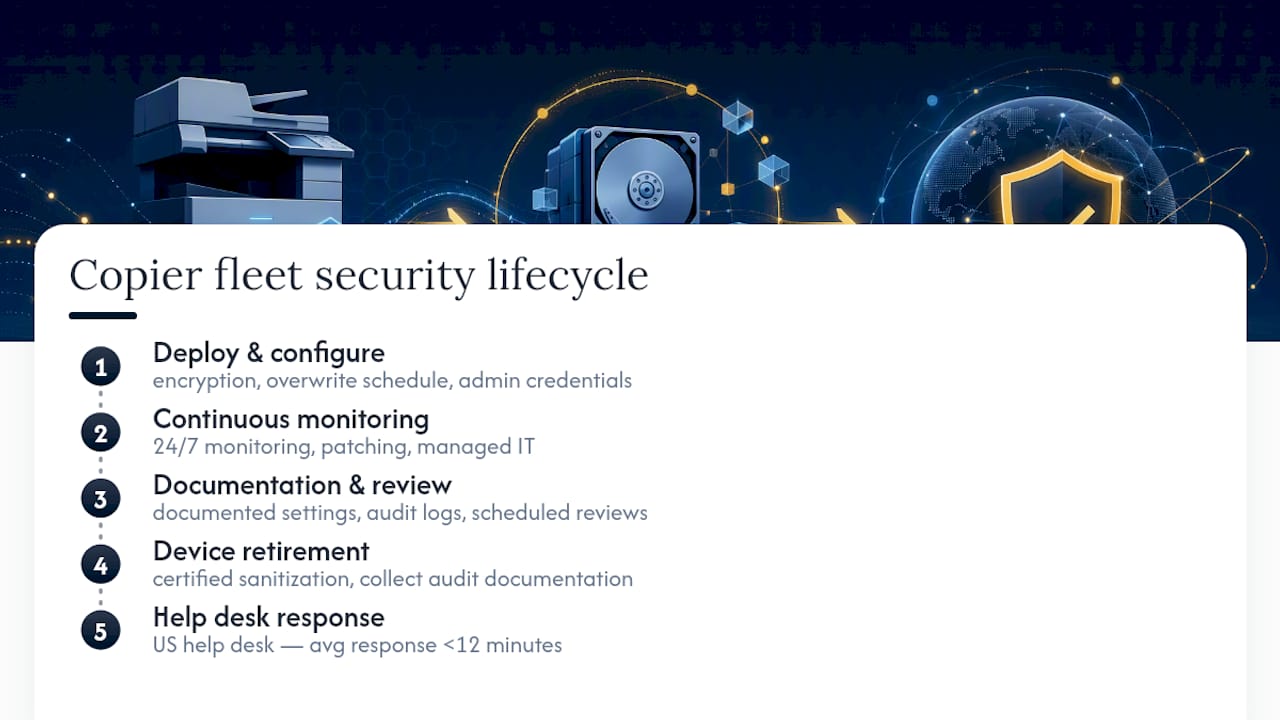
Our managed print services handle the configuration work outlined above at deployment, encryption, overwrite scheduling, admin credentials, and audit logging, then keep watching. Paired with managed IT and 24/7 monitoring, your fleet gets patched, documented, and reviewed on a schedule instead of whenever someone remembers. When a lease ends or a device retires, we coordinate certified sanitization and collect the documentation you’ll actually need for an audit. And because our help desk is based in the USA with an average response under 12 minutes, a flagged issue doesn’t sit in a queue for days.
Ready to find out what’s actually running on your fleet’s drives? Get a copier security assessment and see where your configuration stands today.
Where to Verify These Standards Yourself
Consult the FTC’s digital copier guidance and NIST 800-88 directly, plus your vendor’s own security documentation. Keep firmware versions and wipe certificates on file for every device.
Sources
- Digital Copier Data Security: A Guide for Businesses | Federal Trade Commission
- Copier Security – UCI Information Security