

Managed print services give small and midsize businesses a single system to control print costs, close security gaps on networked devices, speed up daily workflows, and take routine printer problems off your IT team’s plate. These outcomes are measurable, tracked through cost-per-page, ticket volume, and uptime, and many businesses see payback within months rather than years. The sections below break down each benefit area so you can see exactly where the savings and the risk reduction come from.
TL;DR:
- Managing print costs effectively requires tracking cost-per-page, device utilization, and help desk ticket trends to identify savings opportunities.
- Implementing strong security controls such as firmware updates, encrypted data storage, and authenticated release reduces networked printer vulnerabilities.
- Automating workflows like scan-to-system and secure release improves employee productivity and reduces support tickets.
- Fleet right-sizing, duplex printing, and policy-driven routing significantly cut paper and toner waste while supporting sustainability goals.
- A comprehensive MPS typically includes device monitoring, automated supply management, security patching, and on-demand support, requiring ongoing management adjustments.
Table of Contents
- The core benefits at a glance
- How MPS reduces costs and shifts expense structure
- Security and compliance: device risks and controls
- Productivity, workflow automation, and employee experience
- Sustainability and waste reduction benefits
- What’s actually included when you sign an MPS agreement
- Measuring ROI and what to expect in the first year
- How Mavericks Office Solutions delivers on these outcomes
- When it’s time to make the move
- A managed print partner built for small business budgets
- Sources
- FAQ
The core benefits at a glance
Before digging into mechanisms, here’s what a well-run managed print program typically delivers. Each item below points to a metric worth tracking so the benefit stays measurable rather than anecdotal.
- Lower and stabilize print spend: track cost-per-page across the fleet and compare it to your current invoices.
- Reduce security risk from networked printers: track the number of devices with outdated firmware or no authentication controls.
- Shorten downtime and support tickets: track monthly printer-related help desk tickets and average resolution time.
- Centralize visibility across locations: track how many devices report into a single monitoring dashboard.
- Right-size the fleet: track device count and utilization rate per device.
- Automate supply replenishment: track missed-delivery incidents and emergency toner orders.
- Improve compliance posture: track audit log completeness and secure-release adoption rate.
- Free up IT staff time: track hours per month IT spends on printer issues before and after.
- Cut paper and toner waste: track pages printed per employee per month.
- Support faster document workflows: track time from scan to system entry for key documents.
How MPS reduces costs and shifts expense structure
Cost control comes from a few concrete levers. Consolidated supplies mean toner and parts get ordered centrally instead of per department, which cuts emergency purchases and markup. Cartridge management and meter-based billing tie what you pay to actual usage, so you stop guessing at budgets. Right-sizing the fleet, replacing underused or aging devices with fewer, better-matched machines, removes hardware that costs more to maintain than it produces in output.
Indirect savings add up too: fewer one-off device purchases, less IT time spent troubleshooting print drivers, and less downtime while a machine sits broken. To baseline your own numbers, calculate a simple cost-per-page figure (total print-related spend divided by total pages printed) and compare it against your current vendor invoices before and after a program starts. Practitioners in the field often find the biggest recurring value comes not from toner deals but from ongoing fleet right-sizing and workflow integration over time.
Security and compliance: device risks and controls
Networked printers and multifunction devices are computers on your network, and they’re often treated like furniture instead. NIST IR 8023 explains that these devices frequently store data locally and connect to the network, which means they carry real risk and need the same scrutiny as any other endpoint: risk assessment, encryption, authentication, and logging.
A managed print program built on NIST-aligned controls should include firmware patching on a schedule, authenticated print release so jobs don’t sit exposed in an output tray, disk overwrite or encryption for stored job data, and centralized logging for audit purposes. These aren’t optional extras; they’re the baseline a provider should own on your behalf.
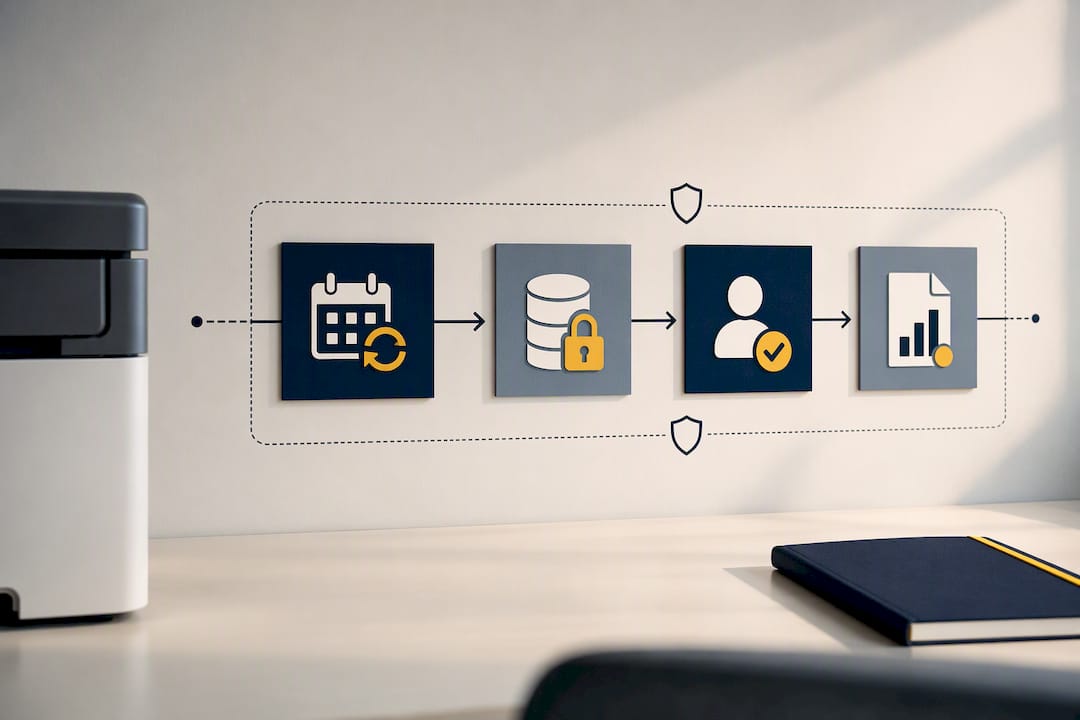
For legacy devices that can’t support modern controls, compensating measures matter: network segmentation, firewall rules limiting device exposure, and escorting outside technicians during service calls. A practical configuration checklist for HP LaserJet and Color LaserJet MFPs shows this isn’t theoretical: real settings, tested per environment, close real gaps. For IT teams wanting a shorter action list, our guide on print security controls to implement and verify walks through the priorities.
Productivity, workflow automation, and employee experience
Follow-me printing and secure release solve a common annoyance: employees walking to a printer, waiting, or finding someone else’s job in the tray. A job only prints when the employee badges in or enters a code at the device, which also closes a compliance gap for sensitive documents. Our follow-me printing setup guide walks through a typical rollout.
Scan-to-workflow features cut manual steps too: an invoice scanned directly into an accounting system saves the data entry that used to eat up an afternoon. Once these systems run themselves, IT stops fielding low-value tickets like “the printer is out of paper again” and gets time back for higher-value projects. Quocirca’s research finds that scanning and workflow automation are now the most requested capabilities among IT decision-makers evaluating MPS, ahead of simple device upkeep.
Sustainability and waste reduction benefits
Fleet consolidation and default duplexing (printing both sides automatically) cut paper use without requiring anyone to change behavior. Print policies, like rules that route large jobs to a shared device instead of a desktop printer, reduce toner waste and wear on individual machines. Reporting shows pages saved over time, and some programs estimate the associated reduction in paper and energy use. For most SMBs, sustainability is a secondary benefit, but it’s one you can track alongside cost data every reporting cycle.
What’s actually included when you sign an MPS agreement
A managed print agreement typically covers device monitoring, automated supply management, on-site or remote maintenance, security patching, and reporting or analytics on usage across the fleet. Help desk support handles day-to-day issues so your internal IT team isn’t the first call for a paper jam or a driver conflict.
Delivery models vary. Some businesses want managed services layered onto printers they already own; others prefer a lease-plus-managed-services bundle that combines hardware and support in one contract; a hybrid approach mixes owned and leased devices under one management umbrella. In any model, an account manager or fractional IT resource should review usage data regularly and adjust the fleet as needs change, since market research shows buyers increasingly expect that kind of ongoing optimization, not just a one-time setup.
Measuring ROI and what to expect in the first year
Track a short list of KPIs from day one: cost-per-page, total monthly print spend, number of printer-related help desk tickets, device uptime, and security incidents identified or mitigated. These give you a clear before-and-after picture instead of a vague sense that things improved.
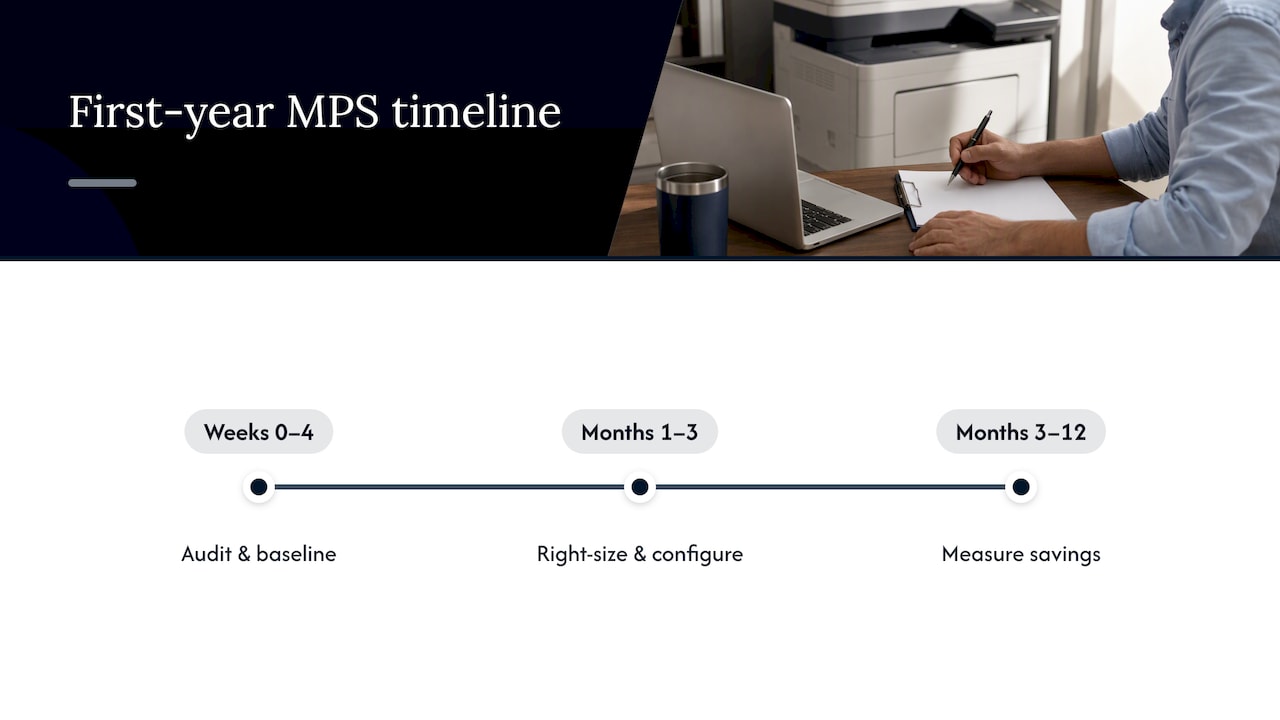
A realistic timeline looks like this. In weeks 0 to 4, the provider audits your current fleet, invoices, and ticket history to build a baseline. In months 1 to 3, they right-size devices, apply security controls, and configure workflows like secure release. By months 3 to 12, cost and ticket-volume trends should show measurable savings. Before the assessment starts, gather your last several print vendor invoices, a device inventory, and your current help desk ticket log so the baseline is accurate from the start. For a deeper look at fleet-level savings, see our breakdown of printer fleet management.
How Mavericks Office Solutions delivers on these outcomes
Mavericks Office Solutions runs managed print as part of an integrated IT, security, and communications stack rather than as a standalone contract, backed by a USA-based help desk with an average response time under 12 minutes. That integration means the same team securing your network also manages your print fleet’s firmware and access controls. For specifics on device setup and hardware compatibility, see our Xerox partnership update and the follow-me printing guide referenced above.
When it’s time to make the move
If your print costs keep climbing without explanation, if nobody can say which devices are patched, or if your team spends real hours scanning paperwork by hand, that’s your signal. Start with a baseline assessment and a short KPI list before you sign anything. Whoever you choose, prioritize a provider with real security capability and fleet analytics, not just toner delivery.
— Jeffrey
A managed print partner built for small business budgets
Managed print can be integrated with your network security and phone systems, reducing the need to manage multiple vendors for related issues. Having a single provider and a local help desk can lead to fewer handoffs when problems arise and clearer accountability.

| What you get | Why it matters |
|---|---|
| Integrated IT, security, and print management | One provider, one point of accountability |
| USA-based help desk with rapid average response times | Faster answers when a device or workflow breaks |
| Fleet assessment and right-sizing | Baseline data before you commit to changes |
| Ongoing monitoring and reporting | Visibility into cost and security trends over time |
If you want a clear picture of where your fleet stands today, request a managed print services assessment and get a baseline before your next contract renewal.
Sources
- Risk Management for Replication Devices (NIST IR 8023)
- Managed Print Services redefined – Quocirca (2025)
- Checklist: Configuring security for HP LaserJet and Color LaserJet MFPs (NIST / HP)
- Quocirca Managed Print Services Landscape 2025
FAQ
What are the benefits of using managed print services?
Managed print services lower and stabilize print costs, reduce security risk on networked devices, cut printer-related downtime, and free up internal IT time. Providers also add reporting and workflow automation that most in-house setups lack.
How much do managed print services cost?
Pricing depends on fleet size, device mix, and service level, so most providers quote based on an assessment rather than a flat rate. Mavericks Office Solutions does not publish standard pricing; managed print services quotes are available on request after a fleet review.
Can I really make money with print on demand?
Print on demand is a separate business model built around producing custom products per order, not a managed print service for internal office equipment. Managed print services are designed to reduce a business’s own printing costs and risk, not to generate revenue from printed goods.
What does “managed print service” mean?
A managed print service is an ongoing arrangement where a provider monitors, maintains, and supplies a business’s printers and multifunction devices, often including security controls and usage reporting. It typically replaces piecemeal supply orders and reactive repairs with a single, tracked program covering the whole fleet.