

24/7 IT support is round-the-clock monitoring and help desk coverage, available by phone, chat, or remote session, every hour of every day. It’s worth the investment when downtime hits revenue directly, when compliance rules demand documented incident response, or when your team works nights, weekends, or across time zones. Expect to pay roughly 25 to 50 percent more than a standard business-hours plan.
Businesses that should look closely at this model include:
- E-commerce and payment processors where an outage means lost sales every minute
- Healthcare, finance, and legal firms bound by uptime or breach-notification rules
- Companies with remote or night-shift staff who need help outside 9-to-5
- Manufacturers running automated equipment that can’t wait until morning for a fix
If none of that describes your operation, a hybrid or business-hours plan probably makes more financial sense, and we’ll get to that trade-off later.
Key Takeaways
24/7 IT support pays off when downtime cost, compliance rules, or distributed staffing make round-the-clock response worth a 25 to 50 percent premium over business-hours coverage.
| Point | Details |
|---|---|
| Match coverage to workload criticality | Full 24/7 makes sense for revenue-critical, compliance-bound, or distributed operations, not every business. |
| Budget for the premium | Expect roughly 25 to 50 percent more than business-hours pricing, plus per-user or per-device costs for higher-risk environments. |
| Demand SLA specifics in writing | Speed to answer, resolution targets, uptime guarantees, and service credits should all be contractual, not verbal promises. |
| Plan a phased onboarding | Discovery, monitoring rollout, runbook authoring, and shadow operations typically take six to twelve weeks combined. |
| Choose a domestic, monitored provider | Mavericks Office Solutions delivers 24/7 monitoring through a USA-based help desk with a documented sub-12-minute average response. |
Table of Contents
- What Does 24/7 IT Support Actually Include?
- What Are the Benefits of Round-the-Clock IT Coverage?
- How Much Does 24/7 IT Support Cost?
- What Should You Ask a 24/7 IT Support Vendor Before Signing?
- How Do Monitoring and Runbooks Actually Reduce Downtime?
- What Does Onboarding Look Like for 24/7 IT Support?
- What Security and Privacy Risks Come With Always-On IT Support?
- How Do Providers Actually Staff a True 24/7 Operation?
- Does 24/7 Support Work With the Tools You Already Have?
- Should Your IT Support Be Proactive or Reactive?
- Full 24/7, Hybrid, or Emergency-Only: A Provider’s Rule of Thumb
- Get 24/7 IT Support Without the Offshore Call Center
- Sources
What Does 24/7 IT Support Actually Include?
Good 24/7 IT support covers three things at once: a way to reach a human, a system watching your network while nobody’s looking, and a clear line between what’s free and what costs extra.
- Contact channels. Phone, live chat, and a ticket portal should all be staffed around the clock, not just during “core hours” with an answering service overnight. The University of Arizona’s help desk is a solid non-commercial example: phone, chat, portal, and in-person, all available at any hour.
- Remote access and control. Technicians need the ability to log into a workstation or server remotely to fix problems without waiting for someone to drive to the office.
- NOC monitoring. A network operations center watches servers, firewalls, and endpoints for anomalies, triggers alerts, and in many cases fixes minor issues automatically before a human ever sees a ticket.
- Scope boundaries. Routine patching, password resets, and monitoring are typically included. New server builds, office moves, or software rollouts usually count as project work billed separately.
That last point trips up more buyers than any other. Ask for the scope document in writing before you sign anything.
What Are the Benefits of Round-the-Clock IT Coverage?
The clearest benefit is speed of recovery. When monitoring and response run continuously, the gap between “something broke” and “someone’s fixing it” shrinks from hours to minutes, which directly improves mean time to resolution (MTTR).
Consider which of your systems actually can’t wait until 9 AM:
- Point-of-sale and e-commerce platforms during a holiday sales rush
- VPN and remote-access infrastructure for a distributed workforce
- Backup and disaster recovery systems that need to be verified nightly
- Phone systems for businesses that take after-hours calls or emergency lines
Pro Tip: Calculate your own downtime cost before comparing quotes. Multiply your average hourly revenue by your last outage’s duration, then compare that number against the monthly premium for 24/7 coverage. If one bad night costs more than a year of the upgrade, the math answers the question for you.
Higher-education IT shops that adopted continuous monitoring and documented escalation paths saw measurable gains in response consistency and user experience for a dispersed population of users, a pattern that holds just as well for a distributed workforce.
How Much Does 24/7 IT Support Cost?
Pricing for 24/7 coverage generally falls into one of four shapes, and each one shifts risk differently between you and the provider, according to a breakdown of common cost models.
- Per-user pricing charges a flat rate for every employee, regardless of how many devices they touch. Predictable, but can overcharge lean teams with lots of hardware.
- Per-device pricing charges by endpoint (laptop, server, mobile device). Better fit for device-heavy environments like manufacturing floors.
- Fixed-fee bundles roll everything into one monthly number. Easiest to budget, but read the fine print on what’s excluded.
- Ticket-based pricing charges per incident. Cheap when things run smoothly, unpredictable when they don’t.
Across every model, moving from business-hours to true 24/7 coverage adds roughly 25 to 50 percent to the base monthly fee. Sample pricing in higher-cost markets shows 24/7 managed plans running $150 to $250 per user, per month, with servers and compliance requirements adding to that base.
Watch for hidden fees: after-hours surcharges layered on top of a “24/7” contract, onboarding charges that were never quoted upfront, and project work quietly reclassified as billable when it should have been covered maintenance.
What Should You Ask a 24/7 IT Support Vendor Before Signing?
The right questions turn a vague sales pitch into a comparable, enforceable contract. Demand these in writing, not verbally promised.
- What’s the speed to answer? How long before a live person picks up the phone or chat, not just acknowledges a ticket exists.
- What’s the initial response time versus the resolution target? These are different numbers. A vendor might respond in 15 minutes but take 8 hours to actually fix anything.
- What uptime guarantee applies to monitored systems, and what happens when they miss it?
- Are service credits included if response or resolution targets are missed repeatedly?
- How does escalation work? Ask specifically what happens when your issue exceeds their in-house expertise and needs L3 or vendor-level support (Microsoft, your line-of-business software maker, and so on).
- What’s the termination clause, and are there penalties for leaving?
Pro Tip: Ask for three months of anonymized ticket data from an existing client during the sales process. A vendor confident in their numbers will show you real response times instead of a marketing slide.
Red flags worth walking away from: scope language so vague it could mean anything, no credit remedy when targets are missed, and open-ended onboarding fees with no ceiling.
How Do Monitoring and Runbooks Actually Reduce Downtime?
The technical machinery behind “24/7 support” is a NOC watching telemetry data, an alert triage process deciding what’s urgent, and a runbook telling the technician exactly what to do next. None of that works without all three pieces.
Telemetry flows in continuously from servers, firewalls, and endpoints. When a threshold gets crossed, an alert fires. Triage decides whether that alert needs a human immediately, can wait for daytime staff, or gets handled by automated remediation scripts. Anything beyond the NOC’s expertise escalates to L3 engineers or the original equipment vendor.
Runbooks are the documented, step-by-step procedures technicians follow for known incident types. A good one gets written by the team that first solved the problem, gets reviewed after every major incident, and gets updated the moment a step turns out to be wrong. Runbooks matter because they remove decision-making time during an outage, which is exactly when nobody wants to be improvising.
A written procedure that removes guesswork from a 3 AM outage is worth more than any marketing claim about “24/7 coverage.” The response time promise is only as credible as the documentation behind it.
Mavericks Office Solutions builds its managed IT coverage on exactly this structure:
- Continuous monitoring backed by a USA-based help desk, not an offshore call center
- A documented average help desk response of under 12 minutes
- Bundled cybersecurity, VoIP, and managed print under one service relationship instead of three separate vendors
What Does Onboarding Look Like for 24/7 IT Support?
Moving to continuous coverage isn’t a light-switch flip. It’s a phased rollout, and any vendor who claims otherwise is skipping steps that matter.
- Discovery (1 to 2 weeks). The vendor inventories every device, account, and access credential across your environment.
- Monitoring agent rollout (1 to 3 weeks). Software agents get deployed to servers and endpoints so telemetry starts flowing.
- Runbook authoring (2 to 4 weeks, often overlapping with rollout). Procedures get documented for your specific systems, not generic templates.
- Shadow operations (2 to 4 weeks). The new provider monitors alongside your existing support without taking primary responsibility yet.
- Cutover. The new team takes over incident response fully, usually with a defined fallback period.
Expect a full transition to run six to twelve weeks for a mid-sized environment. Ask for an asset inventory, documented access list, and copies of every runbook as deliverables, not favors. A phased or hybrid adoption, keeping your internal team on days while a partner covers nights, spreads that cost and risk instead of committing to full 24/7 on day one, an approach worth weighing against a break-fix model you may have outgrown.
What Security and Privacy Risks Come With Always-On IT Support?
Round-the-clock access to your systems means round-the-clock exposure if it’s not handled correctly. A provider watching your network at 3 AM has the same access a malicious actor would want, which makes vetting that access non-negotiable.
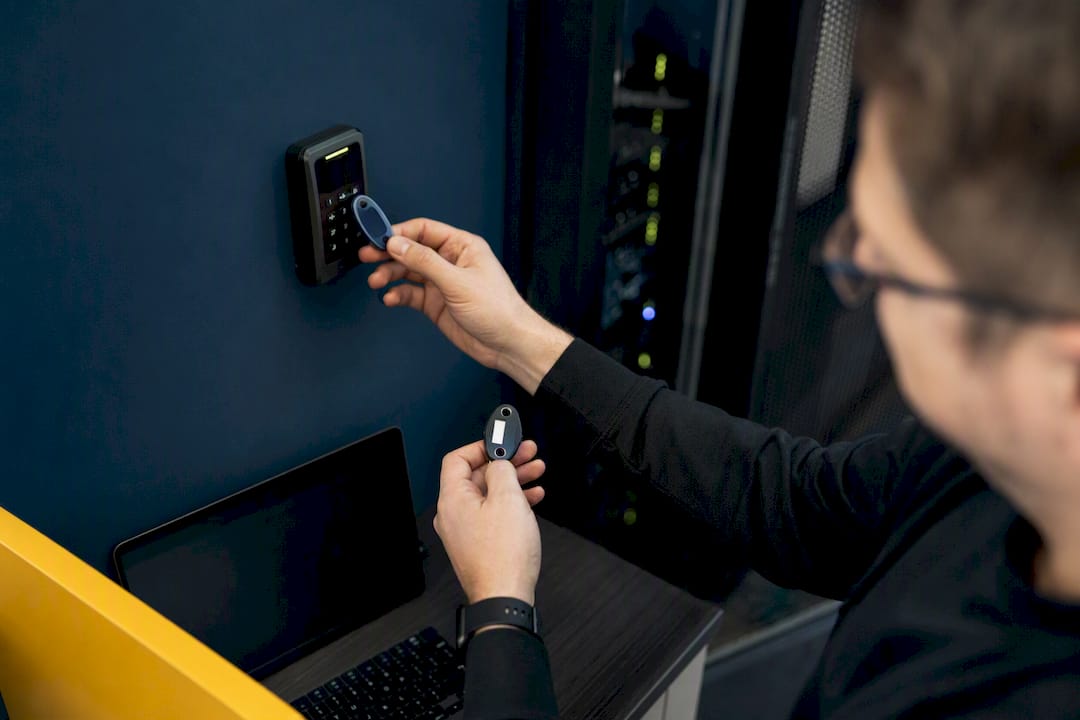
Start with credential management. Every technician touching your systems should authenticate with multi-factor authentication, and access should be scoped to only what that person’s role requires. A help desk agent resetting passwords doesn’t need domain administrator rights. Ask your vendor how they handle privileged access and whether sessions get logged and reviewed.
Data residency matters more than most buyers realize. If your provider routes monitoring data through third-party tools or offshore staff, find out exactly where that data lives and who can see it. This becomes a compliance issue fast for healthcare, finance, and legal clients bound by regulatory requirements around where sensitive information can travel.
Ask for a documented incident response plan specific to security events, separate from general IT troubleshooting. A breach at 2 AM needs a different escalation path than a printer jam at 2 AM, and a vendor without a distinct security runbook is telling you they haven’t thought this through.
Finally, ask how monitoring tools themselves are secured. The software watching your network is itself a target, and a provider who can’t explain how they patch and harden their own monitoring stack hasn’t earned the trust that continuous access requires. Pair 24/7 support with a dedicated cybersecurity program rather than treating monitoring alone as a security solution.
How Do Providers Actually Staff a True 24/7 Operation?
Genuine 24/7 coverage requires either a large enough internal team to fill three shifts across seven days, or a partner model where a specialized firm covers the hours you can’t. Very few small and mid-sized businesses can justify the first option on payroll alone.
The math is unforgiving. Covering one role continuously, accounting for vacation, sick time, and turnover, typically requires four to five full-time employees per position, not one. That’s why most legitimate providers rely on a mix of follow-the-sun staffing (handing off to teams in different time zones as the day progresses) and a smaller overnight crew backed by on-call escalation for anything the overnight team can’t resolve alone.
The real challenge isn’t filling the overnight shift. It’s keeping the people on that shift skilled enough to handle what comes up without waking a senior engineer for every ticket. Overnight roles suffer from higher turnover industry-wide, which means a provider’s runbook quality and escalation discipline matter more at 3 AM than at 3 PM, when a seasoned technician might otherwise catch a mistake before it becomes an outage.
Some vendors lean on offshore call centers to solve the staffing math cheaply, which lowers cost but often adds language friction, time-zone lag on complex issues, and less familiarity with your specific systems. A domestic help desk model, staffed and supervised in the same country as your business, tends to close that gap, at a somewhat higher cost that shows up in the pricing conversation covered earlier.
Does 24/7 Support Work With the Tools You Already Have?
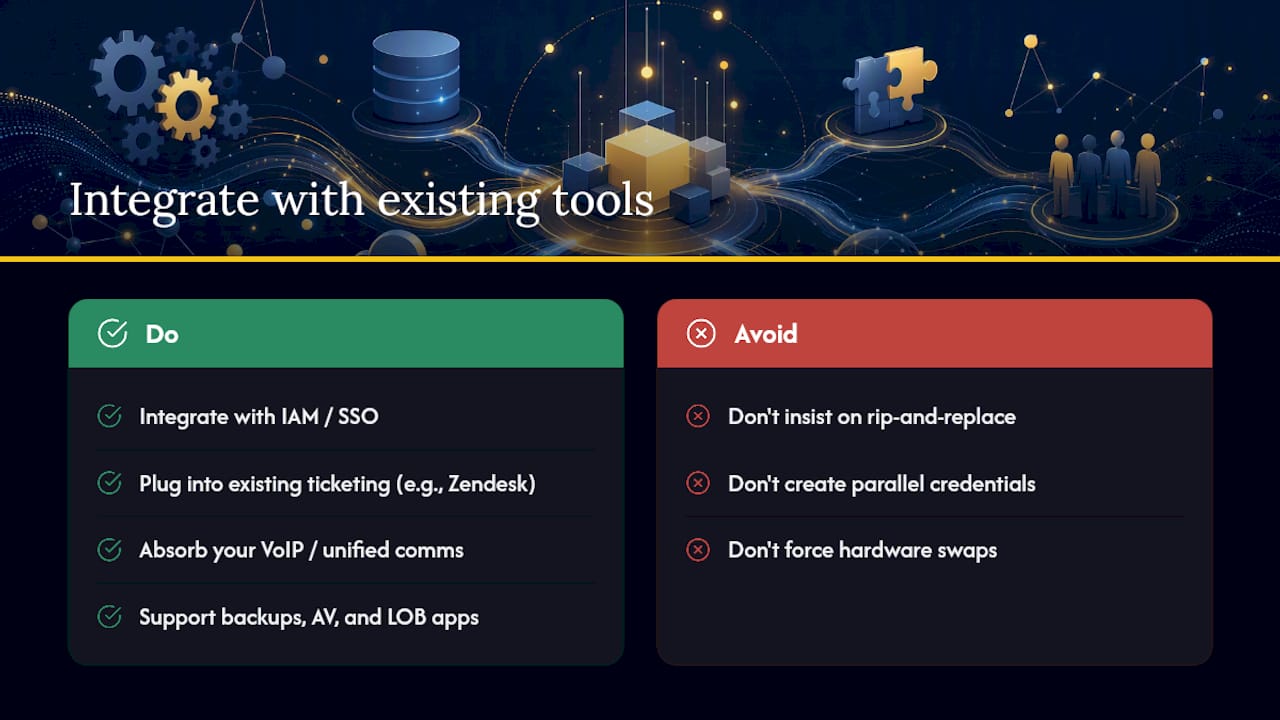
The monitoring agents, ticketing systems, and remote-access tools a 24/7 provider deploys need to sit on top of your existing infrastructure, not replace it wholesale on day one. This is where a lot of transitions go sideways.
Start with your identity and access management setup, whatever directory service and single sign-on you’re already running. A new provider’s monitoring tools should integrate with that system rather than creating a parallel set of credentials to manage. The same goes for your existing ticketing or help desk software; platforms built around this kind of workflow, like Zendesk, are designed to plug into a broader support stack rather than force a rip-and-replace.
Your phone system deserves particular attention if you’re running VoIP already. A provider that can absorb your existing unified communications setup into their monitoring, rather than pushing a hardware swap, saves both money and disruption. The same logic applies to backup software, antivirus or endpoint detection tools, and any line-of-business applications specific to your industry.
Ask any prospective vendor directly: what happens to the tools I already pay for? A provider unwilling to work within your existing stack, insisting instead on their preferred platforms across the board, is optimizing for their own operational simplicity over your budget and your team’s learning curve.
Should Your IT Support Be Proactive or Reactive?
Reactive support waits for something to break, then fixes it. Proactive support tries to catch the failure before it happens, or before anyone notices. A genuine 24/7 model needs both, but the ratio between them tells you a lot about the quality of the provider.
Reactive work is the ticket queue: a printer that won’t connect, a password reset, a server that just crashed. It’s necessary, it’s visible, and it’s what most people picture when they think “IT support.” Proactive work is quieter and, over time, more valuable: patch management running on schedule, disk space trending toward capacity weeks before it becomes a crisis, a firewall rule that’s about to expire.
The tell for a genuinely proactive provider is whether their monthly reporting shows issues they prevented, not just tickets they closed. A vendor who can point to patches applied before a vulnerability was exploited, or a failing drive replaced before it took a server down, is running the model correctly. One who only ever reports on incidents after the fact is running a reactive desk with a 24/7 label attached to it.
Full 24/7, Hybrid, or Emergency-Only: A Provider’s Rule of Thumb
Full 24/7 makes sense when a single outage costs more in a week than a year of the premium, or when compliance rules force documented round-the-clock response. Hybrid, internal coverage by day, outsourced overnight, fits most SMBs with moderate risk. Pilot with a 90-day scoped agreement before committing longer term.
Get 24/7 IT Support Without the Offshore Call Center
Mavericks Office Solutions runs 24/7 coverage the way this article describes it should work: a USA-based help desk (no offshore call center routing your late-night password reset through three time zones), proactive monitoring backed by documented runbooks, and an average response time under 12 minutes.

That response time isn’t a marketing number pulled from a slide deck; it’s the operational standard the managed IT team works against every day, across monitoring, cybersecurity, VoIP, and managed print, all under one contract instead of three separate vendor relationships to juggle. If your business runs revenue-critical systems overnight, supports remote or night-shift staff, or simply can’t afford another 2 AM outage with nobody answering the phone, request a scoped quote and find out what a domestic, always-on help desk actually costs for your environment.
Sources
- IT Support Cost Calculator — 2026 Managed IT Pricing Estimator | UseCalcPro
- 24/7 IT Support Service: Cost Models and What Is Included | Opsio
- 24/7 Support – University Information Technology Services
- Colleges revamp help desk to streamline customer service experience | EdTech Magazine