

Application whitelisting, also called application allowlisting, is the security practice of permitting only pre-approved software to execute on your systems while blocking everything else by default. NIST SP 800-167 defines it as a list of authorized applications and components, including executables, libraries, and configuration files, that are approved to run on organizational hosts. Unlike antivirus software, which blocks known threats and permits everything else, allowlisting flips that model entirely: only what you explicitly trust can run.
That distinction matters for Michigan businesses facing ransomware, zero-day exploits, and insider threats. The Canadian Centre for Cyber Security ranks application allowlisting among its top ten recommended IT security actions, specifically calling it one of the most effective techniques available to combat ransomware. It works alongside antivirus and endpoint detection and response (EDR) tools rather than replacing them, adding a permission-based access layer those tools cannot provide on their own.
Key reasons IT teams in Michigan are adopting software whitelisting now:
- Stops malware and unauthorized code from executing, even when it is unknown to antivirus signatures
- Blocks unlicensed software and reduces shadow IT across endpoints
- Supports regulatory compliance by maintaining a verified application inventory
- Restricts execution from removable media such as unauthorized USB drives
- Complements EDR by preventing unauthorized code from running in the first place
Mavericksofficesolutions provides managed cybersecurity services for small and mid-sized businesses across Michigan and Ohio, including application whitelisting as part of a layered endpoint security program.
Table of Contents
- How does application whitelisting work in practice?
- What are the real benefits and limitations of allowlisting?
- How does allowlisting function as a perimeter defense?
- Local Michigan IT providers offering application whitelisting services
- How to choose the right managed IT provider for application whitelisting
- What does application whitelisting cost?
- Mavericksofficesolutions protects Michigan endpoints without the complexity
- Key Takeaways
How does application whitelisting work in practice?
Application control policies operate in two modes. Enforcement mode actively blocks any software not on the approved list. Observation mode, sometimes called audit mode, records everything running on your network without blocking anything. Starting in observation mode is the recommended first step because it lets you build an accurate baseline of legitimate applications before any enforcement begins.

Skipping observation mode is one of the costliest mistakes an organization can make. NIST’s ITL Bulletin warns that false positives from an untested policy can block legitimate business applications and cause real operational outages. Depending on the size and complexity of your environment, baseline building can take weeks or months.
Once your baseline is solid, policies can filter applications using several attributes:
- File path and name: Restricts execution to approved directories
- Digital signature or publisher: Trusts applications signed by verified vendors
- Cryptographic hash: Ties authorization to a specific file version
- File size: Used as a secondary attribute alongside other criteria
For Windows environments, App Control for Business (previously Windows Defender Application Control) is the built-in application control solution. Configuring Microsoft Intune as a managed installer automatically authorizes software deployed through trusted channels, cutting down the manual overhead of updating whitelists after every patch cycle.
Pro Tip: Policies that cover only executables leave a significant gap. Attackers use living-off-the-land techniques, running malicious scripts and libraries that are already present on the system. Configure your allowlist policies to cover scripts, libraries, and plug-ins, and set them to allow only signed and trusted scripts where scripting is required.
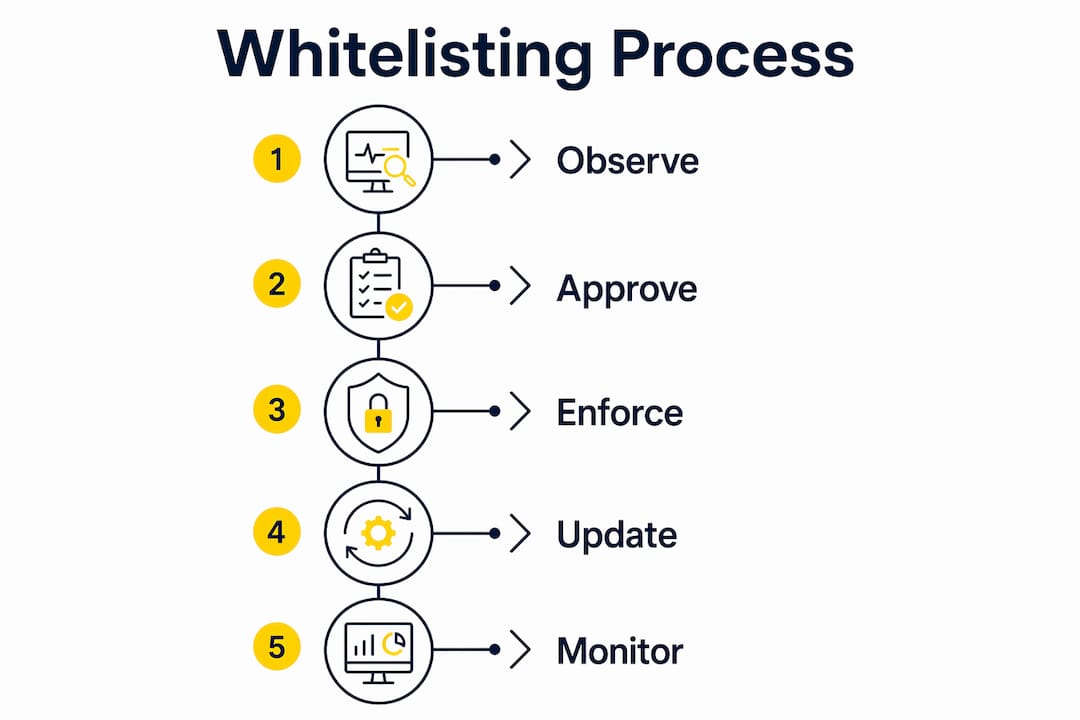
Application control is not a set-and-forget deployment. The Canadian Centre for Cyber Security recommends updating your allowlist every time an application is patched or replaced, treating it as an ongoing operational process rather than a one-time project.
What are the real benefits and limitations of allowlisting?
The security case for application control is strong. NIST’s guidance confirms it is highly effective at blocking malware and unlicensed software while supporting regulatory compliance and tight access control. It also gives IT teams a live inventory of every application running across desktops, laptops, and servers, which is genuinely useful for vulnerability management.
Core benefits:
- Prevents execution of unknown malware, including zero-day threats antivirus cannot detect
- Eliminates unauthorized or unlicensed software from the environment
- Provides a verified software inventory for compliance audits
- Reduces attack surface by controlling what code can run at the process level
Limitations to plan for:
- Initial setup requires a thorough application environment inventory, which takes real time
- Ongoing maintenance is necessary after every patch, update, or new software deployment
- Poorly managed policies create user friction when legitimate applications get blocked
- Requires dedicated staff or a managed service provider to sustain effectively
One common misconception is that allowlisting only works in locked-down kiosk or point-of-sale environments. Modern tools like App Control for Business provide flexible policy options that protect general business endpoints without restricting legitimate productivity. The key is policy design, not the technology itself.
Microsoft’s application control documentation is direct on this point: allowlisting complements antivirus and EDR rather than replacing them. Think of it as a layer that stops unauthorized code from ever executing, while EDR monitors behavior after execution.
How does allowlisting function as a perimeter defense?
Application whitelisting contributes to perimeter defense by shrinking the attack surface at the endpoint level. Consider a typical Michigan manufacturing or professional services firm: employees use a defined set of business applications, yet endpoints are constantly exposed to phishing emails carrying malicious attachments. With enforcement mode active, even if a user clicks a malicious file, the payload cannot execute because it is not on the approved list.
NIST’s ITL Bulletin specifically highlights removable media control as a practical perimeter defense feature. Application control technologies can block execution of programs stored on unauthorized USB drives, which is a common vector for both accidental and intentional data exfiltration.
Allowlisting also supports incident response. If a breach occurs, security teams can configure the whitelisting technology to recognize characteristics of a malicious file and immediately scan all systems for matching signatures, accelerating containment. That kind of rapid cross-environment check is difficult to perform manually.
The integration with EDR tools creates a layered defense: allowlisting prevents unauthorized execution, while EDR detects and responds to behavioral anomalies in what does run. Together, they address both the “before” and “during” phases of an attack.
Local Michigan IT providers offering application whitelisting services
Two verified providers serve Michigan and Ohio businesses with managed IT and cybersecurity services that include application control capabilities.

| Criteria | Mavericksofficesolutions | Great Lakes Digital Partners |
|---|---|---|
| Service scope | Full outsourced IT department: managed IT, cybersecurity, VoIP, print, cloud hosting, physical security, and fractional IT leadership | Michigan-based IT and technology services with local expertise across business technology needs |
| Security capabilities | Managed application whitelisting, endpoint protection, 24/7 monitoring, EDR integration, proactive threat management | Cybersecurity and IT services including application whitelisting and endpoint security for local businesses |
| Support and help desk | USA-based help desk, average response under 12 minutes, no offshore call centers | Local Michigan support with regional responsiveness |
| Geographic focus | Michigan and Ohio, with strong local presence and verified business status | Michigan-focused, verified local provider |
| Pricing model | Recurring monthly service contracts for managed IT and cybersecurity; project-based consulting for fractional IT leadership | Pricing not publicly listed; contact for custom quote |
Mavericksofficesolutions stands out for its sub-12-minute average help desk response and its ability to serve as a complete outsourced IT department, covering everything from managed IT services to endpoint security under one contract. Great Lakes Digital Partners brings local Michigan expertise and verified regional presence for businesses that prefer a locally rooted provider.
How to choose the right managed IT provider for application whitelisting
Selecting a provider is not just about who offers the service. It is about who can manage the full lifecycle, from baseline building through ongoing policy updates, without disrupting your operations.
Criteria to evaluate:
- Cybersecurity depth: Does the provider understand observation mode, policy lifecycle management, and script controls, or do they treat allowlisting as a checkbox?
- Local presence and responsiveness: Can they respond quickly when a legitimate application gets blocked and your team is down?
- Contract flexibility: Are you locked into a long-term agreement, or can you scale services as your needs change?
- Help desk availability: Is support available around the clock, and is it US-based?
- Update management: How does the provider handle allowlist updates after patches and new software deployments?
Red flags to watch for:
- Providers who skip observation mode and go straight to enforcement
- No clear process for handling false positives or emergency application approvals
- Reliance on a static, rarely updated policy
- Offshore help desks with slow response times when endpoint issues arise
- No documented experience with Windows application control tools like App Control for Business or Intune
Ask any prospective provider directly: “How do you manage allowlist updates after a major software patch?” A vague answer is a warning sign.
What does application whitelisting cost?
Pricing for managed application whitelisting varies based on the number of endpoints, the complexity of your software environment, and whether the service is bundled into a broader managed IT contract.
Most managed service providers in Michigan and Ohio price application control as part of a per-endpoint monthly fee within a managed IT or cybersecurity package. Standalone application whitelisting engagements are less common because the service requires ongoing policy management, help desk support, and regular updates to remain effective. Bundling it with endpoint protection, patch management, and 24/7 monitoring typically delivers better value than purchasing it as a separate line item.
For small and mid-sized businesses, the cost of a managed allowlisting service is generally far lower than the cost of a single ransomware incident, which can include downtime, data recovery, regulatory penalties, and reputational damage. Mavericksofficesolutions structures its services as recurring monthly contracts, giving Michigan businesses predictable IT costs without surprise fees. Specific pricing is not publicly listed and depends on your environment; contacting the provider directly for a scoped quote is the practical first step.
Mavericksofficesolutions protects Michigan endpoints without the complexity
Michigan businesses that need application whitelisting managed end-to-end, without building an internal security team to sustain it, get a direct path to that outcome with Mavericksofficesolutions. Rather than purchasing a tool and figuring out observation mode, policy design, and ongoing updates on your own, you get a team that handles the full lifecycle: baseline building, enforcement configuration, script controls, and allowlist maintenance after every patch cycle.
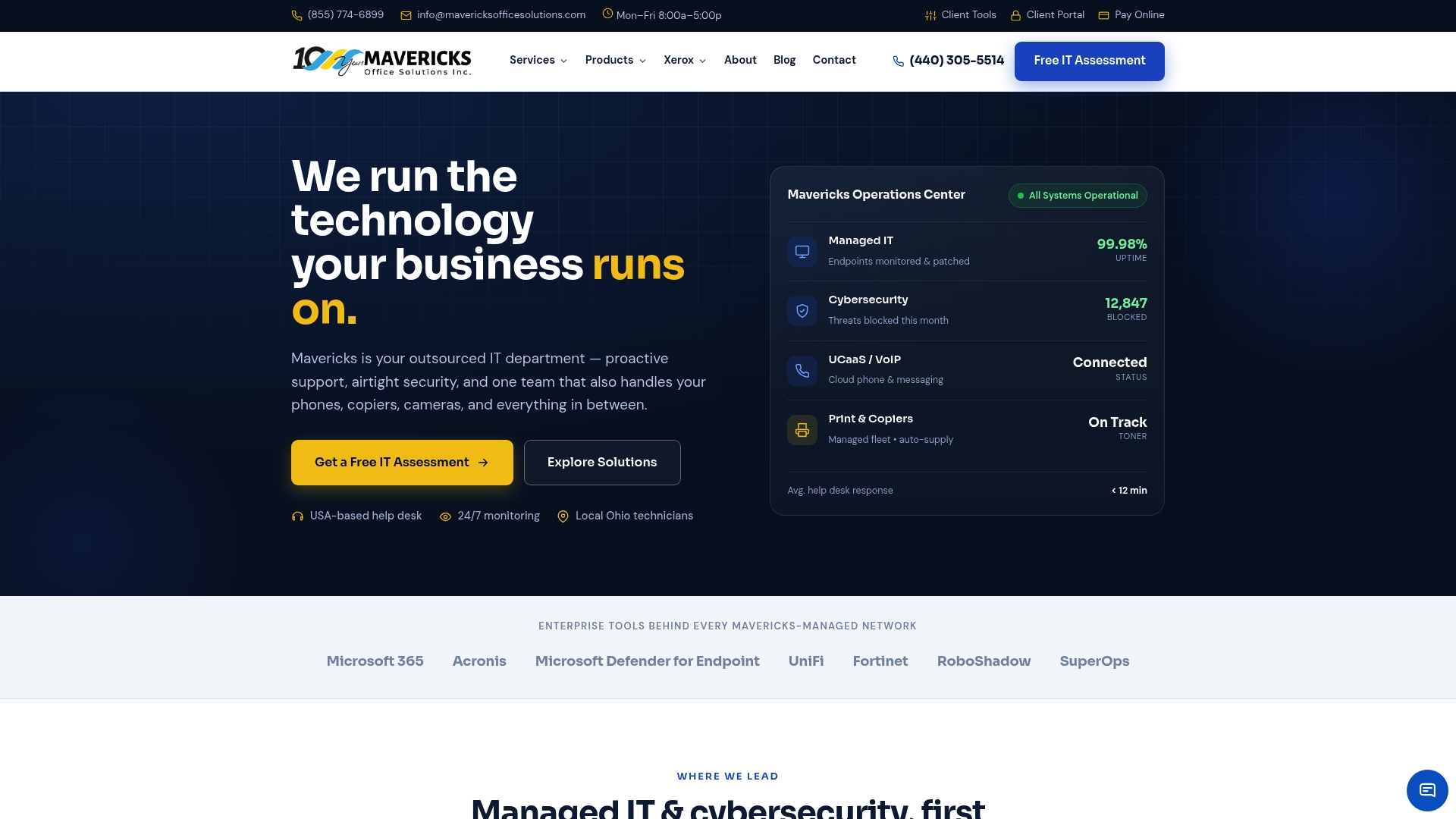
Mavericksofficesolutions operates as your outsourced IT department, covering endpoint security and cybersecurity alongside managed IT, VoIP, and print, all under one monthly contract with a USA-based help desk that averages under 12 minutes to respond. No offshore call centers, no waiting hours for a callback when an application gets blocked. If you are ready to move from reactive IT to a proactive security posture, contact Mavericksofficesolutions to get a scoped quote for your Michigan or Ohio environment.
Key Takeaways
Application whitelisting requires a full operational lifecycle, starting with observation mode, covering scripts and libraries, and updating policies after every patch, to protect Michigan business endpoints without disrupting operations.
| Point | Details |
|---|---|
| Start in observation mode | Build a baseline of legitimate applications before enforcing any blocks to avoid operational disruptions. |
| Cover scripts and libraries | Policies limited to executables leave gaps that attackers exploit using living-off-the-land techniques. |
| Treat it as ongoing maintenance | Update your allowlist every time an application is patched, replaced, or newly deployed. |
| Allowlisting complements EDR | It prevents unauthorized code from executing; EDR monitors behavior in what does run. Both layers are needed. |
| Mavericksofficesolutions manages the full lifecycle | Michigan and Ohio businesses get end-to-end allowlisting, endpoint protection, and a sub-12-minute US-based help desk under one monthly contract. |