
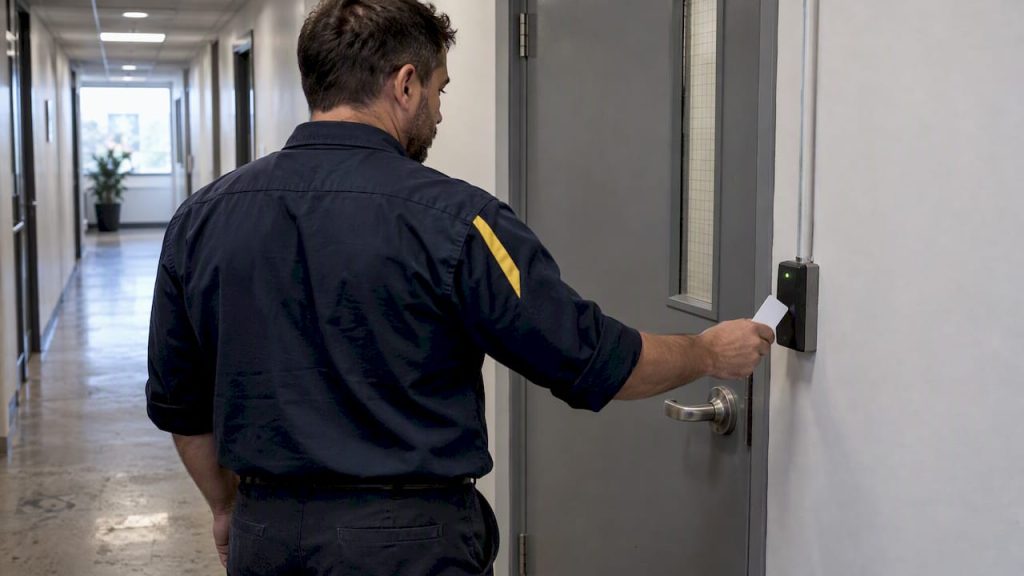
Cloud access control fits best when you manage multiple sites, need to onboard and offboard people fast, or want audit trails you can pull up without calling a vendor. The real gains come from identity provider sync, remote credential revocation, and centralized logs that replace manual badge tracking. The tradeoffs worth planning for upfront are internet dependency and the hardware standards you choose at install.
TL;DR:
- Cloud-native systems depend on constant internet connectivity and may lock down during outages, while cloud-managed systems can operate locally if connectivity is lost.
- Prioritize OSDP-capable readers and mobile or DESFire EV3 credentials over legacy protocols like Wiegand or easily cloneable cards to enhance security.
- Hardware wiring, including controllers with open standards, can be costly to replace later, making standards compliance essential for future scalability.
- Automated identity provider sync ensures instant badge revocation upon employee termination, reducing physical security risks.
- Deployment timelines vary from weeks for single sites to months for multi-site projects, with in-house teams suited for straightforward rollouts and managed services helpful for complex projects.
Table of Contents
- Benefits facility managers get from cloud access control
- How cloud access control systems are built: cloud-native vs cloud-managed
- Key features and credential technologies to prioritize
- Security architecture: identity, zero trust alignment, and standards
- Deployment tradeoffs and vendor lock-in (hardware, standards, and migration)
- Integration and operations: IdP/HR sync, provisioning workflows, and audits
- Typical costs, timeline, and who should run the project
- Practical recommendations from an SMB-managed-IT vantage
- How Mavericks Office Solutions helps with cloud access control
- FAQ
- Sources
Benefits facility managers get from cloud access control
Once your access control system lives in the cloud, the day-to-day work changes shape. You stop driving to a site to add a door schedule or pull a report, and you stop waiting on a server reboot to fix a glitch.
- You can manage credentials, schedules, and alerts across every site from one dashboard.
- Automated sync with your identity provider or HR system revokes badge access the moment someone leaves, closing a common physical breach path.
- Centralized logs turn compliance reporting into an export instead of a multi-site data hunt.
- Adding a new site or door usually means provisioning hardware, not racking a new server.
- Software updates and patches apply automatically instead of sitting on an IT ticket queue.
Pro Tip: Ask any vendor how badge revocation actually happens when an employee is terminated: instantly through IdP sync, or on the next scheduled check-in.
How cloud access control systems are built: cloud-native vs cloud-managed
Not all “cloud access control” works the same way, and the difference matters once a door needs to open during an outage.
- Cloud-native systems run all policy logic in the cloud; controllers check in constantly and depend on connectivity for most decisions.
- Cloud-managed systems keep credential and policy data cached locally on the controller, so doors keep validating badges even when the internet drops, with the cloud layer handling management and reporting.
- Local-first validation matters most on doors tied to safety, like server rooms, pharmacies, or labs, where a connectivity gap cannot mean an unlocked or inaccessible door.
- Failover behavior varies by vendor: some lock down to a safe default, others keep operating on the last synced credential list until connectivity returns.
Each model has tradeoffs. Cloud-native setups tend to be simpler to manage and update, while cloud-managed setups protect you against outages at the cost of slightly more complex local hardware.
Key features and credential technologies to prioritize
The credential technology and reader protocol you choose will outlast your first cloud platform, so they deserve more scrutiny than the dashboard’s look and feel.
- Favor DESFire EV3 or mobile credentials over BLE or NFC rather than legacy 125 kHz proximity cards, which are easy to clone.
- Choose OSDP-capable readers and controllers over Wiegand wiring, since OSDP encrypts reader-to-controller communication and supports two-way diagnostics.
- Look for visitor management, scheduled access, and time-bound credentials that expire automatically instead of relying on staff to remember to deactivate them.
- Confirm the platform offers APIs and exportable logs so video, alarms, and other systems can pull access events without manual re-entry.
Pro Tip: Treat OSDP support as a baseline requirement, not a nice-to-have. Wiegand’s unencrypted signal is a known weak point that newer reader protocols were built to fix.
Security architecture: identity, zero trust alignment, and standards
Cloud access control works best when it is treated as an identity system first and a door-lock system second. That shift lines up with how NIST’s zero trust architecture describes modern security: controls built around verified identity and continuous evaluation, not a trusted network perimeter.
Zero trust architecture moves security decisions away from network location and toward continuous verification of the user, device, and context requesting access.
NIST’s cloud access control guidance recommends attribute- and role-based models that apply consistently whether you are managing infrastructure, platforms, or software, which is exactly the logic a good access control deployment should mirror for doors and badges. Your identity provider becomes the single source of truth for who should have access to what, and single sign-on extends that same least-privilege logic to the access control dashboard itself. In practice, that means encrypting credential data in transit, requiring strong authentication for admin accounts, and avoiding legacy credential formats that bypass identity checks entirely.
Deployment tradeoffs and vendor lock-in (hardware, standards, and migration)
The platform you pick today is easy to change. The hardware wiring behind your doors is not, which is where most long-term costs hide.
- Ask whether controllers use open standards like OSDP or a proprietary protocol tied to one manufacturer’s cloud.
- Request a clear answer on whether credential data and access logs export in a usable format if you switch platforms later.
- Confirm which readers and controllers are compatible with competing cloud platforms, not just the one you are evaluating.
- Check what local support and installer coverage exist in your area, since a remote-only vendor can slow down hardware issues.
- Put credential export and hardware compatibility terms directly into the contract, not just the sales conversation.
A standards-based install costs a bit more upfront but avoids a forced hardware replacement if you ever change software vendors.
Integration and operations: IdP/HR sync, provisioning workflows, and audits
Deployment is the easy part. Running the system well for years depends on clear ownership and routine checks.
- HR updates an employee’s status in your identity provider or HR system.
- That change syncs automatically to the access control platform, triggering immediate badge revocation or role adjustment instead of a manual deactivation days later.
- Facilities reviews access logs on a set schedule and flags anomalies, like after-hours entries, for IT to investigate.
- IT and facilities agree in advance on who owns badge issuance, who owns platform administration, and who reviews logs.
Pro Tip: Build role-based access templates by job function so a new hire gets correct permissions on day one instead of a manager guessing which doors they need.
Typical costs, timeline, and who should run the project
Costs scale with scope more than with the brand of software you choose.
- Hardware (readers, controllers, locks) and installation labor usually make up the largest share of a new deployment.
- Cloud subscription fees are ongoing and typically scale with door or user count.
- Integration work with video, alarms, or HR systems adds setup cost but reduces long-term manual work.
- Deployment timelines vary by site count and wiring complexity, typically ranging from a few weeks for pilots to several months for multi-site phased rollouts.
- Running the project in-house works when you already have dedicated IT staff; a managed partner makes sense when you need the rollout handled without pulling facilities or IT off other work.
Practical recommendations from an SMB-managed-IT vantage
If you remember one priority list from this guide, make it this: identity provider integration first, OSDP-capable readers second, local-first validation on any mission-critical door third. Everything else is customization. When you bring in a managed partner, ask for local support, a clear service-level response time, and a written migration path before signing anything.
— Jeffrey
How Mavericks Office Solutions helps with cloud access control
We help with cloud access control deployments as part of outsourced IT relationships that may cover network, cybersecurity, and phone systems, aiming to provide consistent attention to the access control platform alongside other managed services. A discovery engagement typically includes a walkthrough of current doors and hardware, a recommended architecture considering site needs and risk tolerance, and a phased rollout plan to be approved before any wiring starts. A local help desk supports the system once it is live.

- Cameras & Access Control: design, install, and manage door hardware alongside video.
- Cybersecurity: align access policies with your broader security posture.
- Managed IT Services: ongoing monitoring so access control issues get caught before they become incidents.
If you are ready to talk through your sites and current hardware, explore our cameras and access control services and get a recommended architecture back from our team.
FAQ
What is cloud access control?
Cloud access control manages door permissions, credentials, and logs through a cloud-hosted platform instead of an on-site server, so administrators can make changes and pull reports remotely. It typically integrates with identity providers to automate onboarding and offboarding.
Is cloud access control secure if the internet goes down?
It depends on the architecture: cloud-managed systems cache credentials locally so doors keep validating badges during an outage, while fully cloud-native systems depend more heavily on connectivity. Ask any vendor directly how their controllers behave offline before you commit to critical doors.
How does cloud access control support zero trust security?
Cloud access control supports zero trust by tying door permissions to verified identity rather than network location, which lines up with the identity-driven model described in NIST’s zero trust architecture guidance. Identity provider sync and continuous policy evaluation are the practical pieces that make this work day to day.
What is the difference between OSDP and Wiegand?
OSDP is a reader-to-controller protocol that encrypts communication and supports two-way diagnostics, while Wiegand is an older, unencrypted protocol vulnerable to interception. Most new deployments favor OSDP-capable hardware for that reason.
How long does a cloud access control rollout take?
A single-site pilot can often go live within a few weeks once hardware is ordered and installed, while multi-site rollouts typically phase in over several months. Timelines depend mainly on how many doors need wiring and whether existing hardware can be reused.
Sources
- Zero Trust Architecture (NIST SP 800-207)
- General Access Control Guidance for Cloud Systems | NIST
- Streamlining access control with cloud identity — Honeywell insights