

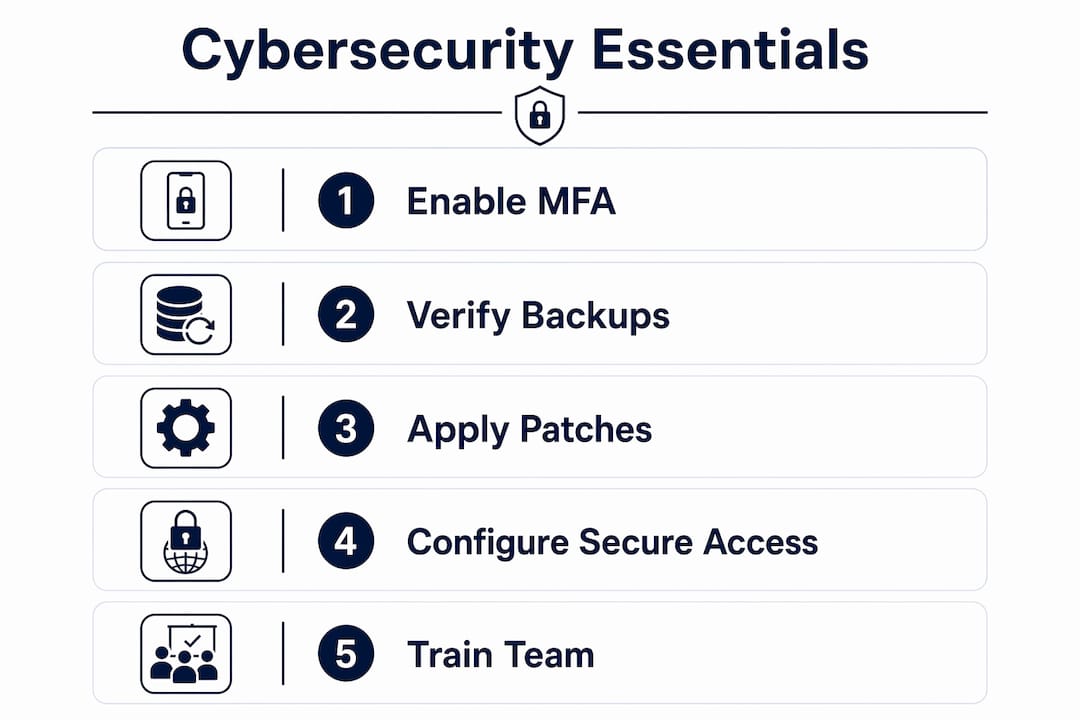
If you run a small business in Michigan, the three fastest ways to cut your cyber risk are: enable multi-factor authentication (MFA) on every account, verify that your backups actually restore, and put patching on a weekly schedule. Do these before spending a dollar on new hardware or software.
Here is your 48–72 hour action list:
- Enable MFA on email, banking, and any admin console you use today
- Log into your backup system and run a test restore on at least one critical file
- Check that your operating systems and antivirus definitions are current
- Create a short list of every employee who has admin-level access and remove anyone who does not need it
- Write down one phone number and one email address your team would use to report a suspected breach
Pro Tip: Force-enroll your highest-risk accounts first: your email admin, your accounting software login, and any cloud storage admin. Attackers target these because compromising one often gives access to everything else. Use an authenticator app like Microsoft Authenticator or Google Authenticator rather than SMS codes, which can be intercepted.
Table of Contents
- Why cybersecurity matters for small businesses in Michigan
- What cyber threats are actually targeting small businesses right now
- Practical technical controls to put in place now
- How to build policies and train your team
- Free and low-cost resources available to Michigan small businesses
- What does it actually cost and how long does it take?
- When should you hire a managed IT or security provider?
- How Mavericksofficesolutions helps Michigan-area small businesses
- Data privacy regulations your small business needs to know
- How to evaluate and select cybersecurity tools for your business
- Physical security is part of your cybersecurity plan
- Key Takeaways
- What Michigan small business owners actually need to prioritize
- Mavericksofficesolutions is your local cybersecurity partner in Michigan
- Authoritative sources and further reading
Why cybersecurity matters for small businesses in Michigan
Cybersecurity is not an IT problem. It is a business risk that can cause direct financial loss, days of operational downtime, and lasting damage to your reputation with customers. Small businesses are not too small to be targeted. Attackers often prefer them precisely because defenses tend to be thinner.

The FCC notes that theft of digital information has become the most commonly reported fraud, surpassing physical theft. Every business that uses the internet is responsible for creating a culture of security. That is not a suggestion from a federal agency — it is the baseline expectation your customers, vendors, and insurers increasingly hold you to.
Consider what a ransomware attack looks like in practice for a small Michigan manufacturer or retail shop. Your files are encrypted on a Monday morning. You cannot access customer orders, invoices, or inventory records. Recovery without a clean backup can take days or weeks, and the average cost of downtime for a small business often exceeds the ransom demand itself. Even if you pay, there is no guarantee you get your data back intact.
Michigan businesses also benefit from a strong local support network. The Michigan Small Business Development Center (SBDC) offers free consulting and cybersecurity webinars specifically for small businesses, which means you do not have to figure this out alone. Pairing that local help with federal guidance from CISA and NIST gives you a practical, layered starting point.
What cyber threats are actually targeting small businesses right now
The most common and damaging threats small businesses face are phishing, ransomware, business email compromise (BEC), and credential theft. Understanding how each one starts helps you see why the controls recommended later in this article are worth your time.
- Phishing: An employee receives an email that looks like it is from a vendor, bank, or Microsoft. One click on a malicious link installs malware or harvests login credentials. Phishing is the starting point for the majority of breaches at small organizations.
- Ransomware: Malicious software encrypts your files and demands payment to unlock them. It often arrives through a phishing email or an unpatched vulnerability. A small dental office in the Midwest, for example, can find itself locked out of patient scheduling and billing systems for days.
- Business email compromise (BEC): An attacker gains access to or spoofs a business email account and uses it to redirect payments or wire transfers. BEC losses run into the billions annually across the U.S., and small businesses are frequent targets because payment approvals often involve only one or two people.
- Credential theft: Weak or reused passwords are harvested through data breaches on other sites and then tried against your business accounts. This is why password managers and unique passwords matter.
- Insider risk and lost devices: A departing employee who still has access, or a laptop left at a coffee shop, can expose your entire network. Unmanaged on-premises file servers with no audit logging make this risk nearly invisible until it is too late.
Practical technical controls to put in place now
The controls that produce the most risk reduction per dollar are MFA, verified backups, patching, and a properly configured firewall. Start there before anything else.

CISA recommends four core practices: strong unique passwords, MFA, firewalls with encrypted connections, and regular verified backups. The NIST Cybersecurity Framework (CSF) 2.0 organizes these into six functions: Govern, Identify, Protect, Detect, Respond, and Recover. You do not need to implement all six at once. Prioritize Protect and Recover first.
Priority 1: Immediate (this week)
- MFA everywhere: Enable it on email, cloud storage, accounting software, and any admin console. Use an authenticator app, not SMS.
- Strong, unique passwords: Use a password manager (Bitwarden, 1Password, or similar) so every account has a different password. Require this for all employees.
- Firewall enabled: Confirm the firewall on your router and on each workstation is active. The FCC recommends hiding your Wi-Fi network name (SSID) and password-protecting router access.
Priority 2: Short-term (within 2–4 weeks)
- Patching schedule: Set Windows Update and macOS updates to install automatically, or assign someone to verify patches weekly. The SBA emphasizes that regular patching is one of the most effective defenses against known vulnerabilities.
- Verified backups: Back up critical data daily to an offsite or cloud location. Then test the restore. A backup you have never tested is not a backup you can rely on. For SaaS tools like QuickBooks Online, third-party backup solutions matter because the platform’s native retention may not meet your actual restore needs.
- Endpoint protection: Install reputable antivirus/endpoint detection software on every device that touches your network.
Priority 3: Longer-term (1–3 months)
- Encryption: Enable full-disk encryption on laptops and workstations (BitLocker on Windows, FileVault on Mac).
- Cloud migration for file storage: CISA recommends shifting on-premises mail and file services to cloud platforms like Microsoft 365 or Google Workspace, where the provider handles ongoing patching and monitoring. For most small businesses, this reduces operational risk significantly. If you are weighing SharePoint vs. a file server, SharePoint’s built-in governance, audit logs, and version history give you security and compliance features that a traditional file server requires third-party tools to match.
- Managed monitoring: If you cannot monitor your own systems 24/7, outsource it.
Pro Tip: Where possible, move beyond standard MFA to FIDO2 passkeys or hardware security keys (like YubiKey) for your highest-privilege accounts. Passkeys are phishing-resistant in a way that one-time codes are not, because they are tied to the specific site and cannot be tricked by a fake login page.
How to build policies and train your team
Human error is the most common route attackers use. A technically sound network can still be breached because one employee clicked a link. Policies and training close that gap.
Start with these four policies:
- MFA mandate: Every employee must use MFA. No exceptions. Make it a condition of employment.
- Acceptable use policy: Define what employees can and cannot do on company devices and networks (personal email, social media, USB drives).
- Incident reporting: Give every employee a simple, one-step way to report something suspicious. A shared email address or a Slack channel works. The goal is to remove friction from reporting.
- Least privilege access: Employees get access only to the systems they need for their specific job. No one should have admin rights unless their role requires it.
For onboarding and offboarding, use a short checklist:
- Onboarding: Create a unique account, assign role-based permissions, enroll in MFA, complete a 15-minute security awareness orientation.
- Offboarding: Disable accounts on the day of departure, revoke MFA tokens, remove from shared inboxes and cloud storage, and retrieve company devices.
Training does not need to be a full-day seminar. Short monthly micro-training sessions (5–10 minutes) covering one topic at a time are more effective than annual all-hands events. Simulated phishing tests, where you send a fake phishing email to your own team and track who clicks, are one of the highest-ROI training tools available. Services like KnowBe4 or Proofpoint Security Awareness Training offer these for small businesses. Track your click rate over time — a declining rate is a measurable sign that training is working.
Free and low-cost resources available to Michigan small businesses
Michigan small businesses have access to strong local and federal resources that cost little or nothing to use.
Michigan SBDC: The Michigan Small Business Development Center provides free one-on-one consulting and cybersecurity webinars for small business owners. Advisors can help you assess your current posture, prioritize controls, and connect you with additional resources. Before your first meeting, bring a basic inventory of your systems (computers, servers, cloud accounts), your most recent backup date, and a list of the software your business depends on.
UPCI Small Business Cybersecurity Essentials: Local college programs, including courses through the University of Michigan’s Professional and Continuing Education (UPCI), offer short-format cybersecurity essentials courses designed for non-technical business owners. These typically run a few hundred dollars or less and cover practical controls, policy basics, and incident response.
Federal resources:
- CISA: Offers free vulnerability scanning, phishing simulation tools, and a library of small-business guidance at cisa.gov.
- NIST CSF 2.0 and IR 7621 Revision 2: NIST’s small-business draft translates the full CSF 2.0 into plain language for microbusinesses and non-employer firms. It is free to download and use as a self-assessment checklist.
- SBA: The Small Business Administration’s cybersecurity page covers training, insurance, and incident response basics.
The combination of a Michigan SBDC consult and CISA’s free scanning tools gives most small businesses a solid baseline assessment without spending a dollar on outside consultants.
What does it actually cost and how long does it take?
A minimum viable security baseline for a small Michigan business is achievable in weeks, not months, and the monthly cost is often lower than a single lost workday from a breach.
| Action | Timeline | Estimated Cost |
|---|---|---|
| Enable MFA on all accounts | a few days | Free (built into most platforms) |
| Deploy password manager | about one week | a modest monthly subscription per user |
| Verify and test backups | one to two weeks | a modest monthly cost for cloud backup |
| Endpoint protection on all devices | one to two weeks | a modest monthly subscription per device |
| Patch all systems and set schedule | two to four weeks | Usually no direct cost, especially if done in-house or included in managed IT |
| Employee phishing training | two to four weeks | typically a modest monthly subscription per user |
| Managed monitoring (outsourced) | several weeks to onboard | typically a moderate monthly cost per user for managed IT services |
| Full security assessment | several weeks | a one-time fee that varies by provider and scope |
DIY implementation of the first five items costs roughly $20–$40 per user per month in software subscriptions. Managed IT services that bundle monitoring, patching, backup verification, and help-desk support typically run in the $50–$150 per user per month range, depending on scope. For most small businesses, the managed route is more cost-effective once you account for the owner’s time.
The NIST IR 7621 Revision 2 guidance is specifically designed to help microbusinesses phase their investments, starting with the highest-impact controls and adding layers as budget allows. That phased approach is the right model for most Michigan small businesses.
Pro Tip: Spend first on MFA and backups. These two controls prevent the most common and most costly incidents. Everything else is layered on top of that foundation.
When should you hire a managed IT or security provider?
Three clear triggers should push you toward hiring a managed IT provider rather than handling security yourself: you have experienced a recurring incident, you handle regulated data (health records, payment card data, legal files), or you simply do not have the time to maintain controls consistently.
CISA notes that many small businesses lack the staff to continuously patch, monitor, and respond to threats. Partnering with a managed IT professional is a recommended strategy to offload that complexity.
When evaluating a managed IT or cybersecurity provider, ask these questions:
- What are your monitoring hours? Is it 24/7, or only during business hours?
- What is your average help-desk response time, and is it staffed domestically?
- How do you handle a confirmed breach? Walk me through your incident response process.
- Can you demonstrate a backup restore from my environment?
- Where is my data stored, and who has access to it?
- Do you provide regular reporting on patching status, MFA enrollment, and backup health?
- What are your contract terms? Is there a long-term commitment required?
Red flags to watch for: vague answers about monitoring coverage, no documented incident response process, inability to provide local references, and no clear reporting on what they are actually doing on your systems.
A simple decision framework: if you have fewer than five users and no regulated data, a well-executed DIY approach using CISA and NIST guidance is viable. If you have recurring incidents, regulated data, or need 24/7 monitoring, hire a managed provider. A cybersecurity plan built with a local partner gives you accountability and a clear roadmap, not just a checklist.
How Mavericksofficesolutions helps Michigan-area small businesses
Mavericksofficesolutions operates as a full outsourced IT department for small and medium businesses in Michigan, covering managed IT support, cybersecurity, cloud hosting, VoIP, and physical security. The core cybersecurity offering includes 24/7 managed monitoring, automated patching, backup verification, MFA rollout support, and endpoint protection management. For businesses that need executive-level technology strategy without hiring a full-time CIO, fractional IT leadership is available as a part-time engagement.
A typical small-business security engagement follows three stages: first, a security assessment that maps your current systems, identifies gaps, and prioritizes remediation; second, a remediation sprint covering MFA enrollment, patching, backup configuration, and endpoint protection; third, ongoing managed monitoring and quarterly reviews to track MFA coverage, patching rates, and backup health. The assessment itself usually takes one to two weeks and produces a written report with prioritized recommendations.
To request a security assessment, contact Mavericksofficesolutions through mavericksofficesolutions.com/managed-it. Prepare a basic inventory of your devices, your current backup setup, and any compliance requirements your business faces. That information makes the first conversation significantly more productive.
Data privacy regulations your small business needs to know
Small businesses in Michigan are subject to several data privacy and security requirements, depending on the type of data they handle. Understanding the basics helps you avoid fines and build customer trust.
Key frameworks to know:
- HIPAA: If you handle protected health information (PHI), such as a medical practice, dental office, or health-related app, HIPAA requires specific technical safeguards, access controls, and breach notification procedures.
- PCI DSS: If you accept credit or debit card payments, the Payment Card Industry Data Security Standard (PCI DSS) requires you to protect cardholder data, maintain a secure network, and conduct regular vulnerability assessments.
- Michigan Identity Theft Protection Act: Michigan law requires businesses to notify affected residents if a security breach exposes personal information. Maintaining an incident response plan is not optional if you store customer data.
- FTC Safeguards Rule: Financial services businesses, including auto dealers and tax preparers, must comply with updated FTC Safeguards Rule requirements covering encryption, MFA, and access controls.
The practical takeaway: identify what categories of data you store (health, payment, personal identifiers), map which regulations apply, and document the controls you have in place. A simple data inventory spreadsheet is a reasonable starting point. If you are unsure which rules apply to your business, a Michigan SBDC advisor or a managed IT provider with compliance experience can help you sort it out without a costly legal engagement.
This article is general information, not legal or compliance advice. Confirm current requirements with the relevant regulatory body or a qualified professional for your specific situation.
How to evaluate and select cybersecurity tools for your business
The cybersecurity tools market is crowded, and most small businesses do not need enterprise-grade complexity. The right tools are the ones your team will actually use consistently.
Start by matching tools to your threat model. A five-person accounting firm faces different risks than a 30-person manufacturer with remote workers. Before buying anything, answer three questions: What data do I need to protect? Who has access to it? What is the most likely way it could be compromised?
For most small businesses, a practical tool stack covers five categories:
- Identity and access: A password manager (Bitwarden, 1Password) and MFA via an authenticator app
- Endpoint protection: Managed antivirus/EDR (Microsoft Defender for Business, Malwarebytes for Teams)
- Backup and recovery: Cloud backup with verified restore testing; for SaaS apps, consider third-party backup tools that fill gaps in native platform retention
- Email security: Microsoft 365 Defender or Google Workspace’s built-in protections, supplemented by anti-phishing filters
- Network security: A business-grade firewall/router (Cisco Meraki, Fortinet, or similar) with SSID segmentation for guest devices
When evaluating any tool, ask whether it integrates with what you already use, whether it requires dedicated IT staff to manage, and whether the vendor offers small-business pricing. A tool that requires a full-time administrator to operate is not the right fit for a ten-person shop. Platforms like Microsoft 365 Business Premium bundle many of these capabilities together at a price point most small businesses can absorb.
Physical security is part of your cybersecurity plan
Physical access to your devices is direct access to your data. A laptop left unlocked, a server room with an open door, or a shared workstation with no screen lock can undo every technical control you have put in place.
The FCC recommends requiring password protection on all devices, enabling automatic screen locks after a short idle period, and setting clear procedures for reporting lost or stolen equipment. For laptops specifically, full-disk encryption (BitLocker or FileVault) means a stolen device does not automatically mean stolen data.
A few practical physical security steps worth adding to your checklist:
- Lock server rooms and networking equipment closets. Only authorized personnel should have physical access.
- Use cable locks for laptops in shared workspaces.
- Segment your Wi-Fi: run a separate guest network for visitors so they never touch your internal systems.
- Require employees to lock their screens when stepping away from a workstation.
- For businesses with multiple locations or after-hours access concerns, physical security cameras and access control systems add a layer of accountability that complements your digital controls.
Mavericksofficesolutions also offers physical security solutions, including cameras and access control, as part of a unified security plan. That means your digital and physical protections are managed together rather than as separate, disconnected projects.
Key Takeaways
Enabling MFA, verifying backups, and maintaining a consistent patching schedule are the three controls that reduce the most risk for Michigan small businesses at the lowest cost and in the shortest time.
| Point | Details |
|---|---|
| MFA is the highest-ROI control | Enable it on every account today; use an authenticator app, not SMS codes. |
| Backups must be tested | A backup you have never restored is not a reliable recovery option. |
| Patching closes known vulnerabilities | Set automatic updates or assign weekly manual verification to close the most common attack paths. |
| Local resources are free | Michigan SBDC and CISA offer no-cost consulting, assessments, and training for small businesses. |
| Mavericksofficesolutions provides local managed IT | Their 24/7 monitoring, under-12-minute help-desk response, and USA-based support make them a practical managed cybersecurity partner for Michigan businesses. |
What Michigan small business owners actually need to prioritize
The conventional wisdom in cybersecurity tends to overwhelm small business owners with a list of 50 controls and no clear starting point. That approach does not work for a business owner running a shop in Grand Rapids or managing a team of eight in Lansing.
The honest reality is that most small Michigan businesses are not breached because of sophisticated nation-state attacks. They are breached because of an unpatched system, a reused password, or an employee who clicked a link in a convincing email. The controls that prevent those three scenarios are not expensive or technically complex. They are just not in place yet.
What I see consistently is that the gap is not knowledge. Most owners know they should be doing more. The gap is time and accountability. A managed IT partner does not just implement controls. It keeps them running, verifies them monthly, and tells you when something has drifted out of compliance. For a small business owner who is also the sales manager, the HR department, and the operations lead, that accountability layer is worth more than any single tool.
Michigan also has a genuine workforce advantage here. The Michigan SBDC network is strong, local college programs like UPCI offer practical training, and managed IT providers with local help desks mean you are not waiting for an overseas call center to pick up when something goes wrong at 7 AM on a Tuesday. Use those local resources. They exist specifically for businesses like yours.
Mavericksofficesolutions is your local cybersecurity partner in Michigan
Running a small business in Michigan means you need cybersecurity that is practical, affordable, and backed by people who answer the phone. Mavericksofficesolutions delivers exactly that: a full outsourced IT department that handles managed monitoring, MFA rollouts, backup verification, patching, and endpoint protection, all under one monthly agreement with no offshore call centers.
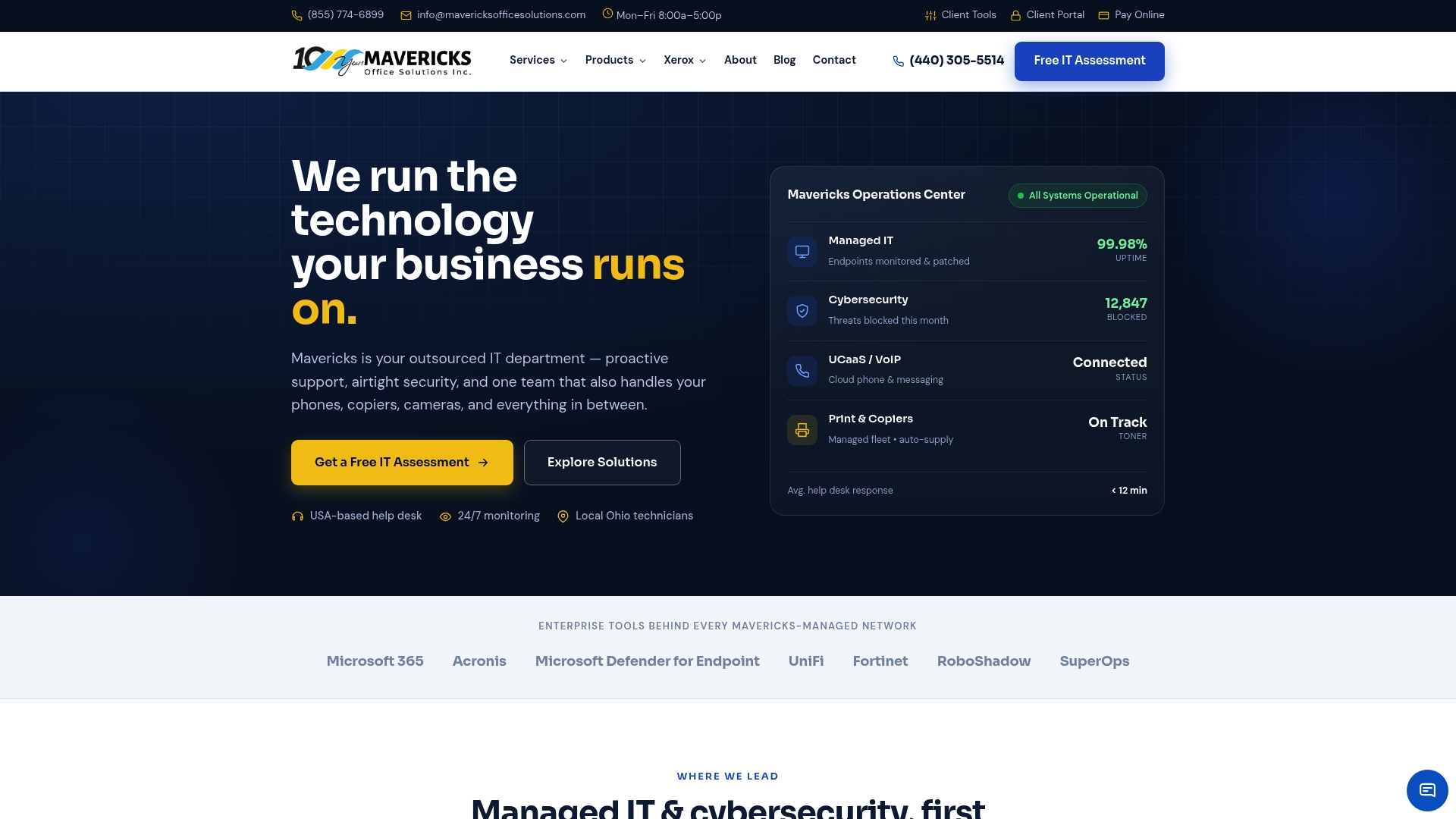
The cybersecurity services from Mavericksofficesolutions map directly to the checklist in this article. An initial security assessment covers your current device inventory, backup status, MFA enrollment gaps, and patching posture, and it produces a written remediation plan with clear priorities. Most assessments are completed within two weeks. From there, managed IT support keeps your protections current with 24/7 monitoring and an average help-desk response under 12 minutes.
To get started, visit mavericksofficesolutions.com or reach out directly to schedule your security assessment. Bring your device list, your current backup setup, and any compliance questions. The first conversation is the fastest way to find out exactly where your gaps are and what it will cost to close them.
Authoritative sources and further reading
These resources form the foundation of the guidance in this article. Each one is free, authoritative, and directly applicable to small businesses in Michigan.
- NIST Cybersecurity Framework (CSF) 2.0) — NIST IR 7621 Revision 2 translates the full framework into plain language for small and microbusinesses. Use it as a self-assessment checklist and phased action plan.
- CISA Small Business Guidance — Free vulnerability scanning, phishing simulation tools, and practical guidance on the four core security practices every small business should implement.
- CISA: Secure Your Business — A concise starting point covering MFA, passwords, firewalls, and backups with links to free tools.
- SBA Cybersecurity Page — Covers training, cyber insurance basics, and links to local assistance programs including the Michigan SBDC.
- FCC Cybersecurity for Small Businesses — The FCC’s Small Biz Cyber Planner 2.0 helps you build a customized cybersecurity plan at no cost.
- Michigan SBDC — Free one-on-one consulting and cybersecurity webinars for Michigan small business owners. Contact your regional SBDC office to schedule a no-cost advisory session.
Recommended
- Why Every Ohio Small Business Needs a Cybersecurity Plan in 2026 – Mavericks Office Solutions
- Cybersecurity – Mavericks Office Solutions
- 7 AI Cybersecurity Mistakes Your Business Is Making – Mavericks Office Solutions
- Mavericks Office Solutions – Managed IT, Security, Print & VoIP for Ohio Businesses