

Start with a documented Security Risk Assessment (SRA), signed Business Associate Agreements (BAAs) for every vendor that touches protected health information (PHI), and prioritized technical controls — multi-factor authentication (MFA), encryption, and continuous logging. Those four actions, mapped to the HIPAA Security Rule and NIST SP 800-66, reduce your exposure to HHS Office for Civil Rights (OCR) enforcement faster than anything else you can do this week.
Your immediate priority list:
- Assign an SRA owner and schedule the assessment within 14 days.
- Audit every active vendor for a signed BAA — flag unsigned relationships for immediate remediation.
- Enable MFA on all remote access points, admin portals, and cloud consoles.
- Confirm encryption at rest and in transit on all ePHI systems.
- Activate centralized logging and set an alert threshold for anomalous access.
Mavericksofficesolutions can serve as your HIPAA-aware managed IT partner for all five tasks, handling implementation, 24/7 monitoring, and documented evidence for OCR review.
Table of Contents
- What does HIPAA actually require for IT systems?
- How do you run an effective Security Risk Assessment?
- What administrative safeguards must you document and enforce?
- Which technical safeguards must your IT team implement and verify?
- What physical safeguards does your IT environment need?
- What must a Business Associate Agreement include?
- How should you handle incident response and breach notification in Michigan?
- What documentation must you maintain and for how long?
- What are the most common HIPAA audit failures?
- Your 90-day HIPAA IT action plan with cost guidance
- What should a HIPAA-aware managed IT partner actually do for you?
- Data disposal and destruction best practices for PHI
- Key Takeaways
- The gap most Michigan IT teams miss
- Michigan organizations: get your HIPAA IT program built right
- Authoritative sources and further reading
What does HIPAA actually require for IT systems?
The HIPAA Security Rule requires covered entities and business associates to implement administrative, physical, and technical safeguards for all electronic PHI (ePHI) they create, receive, maintain, or transmit. The Privacy Rule governs the broader uses and disclosures of PHI in any form; the Security Rule narrows the focus to ePHI and the specific controls that protect it.
Covered entities include health plans, healthcare clearinghouses, and most healthcare providers. Business associates are any third parties that create, receive, maintain, or transmit PHI on a covered entity’s behalf — including IT vendors, cloud providers, billing services, and managed IT firms. Under HITECH, business associates are directly liable for Security Rule violations, not just contractually responsible.
PHI appears in more IT locations than most teams initially map: EHRs, database backups, cloud storage buckets, email systems, audit logs, networked scanners and copiers, third-party SaaS apps, and even VoIP call recordings. Every location is in scope. NIST SP 800-66 Rev. 2 frames compliance as a scalable, risk-based program rather than a fixed checklist, which means your controls should match your actual risk profile — not a generic template.
How do you run an effective Security Risk Assessment?
Perform a full inventory of systems and data flows first: where is PHI created, received, stored, and transmitted? Then run a documented SRA mapped to those assets. OCR accepts multiple methodologies, so the key is that yours is repeatable and documented.
Step-by-step SRA checklist:
- Define scope — list all systems, applications, and data flows that touch ePHI.
- Identify threats and vulnerabilities — include technical, physical, and human factors.
- Score likelihood and impact — use a simple 1–3 or 1–5 scale; document your rationale.
- Prioritize risks — rank by combined score; flag critical items for immediate remediation.
- Build a remediation plan — assign an owner, estimate effort, and set a completion window.
- Document everything — the SRA itself is evidence; an undocumented assessment did not happen in OCR’s view.
Remediation plan template (per finding):
- Risk finding: brief description
- Owner: name and role
- Estimated effort: hours or days
- Target completion: 30 / 60 / 90 days
- Compensating control (if any): interim measure while remediation is in progress
- Status: open / in progress / closed
Update your SRA regularly, especially after significant technology changes or security incidents. NIST SP 800-66 explicitly notes that no single methodology is required — what matters is that the approach is appropriate to your size and risk profile.
Pro Tip: Don’t wait for a full SRA to fix obvious gaps. If MFA is off on your VPN today, enable it today and document it as a compensating control while the formal SRA is in progress.

What administrative safeguards must you document and enforce?
The answer is straightforward: a documented security management process (your SRA), an assigned security officer, workforce training, a sanction policy, and formal access review procedures. These are not optional background documents — they are the foundation OCR auditors check first.
Critical policies and minimum documentation each must contain:
- Information security policy: purpose, scope, owner, review cadence (annual minimum)
- Workforce training policy: topics covered, delivery method, completion tracking, sanctions for non-compliance
- Access management policy: how roles are defined, provisioned, reviewed, and terminated
- Sanction policy: graduated consequences for policy violations, documented and communicated to all staff
- Incident response policy: roles, reporting chain, notification triggers, and evidence preservation steps
Role-based access governance means defining what each job function needs to access — and nothing more. Conduct access reviews at least quarterly, and treat employee termination as a same-day IT event: disable accounts, revoke VPN credentials, and document the action with a timestamp. Workforce training should cover phishing recognition, acceptable use, and incident reporting procedures. Annual training is the minimum; quarterly refreshers on phishing significantly reduce click rates. Pair training with a scheduling table that maps topics to delivery dates and tracks completion by employee.
Good healthcare UX design principles also apply to your internal policy interfaces — if your training portal or access-request workflow is confusing, staff will work around it, creating the exact gaps auditors find.
Which technical safeguards must your IT team implement and verify?
Prioritize access controls, MFA, encryption in transit and at rest, audit logging with adequate retention, integrity controls, and secure transmission mechanisms. These map directly to 45 CFR § 164.312, which lists both required and addressable implementation specifications.
Control-by-control implementation notes:
- Access control (§164.312(a)): assign unique user IDs to every person; no shared accounts. Implement role-based permissions and emergency access procedures. Automatic logoff after inactivity is addressable — document your decision either way.
- Audit controls (§164.312(b)): deploy centralized log collection from all ePHI systems. Logs must capture login events, data access, modifications, and exports. A SIEM (Security Information and Event Management) platform makes this manageable at scale.
- Integrity controls (§164.312©): use checksums or hash verification to detect unauthorized alteration of ePHI. Most modern EHR platforms include this natively — verify it is enabled.
- Person/entity authentication (§164.312(d)): MFA is the practical standard. Cover VPN, admin portals, cloud consoles, and any remote desktop access. Password-only authentication on any ePHI system is a documented risk.
- Transmission security (§164.312(e)): TLS 1.2 or higher for all data in transit. Encryption at rest using AES-256 for stored ePHI. While encryption is technically “addressable” under the Security Rule, current cybersecurity practice treats it as standard — and an unencrypted breach is automatically “unsecured,” triggering mandatory notification.
Key management basics: your organization (not just your cloud provider) must control encryption keys for ePHI. In cloud setups, use customer-managed keys (CMK) where the platform supports it. Document who holds keys, how rotation is handled, and what the recovery procedure is.
Pro Tip: Retain audit logs for a minimum of six years to align with HIPAA’s documentation retention requirement. Set automated alerts for after-hours access to ePHI systems — most breaches are detected in logs that nobody was watching.
What physical safeguards does your IT environment need?
Physical safeguards are required for every location where ePHI is stored or processed: server rooms, workstations, portable devices, and media. They are often the easiest controls to overlook and among the first things OCR auditors ask about.
Quick physical control checklist:
- Controlled server-room access (badge readers, visitor logs, no tailgating)
- Asset inventory for all devices that store or access ePHI
- Full-disk encryption on all laptops and portable drives
- Screen locks on workstations set to activate after 5–10 minutes of inactivity
- Secure media disposal: overwrite or physically destroy hard drives per NIST guidelines before disposal or reuse
- Chain-of-custody documentation for any media removed from the facility
Networked printers and copiers are a frequently missed PHI risk. Many devices cache scanned documents on an internal hard drive. When a copier is returned, leased, or decommissioned, that drive goes with it unless you explicitly request sanitization.
Pro Tip: For any leased or managed copier, require hard-drive sanitization in writing before the device leaves your facility. Mavericksofficesolutions’s managed print services include device sanitization protocols specifically for healthcare environments.

What must a Business Associate Agreement include?
Any third party that creates, receives, maintains, or transmits PHI must have a signed BAA before access is granted. A vendor’s claim of being “HIPAA compliant” does not substitute for a signed agreement — and without one, the relationship is non-compliant regardless of the vendor’s actual security posture.
Essential BAA clauses to insist on:
- Permitted uses and disclosures of PHI (specific, not open-ended)
- Required safeguards (administrative, physical, and technical)
- Breach reporting timeline (a prompt notification timeline is recommended)
- Subcontractor flow-down obligations (their vendors must also be bound)
- Termination clause: return or destruction of PHI at contract end
- Right to audit or request compliance evidence
Vendor review checklist and red flags:
- Refusal to sign a BAA at all — walk away
- Vague breach notification language (“we will notify you promptly” with no defined timeline)
- Offshore data access without explicit contractual controls and data residency commitments
- Inconsistent or unclear key-management claims for cloud-hosted ePHI
- No subcontractor flow-down language
Cloud service providers that handle ePHI are business associates. Using an encrypted cloud provider does not remove your obligation to have a BAA and to manage key and access responsibilities yourself.
Pro Tip: Build a BAA tracker — a simple spreadsheet listing every vendor, BAA execution date, renewal date, and breach-notification SLA. Review it quarterly. Gaps surface faster than you expect when you look at the full list.
How should you handle incident response and breach notification in Michigan?
Have a written incident response plan that defines roles, containment steps, forensic data collection, notification triggers, and reporting timelines — then test it with a tabletop exercise at least annually. A plan that has never been practiced will fail under pressure.
Immediate technical containment actions:
- Isolate affected systems from the network (do not power them off — preserve volatile memory)
- Preserve and export logs before they rotate or are overwritten
- Snapshot affected virtual machines as forensic evidence
- Document the timeline of discovery with timestamps
- Assign a single incident commander to coordinate response
Notification timelines and escalation flow:
OCR requires notification of a breach affecting 500 or more individuals within 60 days of discovery. Breaches affecting fewer than 500 individuals must be reported to OCR annually. Affected individuals must be notified without unreasonable delay and no later than 60 days after discovery. Michigan state law may impose parallel breach notification duties — coordinate with legal counsel to confirm current state requirements and any shorter timelines that apply.
Internal escalation: IT lead notifies compliance officer within 24 hours of confirmed incident. Compliance officer notifies executive leadership, legal counsel, and (if applicable) public relations within 48 hours. Legal counsel advises on OCR notification and state law obligations.
Pro Tip: Centralized logging dramatically shortens time-to-detect. After enabling a SIEM, many organizations find they can identify anomalous access within hours rather than weeks — a difference that directly affects whether a breach qualifies for the “low probability of compromise” safe harbor.
What documentation must you maintain and for how long?
Document policies, risk assessments, remediation actions, access reviews, BAAs, training records, and incident reports. Make them available for OCR review. The Security Rule requires that documentation be retained for six years from creation or the date it was last in effect, whichever is later.
Minimum evidence auditors seek:
- Signed BAAs for all current and recent vendors
- Documented SRA with risk scores and remediation plan
- Training completion logs with dates and topics
- System access logs showing who accessed what and when
- Incident reports for any security events, even minor ones
Recommended audit and monitoring schedule:
- Continuous: SIEM alerting on anomalous access, failed logins, and after-hours activity
- Quarterly: access reviews, BAA tracker review, patch status audit
- Annual: full SRA refresh, policy review and update, workforce training cycle
| Documentation type | Minimum retention period |
|---|---|
| Policies and procedures | 6 years from creation or last in-effect date |
| Security Risk Assessment | 6 years |
| BAAs | 6 years from termination of agreement |
| Training records | 6 years |
| Incident reports | 6 years |
| Access review records | 6 years |
What are the most common HIPAA audit failures?
The most frequent OCR findings come from missing or undocumented SRAs, absent BAAs, inadequate access controls, poorly documented “addressable” decisions (especially encryption), and thin training records. These are preventable with process discipline.
Prioritized pitfalls and mitigations:
- No documented SRA: schedule one immediately; use any repeatable methodology and document every step
- Missing BAAs: audit your vendor list now; unsigned relationships must be remediated before the next audit
- Shared user accounts: assign unique IDs to every user; shared accounts make audit logs useless
- Undocumented addressable decisions: if you chose not to implement encryption or automatic logoff, document why and what compensating control you use instead — 45 CFR § 164.312 requires the decision, not just the outcome
- Stale access rights: former employees with active accounts are a recurring finding; same-day termination procedures close this gap
- No training records: completion logs are evidence; verbal training with no documentation is invisible to auditors
Pro Tip: Run a brief internal audit every six months using your SRA findings as the checklist. Take evidence snapshots — screenshots of MFA enrollment, log retention settings, and access review sign-offs — and store them in a compliance folder. When OCR asks, you hand over the folder rather than scrambling to reconstruct proof. For a broader look at configuration errors that undermine technical controls, the AI cybersecurity mistakes guide covers several patterns that apply directly to HIPAA environments.
Your 90-day HIPAA IT action plan with cost guidance
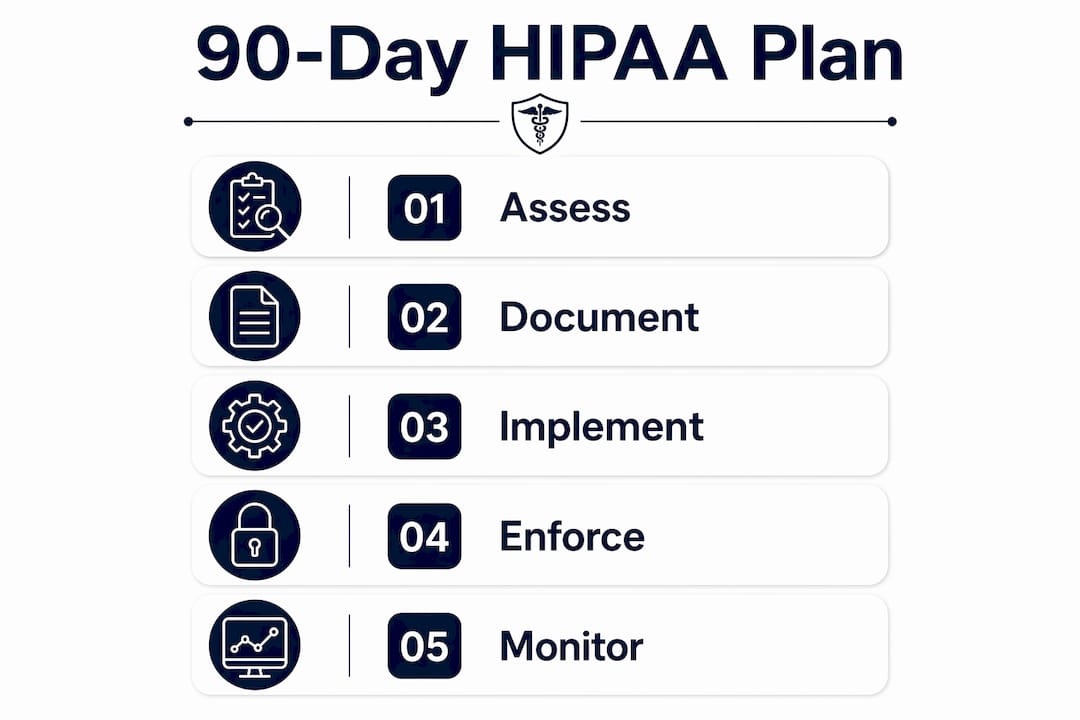
Break the work into three phases. Assign an owner to each task before the plan starts — unowned tasks slip.
Phase 1: Days 0–30 (immediate risk reduction)
- Complete asset inventory and data-flow map for all ePHI systems.
- Conduct or commission a Security Risk Assessment.
- Audit vendor list; execute missing BAAs.
- Enable MFA on all remote access, admin portals, and cloud consoles.
- Confirm encryption at rest and in transit; document any exceptions with compensating controls.
Phase 2: Days 30–60 (controls and documentation)
- Deploy centralized logging/SIEM and set alert thresholds.
- Implement role-based access controls; remove excess permissions.
- Deliver workforce training (phishing, acceptable use, incident reporting).
- Draft or update incident response plan; schedule tabletop exercise.
- Establish BAA tracker and quarterly review cadence.
Phase 3: Days 60–90 (verification and monitoring)
- Complete tabletop exercise and document lessons learned.
- Perform first quarterly access review.
- Validate log retention settings against the six-year requirement.
- Review and finalize all policies with compliance officer sign-off.
- Schedule annual SRA refresh and training cycle.
Ballpark cost guidance (costs vary significantly by environment size):
- SRA (internal staff): 20–40 hours of senior IT/compliance time
- SRA (external consultant): varies by scope and organization size; get multiple quotes
- MFA rollout: typically low-cost using existing Microsoft 365 or Google Workspace licensing
- SIEM setup: ranges from included in managed IT contracts to significant standalone investment for enterprise platforms
- Encryption implementation: often covered by existing OS and cloud platform features at no added cost
Tasks to keep in-house: policy drafting, training delivery, access reviews, and BAA tracking. Tasks to outsource to a HIPAA-aware managed IT provider: SIEM deployment and monitoring, patch management, 24/7 alerting, and incident response support. If your organization has outgrown break-fix IT support, the 90-day plan is the right moment to make the transition.
What should a HIPAA-aware managed IT partner actually do for you?
A qualified managed IT partner operationalizes the SRA, BAAs, 24/7 monitoring, patch management, and documented incident response — and provides verifiable evidence in the form of logs, runbooks, and SLAs. The key word is verifiable. Ask for proof, not promises.
Operational metrics to request from any MSP:
- Mean time to respond to a security alert (target: under 15 minutes for critical events)
- Monitoring coverage hours (24/7 is the standard for ePHI environments)
- SIEM event retention period (must align with your six-year documentation requirement)
- Scheduled SRA review cadence (annual minimum, triggered by major changes)
- Patch deployment SLA (critical patches: 24–72 hours from release)
Vendor interview questions to assess HIPAA experience:
- “Can you provide a sample BAA and describe your breach notification process?”
- “How do you document addressable implementation decisions for clients?”
- “What evidence do you provide for OCR audit readiness?”
- “Where is your help desk located, and what is your average response time?”
- “How do you handle a security incident at 2 AM on a Sunday?”
Mavericksofficesolutions provides managed IT services with 24/7 monitoring, a US-based help desk, and an average help-desk response time under 12 minutes. For Michigan healthcare organizations, that local support model means faster containment when an incident occurs and a single point of accountability for the technical safeguards your compliance program depends on. Their cybersecurity services include SIEM monitoring and incident response support mapped directly to HIPAA Security Rule requirements.
Data disposal and destruction best practices for PHI
PHI does not disappear when you delete a file or return a leased device. Proper disposal is a required element of your physical safeguards program and a common gap in OCR findings.
Disposal standards by media type:
- Hard drives (HDD): overwrite using NIST SP 800-88 guidelines (at least one full pass for modern drives) or physical destruction (degaussing, shredding)
- Solid-state drives (SSD): cryptographic erasure (if the drive uses hardware encryption) or physical destruction; standard overwrite tools are less reliable on SSDs
- Portable media (USB drives, backup tapes): physical destruction is the safest option
- Cloud storage: confirm deletion and verify with the provider that data is purged from all backup tiers; your BAA should specify the provider’s destruction process
- Networked printers and copiers: request hard-drive sanitization certificates before any device leaves your facility
Maintain a chain-of-custody log for every device that stores ePHI from the moment it is flagged for disposal to the moment destruction is confirmed. That log is evidence. Without it, you cannot prove the data was destroyed — and OCR will ask.
Key Takeaways
HIPAA IT compliance requires a documented SRA, signed BAAs with every PHI-handling vendor, enforced technical controls (MFA, encryption, audit logging), and six years of retained documentation — all mapped to OCR’s Security Rule and NIST SP 800-66.
| Point | Details |
|---|---|
| SRA is the foundation | Run a documented Security Risk Assessment first; every other control decision flows from it. |
| BAAs are non-negotiable | Any vendor touching PHI needs a signed BAA before access is granted, per HHS OCR guidance. |
| Technical controls require documentation | Addressable items like encryption must be implemented or formally documented with a compensating control per 45 CFR § 164.312. |
| Retain records for six years | Policies, SRAs, BAAs, training logs, and incident reports must be retained six years from creation or last in-effect date. |
| Mavericksofficesolutions as your IT partner | Mavericksofficesolutions provides 24/7 monitoring, a US-based help desk with under-12-minute response, and managed IT services mapped to HIPAA Security Rule requirements for Michigan organizations. |
The gap most Michigan IT teams miss
The conventional wisdom on HIPAA compliance focuses almost entirely on technology: encrypt everything, enable MFA, deploy a SIEM. That advice is correct, but it misses the failure mode that actually triggers OCR findings. The most common enforcement actions come from organizations that had decent technical controls and almost no documentation to prove it.
An undocumented SRA is, from OCR’s perspective, the same as no SRA. An addressable control you chose not to implement — for a legitimate, cost-based reason — becomes a violation if you never wrote down why. The practical lesson is that documentation is not administrative overhead. It is the compliance program. When you enable centralized logging and then document the retention settings, the alert thresholds, and the quarterly review schedule, you have turned a technical tool into auditable evidence. That shift, from “we have the technology” to “we can prove we use it correctly,” is what separates organizations that pass audits from those that don’t.
Michigan organizations: get your HIPAA IT program built right
For Michigan healthcare organizations that need more than a checklist, Mavericksofficesolutions delivers the managed IT infrastructure that makes HIPAA compliance operational, not theoretical. Their services map directly to the Security Rule’s requirements: 24/7 monitoring and SIEM alerting for technical safeguards, BAA execution and vendor management support, patch management with documented SLAs, and device sanitization through managed print services for healthcare environments. The US-based help desk with a sub-12-minute average response time means your team has real support when an incident happens at an inconvenient hour.
Before you sign with any managed IT provider, ask these three questions: Can you provide documented evidence of HIPAA Security Rule controls for OCR review? What is your breach notification process and timeline? Where is your help desk, and what is your average response time? Mavericksofficesolutions answers all three with specifics. Contact them for a HIPAA readiness assessment and get your 90-day plan started with a partner who knows Michigan healthcare IT.
Authoritative sources and further reading
The three primary references below are what OCR auditors expect to see mapped in your compliance evidence. Build your SRA, policies, and technical controls against these documents — not secondary summaries.
- HHS OCR Security Rule Summary: the authoritative plain-language explanation of what the Security Rule requires, including the six-year documentation retention standard. Start here for administrative and physical safeguard requirements.
- NIST SP 800-66 Rev. 2: the practical implementation guide OCR references when evaluating SRA methodology and control selection. Confirms that compliance is risk-based and scalable — no single methodology is mandated.
- 45 CFR § 164.312 — Technical Safeguards: the regulatory text for every required and addressable technical control. Auditors map your evidence directly to these specifications; your SRA and policy documents should reference this section explicitly.
- HHS Business Associates Guidance: defines who qualifies as a business associate and what a BAA must contain. Use this when auditing your vendor list and drafting BAA language.
- HHS Cloud Computing Guidance: clarifies that cloud service providers handling ePHI are business associates and that encryption alone does not transfer HIPAA liability to the provider.