

Endpoint hardening is the systematic removal or secure configuration of services, ports, and software on devices so attackers have fewer paths in. Your immediate priority is patching internet-facing systems and disabling unnecessary services, since those gaps are what most intrusions exploit first. Below, we walk through the scope, the reasoning, and a prioritized checklist with a phased roadmap you can start executing promptly.
TL;DR:
- Patch internet facing systems first, enable MFA across remote and cloud access, and disable SMBv1 only after checking legacy application dependencies.
- Block internet access to RDP unless needed; route required access through a VPN or managed tool, then verify port 3389 externally.
- Pilot application allowlisting on a small, standardized device group before wider rollout, because legacy software dependencies can disrupt essential business tools.
- Pair endpoint hardening with EDR and network monitoring, since prevention cannot replace visibility into suspicious activity or response when attackers get through.
- Scan against CIS or Microsoft baselines quarterly, enforce corrections through configuration management, and test encrypted, offline backups through regular restore exercises.
Table of Contents
- What endpoint hardening covers and how it differs from detection
- Why endpoint hardening matters for ransomware and lateral movement
- Prioritized endpoint hardening checklist: concrete controls to apply now
- Operational practices that sustain hardening over time
- Implementation roadmap: 30 to 90 day quick wins and phased rollout
- How we approach endpoint hardening for clients
- Get a hardening assessment for your business
- FAQ
- Sources
What endpoint hardening covers and how it differs from detection
Endpoint hardening applies to every device that touches your network: laptops, desktops, physical and virtual servers, cloud instances, mobile devices, IoT equipment, and BYOD devices your staff bring in. Each of these carries its own set of default services, open ports, and installed software, and each one is a potential entry point.
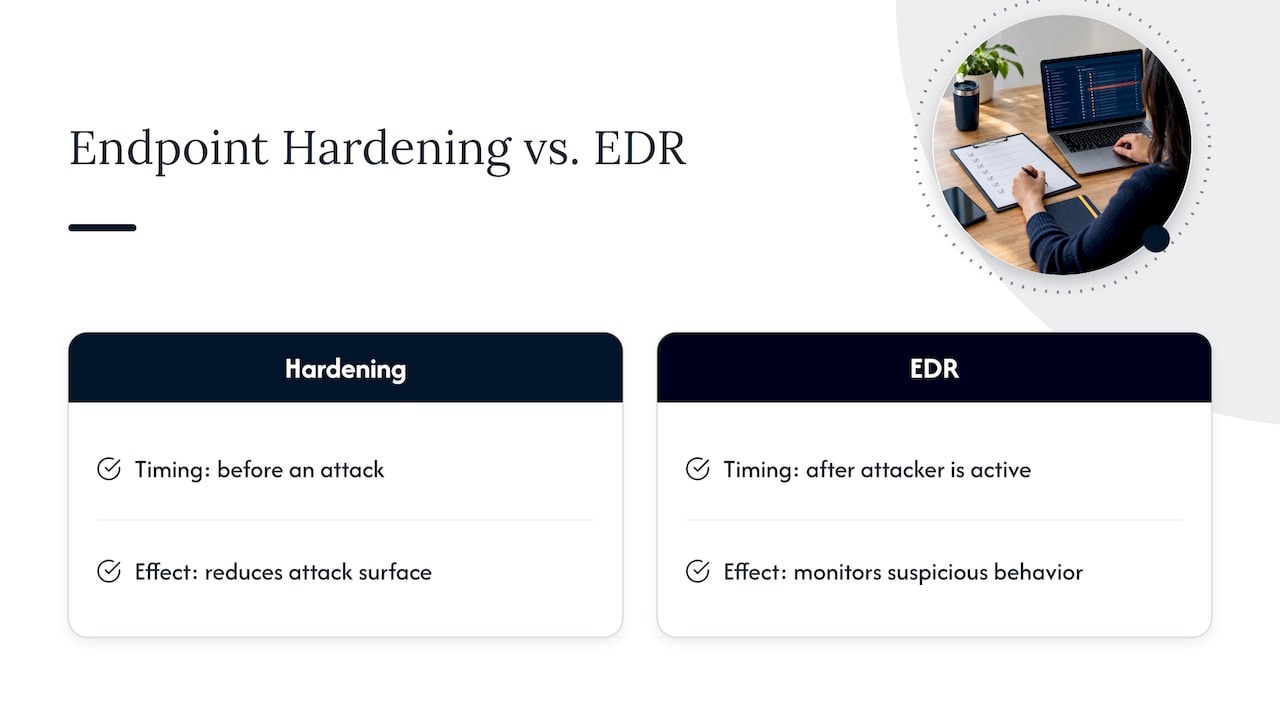
Hardening reduces that attack surface before anything happens. Endpoint detection and response (EDR) works differently: it watches for suspicious behavior after an attacker is already active and gives your team the telemetry to respond. You need both. A locked-down endpoint with no monitoring leaves you blind to the attack that does get through, while monitoring without hardening means you are chasing alerts on systems that never needed to be exposed in the first place.
For consistent configurations, lean on published baselines rather than building your own from scratch. The CIS Benchmarks offer consensus-based, prescriptive settings for operating systems and common software, including hardened images you can deploy directly. Microsoft publishes equivalent security baselines for Windows environments, covering everything from SMB protections to allowlisting defaults.
Why endpoint hardening matters for ransomware and lateral movement
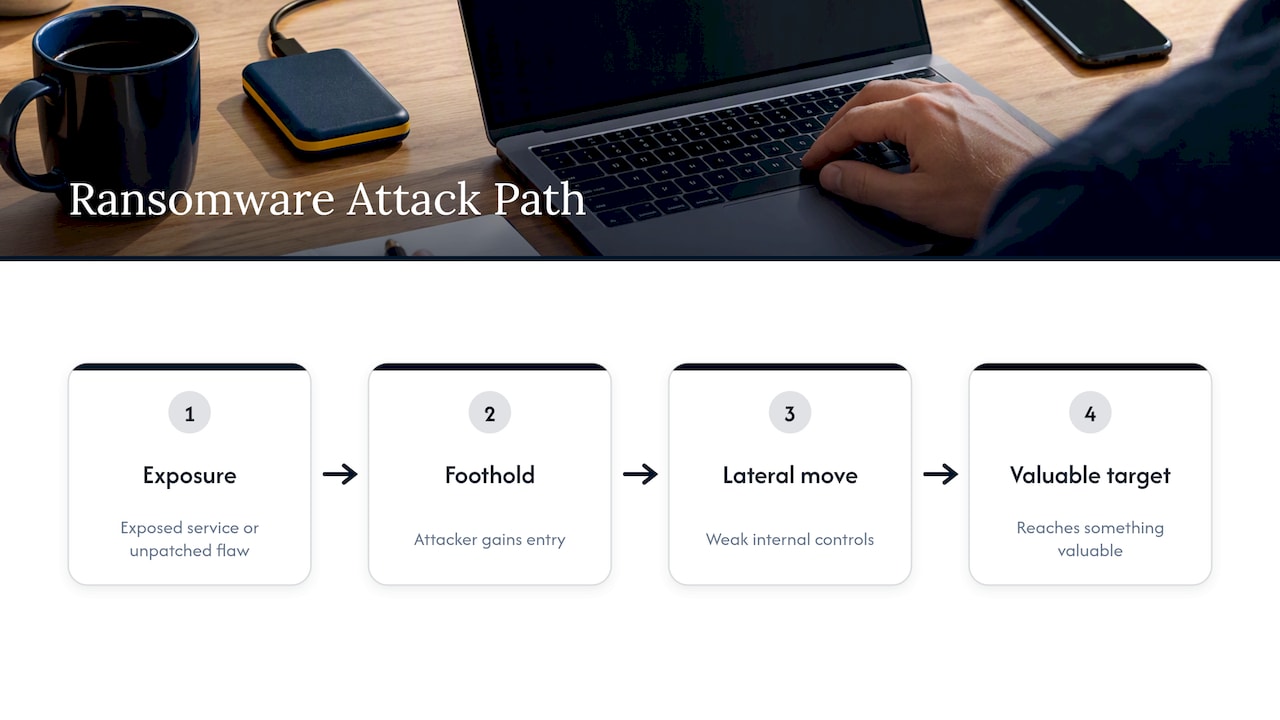
Ransomware and data exfiltration remain the attacks most likely to put you out of business for a week or more, and both typically start with the same pattern: an exposed service or an unpatched vulnerability gives an attacker a foothold, then weak internal controls let them move laterally until they reach something valuable.
CISA’s Ransomware Guide lists patching internet-facing systems and known exploited vulnerabilities as a primary mitigation and one of the most cost-effective ways to shrink your exposure. Microsoft’s own threat reporting echoes this: the volume of attacks defenders face now requires layered defense, meaning prevention and detection working together rather than either one alone. Hardening closes the easy doors; it does not replace the need for an incident response plan or active monitoring once something slips through.
Prioritized endpoint hardening checklist: concrete controls to apply now
Not every control deserves equal attention on day one. Work through these in order, verifying each step before moving to the next.
- Patch internet-facing systems first. CISA’s StopRansomware Guide names this the single highest-value mitigation available. Verify with an authenticated vulnerability scan after each patch cycle, not just a port scan.
- Enable multi-factor authentication everywhere. Cover VPN, email, remote administration, and any cloud console. Confirm by auditing sign-in logs for any account still authenticating with a single factor.
- Disable SMBv1 and unnecessary remote services. CISA’s StopRansomware Guide (PDF) recommends requiring SMB 3.1.1 where feasible, blocking SMB at the perimeter, and logging SMB activity. Watch for legacy line-of-business applications or older network-attached storage that still depend on SMBv1 before you flip the switch.
- Block RDP from the internet unless it is explicitly needed. If remote access is required, route it through a VPN or a managed remote-access tool, and confirm with an external scan that port 3389 is not reachable.
- Deploy application allowlisting. Windows Defender Application Control (WDAC) or AppLocker, both referenced in CISA guidance, block unauthorized software from executing at all. Our application whitelisting guide walks through a phased pilot that avoids breaking line-of-business tools during rollout.
- Deploy or expand EDR coverage. Confirm every endpoint, including servers and remote laptops, reports telemetry to a central console.
- Enforce disk and transport encryption. BitLocker or equivalent on every laptop and server; TLS 1.2 or higher for data in transit. Verify compliance through your configuration management tool, not a one-time check.
- Apply CIS or Microsoft baselines across the fleet. Use group policy or your configuration management platform to enforce settings, then scan quarterly for drift.
- Segment the network. Separate production servers, guest Wi-Fi, and IoT devices onto distinct VLANs so a compromised endpoint cannot reach everything.
- Restrict remote monitoring and management (RMM) tools to known, authenticated sources, and move privileged accounts to least-privilege and just-in-time elevation models.
Pro Tip: Pilot application allowlisting on a small group of standardized machines before a fleet-wide rollout; legacy software dependencies surface fast, and you want to find them on ten machines, not five hundred.
Operational practices that sustain hardening over time
A hardened fleet does not stay hardened on its own. Configuration drift creeps in through emergency changes, new software installs, and well-meaning exceptions, which is why CISA’s guidance treats automated drift detection as part of the hardening program itself, not a separate task.
- Patch prioritization: focus remediation windows on known exploited vulnerabilities and internet-facing hosts first, then work inward.
- Drift detection: scan against CIS Benchmarks or your Microsoft baseline on a recurring schedule, and enforce corrections through group policy or your configuration management tool rather than manual fixes.
- Monitoring: combine EDR telemetry with network monitoring tuned for SMB and RMM anomalies, feeding both into centralized logging so your team sees the full picture in one place.
- Backup and recovery: keep immutable, encrypted, offline backups and test restores on a regular cadence, since a backup you have never restored from is a guess, not a plan.
Configuration drift is treatable as a measurable condition. CISA guidance notes that automating enforcement and continuous monitoring is necessary to maintain the secure posture hardening is meant to create, which means your drift rate and remediation time deserve a place on the same dashboard as your patch metrics. Our backup strategy guide covers how to structure restore testing so it actually gets done.
Implementation roadmap: 30 to 90 day quick wins and phased rollout
You do not need a year-long project plan to make real progress. Break the work into two phases.
- Days 1 to 30: Build a complete device inventory, patch every internet-facing host, enable MFA on all accounts, disable SMBv1 wherever legacy dependencies allow it, and turn on disk encryption across all laptops.
- Days 30 to 60: Pilot application allowlisting on a controlled device group, expand EDR to cover any remaining gaps, and begin enforcing CIS or Microsoft baselines through configuration management.
- Days 60 to 90: Roll out network segmentation, extend allowlisting to the broader fleet, and lock down RMM access to verified sources only.
Track progress with KPIs rather than gut feel: patch lag (time from disclosure to deployment), percentage of endpoints reporting EDR telemetry, CIS baseline compliance rate, and backup restore success rate.
Pro Tip: Set your 30-day patch lag target before you start measuring, not after. A number with no baseline is just a number.
If your remote workforce complicates this timeline, our guide on securing remote endpoints addresses the specific compatibility issues that come with disabling remote services across a distributed fleet.
How we approach endpoint hardening for clients
We run hardening engagements the same way this checklist is organized: inventory first, then prioritized patching, then layered controls. Our cybersecurity and managed IT services pair 24/7 monitoring with a proactive support model, so a hardening pass does not stop at deployment. We pilot application allowlisting the way CISA and Microsoft recommend, expand EDR coverage across the fleet, and verify backups actually restore, not just that they run on schedule.
— Jeffrey
Get a hardening assessment for your business
Every item on this checklist maps to something we manage day to day: patching cadence and configuration enforcement through managed IT services, EDR deployment and incident response through cybersecurity, and backup validation built into both.

- We run a current-state assessment against CIS and Microsoft baselines before recommending changes.
- Our help desk responds promptly, so a flagged issue does not sit in a queue.
- A single provider covers hardening, monitoring, and recovery instead of juggling separate vendors.
If you would rather talk through where your environment stands first, a vCIO consultation is a practical next step before committing to a full engagement.
FAQ
How did endpoint protection get on my computer?
Endpoint protection is typically installed by your IT department or managed service provider as part of onboarding a new device, often bundled into the standard image every laptop or desktop receives before deployment. If you see unfamiliar protection software and did not request it, check with your IT team before assuming it is unauthorized.
What’s the difference between EPP and EDR?
Endpoint protection platforms (EPP) focus on prevention, blocking known malware and malicious files before they execute. Endpoint detection and response (EDR) assumes some threats will get through and focuses on detecting suspicious behavior, providing the telemetry your team needs to investigate and contain an active incident.
What is the 1-10-60 rule in cybersecurity?
The 1-10-60 rule is an industry benchmark goal: detect an intrusion within one minute, investigate it within ten minutes, and contain it within sixty minutes. It is used as a target for evaluating how fast a security team’s detection and response capability needs to be, not a guarantee any specific tool provides.
What does hardening mean in cybersecurity?
Hardening means reducing a system’s attack surface by removing unnecessary software, disabling unused services and ports, and applying secure configuration settings. For endpoints specifically, that includes steps like disabling SMBv1, enforcing MFA, and applying CIS Benchmarks or Microsoft security baselines across the fleet.