
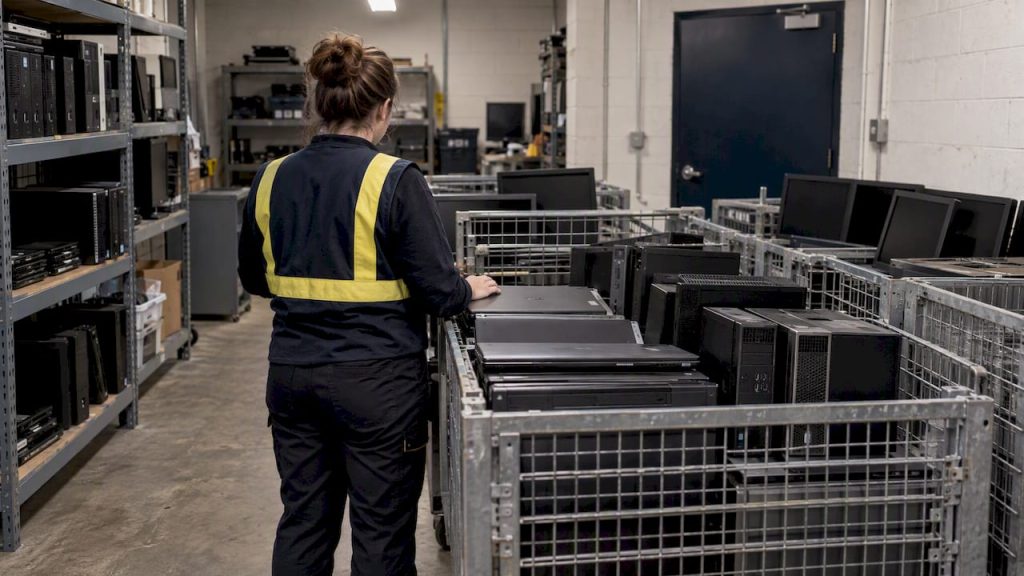
IT asset disposal means retiring hardware through secure data sanitization, documented chain of custody, and environmentally responsible recycling or remarketing, not just hauling old equipment to a dumpster. Before you move a single device, inventory and classify what you own, match each sanitization method to the data it held using NIST’s clear, purge, and destroy framework, and require signed certificates proving the work was done.
TL;DR:
- Proper IT asset disposal requires detailed inventory and data classification to match sanitization methods with data sensitivity levels.
- Using verified methods such as overwriting, secure erase, or physical destruction is essential, along with documented verification and serial-level certificates.
- Maintaining a chain of custody through signed manifests, transport logs, and photos is critical for proving compliance and protecting against data breach liabilities.
- Certified recyclers with R2 or e-Stewards credentials ensure responsible processing and proper disposal of hazardous components, reducing environmental and legal risks.
- Outsourcing disposal processes to a trusted partner can help SMBs ensure compliance, proper documentation, and minimize the risk of data leaks or environmental violations.
Table of Contents
- 1. What counts as IT asset disposition and when you need it
- 2. Build a disposition plan before you unplug anything
- 3. Choosing the right sanitization method for each device
- 4. Chain of custody: what to record and how to check it
- 5. Weighing resale, donation, and destruction
- 6. Why certified recyclers matter for sustainability and risk
- 7. Evaluating and contracting with an ITAD partner
- 8. How Mavericks Office Solutions supports secure disposal for SMBs
- 9. Training employees to avoid disposal mistakes
- 10. Why disposal belongs in your governance program, not a side task
- 11. A managed path to disposal readiness with Mavericks Office Solutions
- FAQ
- Sources
1. What counts as IT asset disposition and when you need it
IT asset disposition, or ITAD, covers the retirement of any device that stored or processed business data: servers, desktops, laptops, storage arrays, mobile phones and tablets, network switches and routers, backup tapes, and printers or copiers with onboard hard drives. Any of these can hold recoverable data long after you think it is gone.
Several events should trigger a formal ITAD process rather than a quiet cleanup:
- Hardware reaching end of life or failing out of warranty
- Lease returns, where the leasing company expects devices back in a defined condition
- Office moves or decommissions that retire equipment in bulk
- Donations or transfers to another department, nonprofit, or employee
- Mergers, acquisitions, or office closures that surface years of accumulated gear
Skipping formal disposal carries three concrete risks. A device sold or scrapped with data still on it can trigger a breach notification obligation, the kind of event that drags in regulators, customers, and legal counsel. Regulatory fines follow under frameworks tied to the FTC Safeguards Rule, which expects documented data protection controls across the asset lifecycle, not just while a device is in use. And equipment dumped through uncertified channels can end up in landfills or overseas processing sites with poor labor and environmental practices, creating a liability that traces back to your organization’s name.
2. Build a disposition plan before you unplug anything
A clean disposal project starts with a full inventory, not a pickup date. List every asset by serial number, model, and current owner, then check lease agreements and depreciation schedules to confirm what you actually have the right to dispose of. Leased equipment often has return conditions that affect whether you can sanitize onsite or must ship it back intact.
Once the inventory exists, classify the data each device held. This decision belongs with whoever owns the risk, usually IT security or compliance leadership, because the classification drives which sanitization method is defensible later.
A typical disposal project moves through these steps:
- Finalize the inventory with serials, models, and ownership status.
- Classify data sensitivity for each asset or asset group.
- Get sign-off from IT security and finance before equipment moves.
- Schedule the disposal window, including onsite staging or offsite pickup logistics.
- Execute sanitization or destruction against the approved method.
- Collect and file documentation before closing the asset record.
Pro Tip: Run a small pilot batch of five to ten retired devices through your full process before a large decommission. It surfaces gaps in your paperwork and logistics while the stakes are still low.
3. Choosing the right sanitization method for each device
NIST Special Publication 800-88 defines three sanitization categories: Clear, Purge, and Destroy. Clear uses standard logical techniques like overwriting or factory reset. Purge applies physical or logical methods that make data recovery infeasible even with advanced lab techniques. Destroy physically disables the media so it can never be read again. NIST’s decision process is based on the confidentiality of the information the device held, not the type of media alone, so the same laptop model might need different treatment depending on what was stored on it.
In practice, the method varies by device:
- Hard disk drives typically need a full overwrite or, for higher-sensitivity data, a purge-level degaussing or secure erase.
- Solid-state drives respond poorly to overwriting because of wear-leveling, so manufacturers’ cryptographic erase or secure erase commands are the recommended purge method.
- Mobile devices usually get a factory reset paired with destruction of any encryption keys, which renders remaining data unreadable even if recovered.
- Media holding highly sensitive data often goes straight to physical shredding or crushing, a destroy-level action with no ambiguity about recoverability.
Verification is not optional. NIST SP 800-88 calls for organizations to document, verify, and periodically test their sanitization equipment and procedures, not just assume the tool worked. In practice this means logs tied to serial numbers, periodic test samples pulled and checked, and a signed certificate for every batch. If a vendor cannot produce that paperwork on request, treat it as a warning sign rather than a formality.
4. Chain of custody: what to record and how to check it
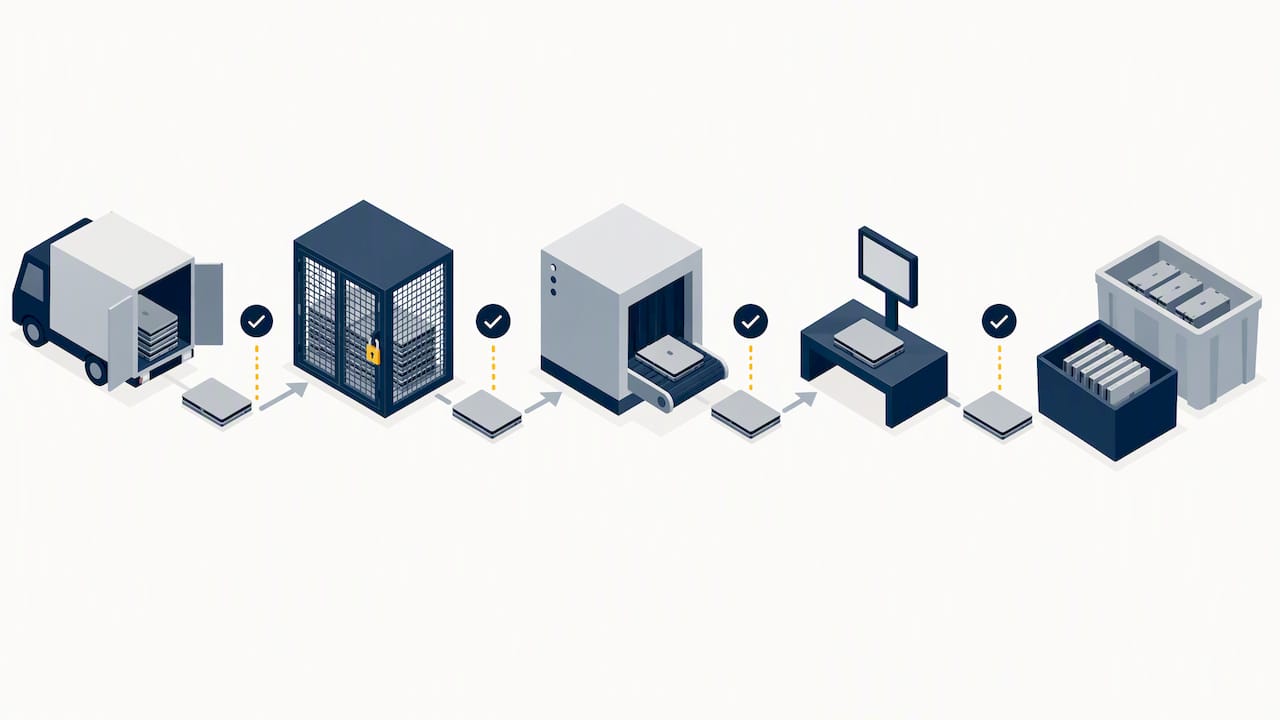
Chain of custody is the paper trail that proves a device’s location and handling from the moment it leaves your building until it is sanitized or destroyed. Without it, you have no way to prove compliance if a regulator or client asks.
Essential records include:
- Signed manifests listing every serial number in the batch
- Transport logs showing pickup time, vehicle, and driver or courier
- Sanitization certificates tied to individual serial numbers, not just a batch total
- Photographs of device condition at pickup, useful for disputes over damage or missing units
Onsite sanitization keeps custody entirely in your hands until the work is verified, which some compliance frameworks require for the most sensitive data. Offsite processing is often cheaper and faster but means you are trusting a third party’s custody controls between pickup and sanitization, so the manifest and transport log matter even more.
Before trusting a vendor’s reports, audit a sample of serial numbers against your own inventory, ask for downstream documentation showing where sanitized materials actually went, and confirm the vendor carries insurance that covers data breach liability, not just property damage. Reserve the right to audit their facility, even if you never exercise it.
5. Weighing resale, donation, and destruction
Not every retired device needs to go through a shredder. When data sensitivity is low, the device is still functional, and lease terms allow it, remarketing or donation can recover real value instead of a disposal fee. The decision hinges on three factors: how sensitive the data was, what the lease or purchase contract requires, and whether the hardware is in good enough condition to resell responsibly.
Controls for remarketing still matter:
- Verified sanitization must happen before any device leaves your custody for resale.
- Refurbishment testing should confirm the device functions as advertised, protecting you from warranty disputes later.
- Disclosure obligations apply if you are selling to another business, since misrepresenting a device’s condition creates legal exposure.
On the accounting side, proceeds from resale typically offset the asset’s remaining book value, and any gain or loss gets recorded against the original purchase price, a detail your finance team will want documented alongside the sanitization certificate. Providers that handle refurbished and pre-owned equipment can manage this resale pathway while keeping sanitization records intact.
6. Why certified recyclers matter for sustainability and risk
Certifications like R2 and e-Stewards exist because electronics recycling has a documented history of hazardous waste mishandling and improper exports. The EPA’s certified recyclers program points organizations toward recyclers that have been independently audited for data security, worker safety, and responsible downstream handling, and an EPA implementation study found that a significant number of U.S. facilities held R2 or e-Stewards certification, so certified options are not hard to find domestically.
Before signing with a recycler, ask these questions:
- Which certification do you hold, R2, e-Stewards, or both, and can you provide current audit documentation?
- Where does material go downstream, and can you trace it past your own facility?
- How do you handle hazardous components like batteries, mercury-containing parts, or leaded glass?
- Do you export processed material, and if so, under what regulatory controls?
A recycler’s certification status affects more than your environmental footprint. It shows up in sustainability reporting and vendor risk assessments that increasingly matter to customers and insurers alike.
7. Evaluating and contracting with an ITAD partner
Choosing an ITAD partner means checking more than price. Core criteria include current R2 or e-Stewards certification, documented sanitization methods matched to NIST categories, demonstrable chain-of-custody controls, adequate insurance coverage, and a track record of audit-ready reporting.
Build these requirements into the contract itself:
- A certificate of sanitization for every batch, tied to serial numbers
- Audit access that lets you inspect their facility or request documentation on demand
- Indemnity language covering data breach liability if sanitization fails
- Downstream disclosure clauses requiring them to name where materials ultimately go
Red flags worth walking away from include vendors unwilling to name their downstream partners, certificates that cover a batch total with no serial-level detail, and pricing that seems too low relative to the volume and sensitivity of what you are disposing of. A vendor doing this work properly has costs that reporting and certification impose, and those costs show up in the quote.
Pro Tip: Ask a prospective vendor for a sample certificate of sanitization and a sample chain-of-custody report before you sign anything. How they respond tells you more than their sales pitch.
8. How Mavericks Office Solutions supports secure disposal for SMBs
As part of running an outsourced IT department for small and medium businesses, we fold disposal planning into the broader lifecycle work we already handle: inventory tracking, security monitoring, and documentation. Our help desk responds promptly, which matters when a disposal project needs a fast answer on a classification question or a scheduling conflict.
A typical managed disposal workflow looks like this: we audit what is retiring, confirm the sanitization method against data sensitivity, document chain of custody from pickup through certification, and route devices to remarketing or recycling depending on condition and risk. For an SMB without a dedicated compliance team, that sequence, run consistently, closes most of the gaps that create breach exposure later.
9. Training employees to avoid disposal mistakes
Most disposal failures trace back to people, not technology. An employee grabs a retired laptop for a home project, a department ships old copiers to a scrap dealer without checking the hard drive, or a manager approves a bulk pickup without confirming anyone classified the data first.
Training should cover a short list of concrete rules rather than a general security lecture:
- No device leaves the building without going through the disposal inventory first, no exceptions for “it’s just an old laptop.”
- Only approved personnel initiate a disposal request, which keeps the classification and sign-off steps from getting skipped.
- Printers and copiers count as IT assets. Their hard drives retain scanned documents, and a copier hard drive security review should happen before any unit leaves your fleet.
- Report missing or diverted equipment immediately, since a gap in the inventory is the first sign something left custody improperly.
Build these rules into onboarding and repeat them during any office move or hardware refresh, since that is when disposal volume spikes and shortcuts become tempting. A fleet management approach that tracks devices continuously, as covered in our piece on printer fleet management, reduces the chance that a device goes missing between active use and disposal in the first place.
10. Why disposal belongs in your governance program, not a side task
Sanitization is a data governance decision, not an IT chore you hand to whoever has time. The organizations that get burned are usually the ones that treated disposal as logistics instead of risk management, skipping the classification step that should have driven everything after it. If you take one action from this piece, run a small disposal pilot on a handful of retired devices and see where your paperwork breaks.
— Jeffrey
11. A managed path to disposal readiness with Mavericks Office Solutions

If running the full ITAD process in-house stretches your team thin, we offer a managed alternative rather than a replacement for traditional ITAD vendors: we audit what needs retiring, schedule pickup, document sanitization against NIST-aligned methods, and hand you the reporting your compliance team needs. It is one more piece of the outsourced IT department we already run for small and medium businesses. Reach out through our managed IT services page to arrange a disposal readiness consult.
FAQ
How do you dispose of IT equipment safely?
Start with a full inventory and data classification, then sanitize each device using a method matched to its data sensitivity under the NIST clear, purge, destroy framework. Route sanitized equipment to a certified recycler or remarket it, and keep signed certificates and chain-of-custody records for every batch.
What are some examples of IT assets that need disposal?
IT assets include servers, desktops, laptops, mobile phones, storage arrays, network switches and routers, backup tapes, and printers or copiers with internal hard drives. Any device that stored or processed business data belongs in a formal disposal process, not a general equipment cleanout.
What does IT asset disposition (ITAD) mean?
IT asset disposition, or ITAD, is the structured process of retiring IT hardware through secure data sanitization, documented chain of custody, and responsible recycling or resale. It exists to prevent data breaches and environmental harm that come from disposing of equipment without verification.
How do I know if a recycler is trustworthy?
Check for current R2 or e-Stewards certification, and ask for downstream documentation showing where processed materials actually go. The EPA’s certified recycler resources are a reliable starting point for identifying audited recyclers.
What should a sanitization certificate include?
A trustworthy certificate ties sanitization results to individual serial numbers rather than a batch total, and names the method used, whether clear, purge, or destroy. If a vendor only offers a generic batch-level statement, ask for serial-level detail before relying on it for compliance purposes.
Sources
- NIST Special Publication 800-88 Revision 1, Guidelines for Media Sanitization
- NIST Special Publication 800-88 Revision 2, Guidelines for Media Sanitization
- Certified Electronics Recyclers | US EPA