

Why Microsoft 365 backup is critical for your business
Microsoft 365 Backup is a dedicated, high-speed backup and restore service built directly into the Microsoft 365 ecosystem, covering SharePoint sites, OneDrive accounts, and Exchange Online mailboxes. It goes well beyond what Microsoft’s native infrastructure resilience provides, giving your business the ability to recover data rapidly after ransomware, accidental deletion, or malicious content changes.
For Ohio SMBs, that distinction matters in a very practical way. If an employee accidentally deletes a critical SharePoint folder, or ransomware encrypts your OneDrive files, Microsoft’s built-in high availability won’t save you. Those features protect Microsoft’s infrastructure, not your data. A dedicated backup solution restores your actual content, with metadata and permissions intact, often within hours rather than weeks.
Key capabilities you get with Microsoft 365 Backup:
- Express restore points created as frequently as every 10 minutes for short-term recovery
- High-fidelity restores that preserve file metadata, folder structure, and permissions
- Selective backup policies so you can target specific sites, mailboxes, or accounts
- Immutable, append-only storage that ransomware cannot overwrite
- Retention up to one year, with weekly restore points for longer-term recovery
Table of Contents
- What native Microsoft 365 protections actually leave exposed
- Key features to look for in an effective backup solution
- How a solid backup strategy supports business continuity
- How Mavericksofficesolutions implements backup for Ohio SMBs
- How do third-party Microsoft 365 backup providers compare?
- How Microsoft 365 backup solutions actually work, step by step
- Cloud vs. on-premises backup storage: what’s the right fit?
- Compliance and legal considerations you cannot ignore
- Key Takeaways
- Mavericksofficesolutions protects your Microsoft 365 data so you don’t have to
What native Microsoft 365 protections actually leave exposed
Microsoft 365’s built-in security tools, including Microsoft Entra ID, Conditional Access, and Microsoft Defender, are genuinely strong. They reduce the probability of a breach. But native security features are designed to prevent unauthorized access, not to restore data after it has been corrupted or deleted.
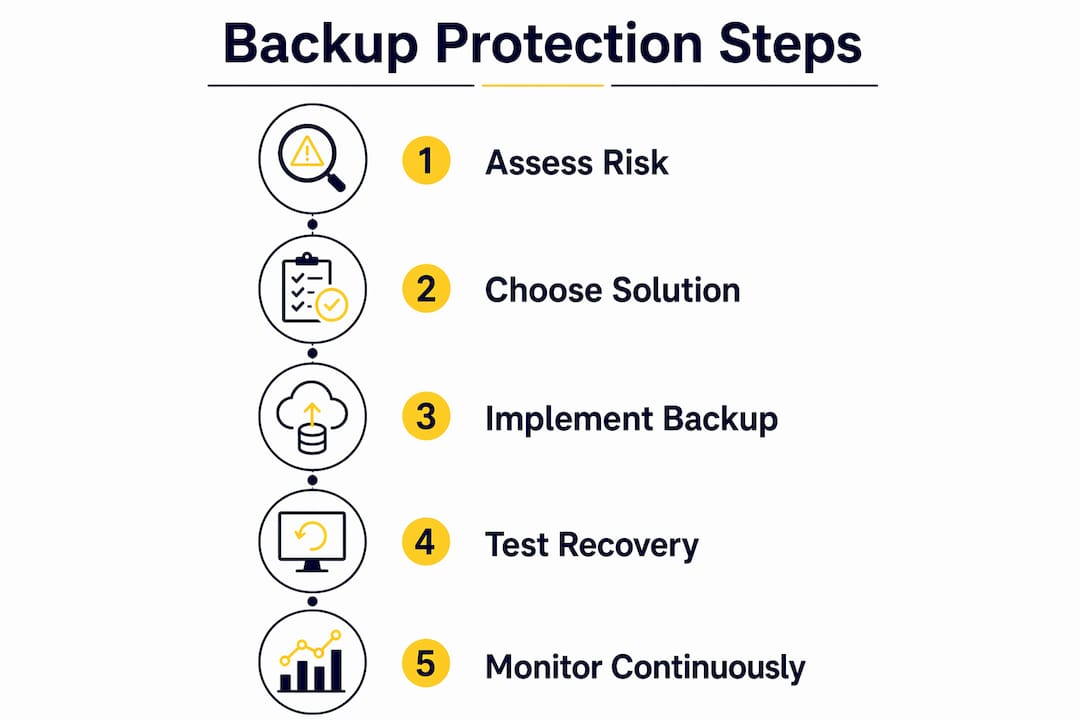
The core problem is synchronous replication. When a file is deleted or encrypted by ransomware, that change propagates instantly across Microsoft’s live infrastructure. There is no lag, no quarantine. The damage is already replicated before anyone notices.
Gaps that native protections leave open:
- Recycle bins retain deleted items for only 93 days by default, with no granular restore for complex folder structures
- Retention policies in Microsoft Purview are compliance tools, not backup tools. They hold data in place but don’t restore it to its original location with permissions
- Version history is limited in scope and does not cover all content types
- High availability protects against Microsoft datacenter failures, not customer-side errors or attacks
- Ransomware that corrupts files without deleting them can bypass recycle bin recovery entirely
Key features to look for in an effective backup solution
Not every third-party backup tool delivers the same level of protection. When evaluating office 365 backup options, these are the capabilities that separate a reliable solution from a checkbox product.
- Full coverage of SharePoint, OneDrive, and Exchange mailboxes, including Teams data stored in those services
- Granular restore at the mailbox item level, site level, and individual file level
- Metadata and permissions preservation so restored content works exactly as it did before the loss event
- Immutable backup storage built on append-only architecture, preventing backup tampering
- Independent retention policies that exist outside Microsoft 365’s native retention, protecting backups from accidental or policy-driven deletion
- API-based integration with the Microsoft 365 admin center for centralized management
- Managed Service Provider support so your IT partner can configure, monitor, and restore on your behalf
Pro Tip: When reviewing backup vendors, ask specifically whether their solution uses the Microsoft 365 Backup Storage platform APIs. Solutions built on these scoped APIs operate with limited permission scope, which reduces the risk of a compromised backup tool becoming its own attack vector.
How a solid backup strategy supports business continuity
Recovery speed is not a secondary concern. Expert consensus holds that the time it takes to restore data is as critical as having the backup in the first place. An hour-scale recovery is the standard modern API-integrated solutions should meet. Waiting days or weeks for data restoration means real revenue loss for an Ohio SMB.

Ransomware is the clearest example of why backup and security must work together. Your cybersecurity tools are the first line of defense, blocking threats before they reach your data. But when prevention fails, backup is what gets you back to work. Security limits breaches; backup ensures recovery when prevention falls short.
Benefits of integrating backup with your continuity plan:
- Reduces downtime from potential weeks to hours after a ransomware event
- Provides a clean, known-good restore point unaffected by the attack
- Supports compliance requirements by maintaining independent data retention
- Gives your team confidence to act decisively during an incident rather than scrambling
Evaluate your backup solution against your actual recovery time objectives, not just Microsoft’s availability SLAs. Those are different measurements entirely.
How Mavericksofficesolutions implements backup for Ohio SMBs
Mavericksofficesolutions functions as a full outsourced IT department, and Microsoft 365 backup is built into that model from day one, not added as an afterthought. The team configures backup policies aligned to each client’s specific data sensitivity, compliance obligations, and recovery time objectives.
What sets Mavericksofficesolutions apart in this space:
- Local, U.S.-based help desk with an average response time under 12 minutes, so when a restore is urgent, you reach a real person fast
- Proactive monitoring of backup health and policy coverage, catching gaps before they become incidents
- Microsoft 365 Backup Storage API expertise for optimal configuration of restore points, retention windows, and selective policies
- Compliance-aligned backup strategies tailored to Ohio businesses in regulated industries
- Single-provider accountability covering managed IT, cybersecurity, and backup under one service agreement
How do third-party Microsoft 365 backup providers compare?
Several established vendors serve the SMB market with Microsoft 365 backup tools. Each takes a slightly different approach to pricing, storage, and restore granularity.
| Provider | Strengths | Limitations |
|---|---|---|
| Veeam Backup for Microsoft 365 | Flexible deployment, strong restore granularity, on-premises or cloud storage | Requires more IT management overhead |
| Acronis Cyber Protect Cloud | Combines backup with endpoint security in one platform | Can be complex to configure for smaller teams |
| Barracuda Cloud-to-Cloud Backup | Simple setup, unlimited storage tiers available | Restore speed varies by plan |
| Datto SaaS Protection | MSP-focused, strong automated backup frequency | Pricing is MSP-channel only, not direct |
| Microsoft 365 Backup (native) | Deep platform integration, pay-as-you-go pricing | Newer product; some granular restore features still rolling out |
For Ohio SMBs, the right choice depends on factors like IT capacity and whether a managed service partner manages backup tools.
How Microsoft 365 backup solutions actually work, step by step
Understanding the process helps you ask better questions when evaluating vendors.
- Policy configuration: Your IT admin or managed service provider defines which SharePoint sites, OneDrive accounts, and Exchange mailboxes to protect, and sets backup frequency and retention duration.
- Initial backup: The solution performs a full baseline capture of all protected data, including metadata, permissions, and version history.
- Incremental backups: After the baseline, the system captures only changed data at each scheduled interval, as frequently as every 10 minutes for Exchange.
- Immutable storage: Backup data is written to append-only storage, preventing modification or deletion by ransomware or unauthorized users.
- Restore trigger: When a data loss event occurs, your IT team or MSP identifies the appropriate restore point and initiates recovery.
- Granular or full restore: Depending on the event, you restore a single email, a SharePoint site, or an entire OneDrive account, with permissions and metadata preserved.
- Verification: Post-restore, the team confirms data integrity and that users can access restored content normally.
A disaster recovery plan should document each of these steps before an incident occurs, not during one.
Cloud vs. on-premises backup storage: what’s the right fit?
| Storage Model | Pros | Cons |
|---|---|---|
| Cloud-to-cloud | No hardware to manage, scales automatically, geographically redundant | Ongoing subscription cost, dependent on internet connectivity for restore |
| On-premises | Faster local restore speeds, full control over data location | Hardware costs, maintenance burden, single-site risk |
| Hybrid | Combines local speed with offsite redundancy | More complex to manage, higher total cost |
For most SMBs in Ohio, cloud-to-cloud backup is the practical default. It eliminates hardware overhead and keeps backup infrastructure out of the same physical location as your primary systems. On-premises storage makes sense only when regulatory requirements mandate local data residency or when restore speed from cloud is genuinely insufficient for your recovery time objectives.
Compliance and legal considerations you cannot ignore
Backup is not just an IT decision. For Ohio businesses in healthcare, finance, legal, or government contracting, data retention requirements carry legal weight.
- HIPAA requires covered entities to retain certain records for six years and demonstrate the ability to restore data after a disaster.
- SEC and FINRA rules mandate that financial firms retain communications and records for defined periods, with the ability to produce them on demand.
- Ohio data breach notification law (Ohio Revised Code § 1347.12) creates obligations around protecting personal information, and demonstrating you had backup controls in place matters in breach investigations.
- Legal holds require that specific data be preserved and retrievable, which native Microsoft 365 retention policies handle differently than dedicated backup tools.
Independent backup retention, separate from Microsoft’s native policies, gives you a clean chain of custody for compliance audits. It also protects you from a scenario where a misconfigured retention policy deletes data you were legally required to keep.
Key Takeaways
Effective Microsoft 365 backup requires independent, immutable backup storage covering SharePoint, OneDrive, and Exchange, with restore points as frequent as every 10 minutes and retention up to one year.
| Point | Details |
|---|---|
| Native protection has real limits | Microsoft 365 high availability protects infrastructure, not your data from deletion or ransomware. |
| Restore speed determines recovery | Modern API-integrated solutions target hour-scale recovery, not days or weeks. |
| Backup pricing is consumption-based | Microsoft’s native backup covers live data plus retained versions. |
| Compliance demands independent retention | HIPAA, SEC, and Ohio state law require data retention that native Microsoft policies alone may not satisfy. |
| Mavericksofficesolutions manages it end-to-end | Ohio SMBs get proactive backup configuration, monitoring, and sub-12-minute help desk response under one managed IT agreement. |
Mavericksofficesolutions protects your Microsoft 365 data so you don’t have to
Running a business in Ohio means you have enough to manage without worrying whether your Microsoft 365 data is actually recoverable after an incident. Mavericksofficesolutions delivers managed IT services that include Microsoft 365 backup configuration, monitoring, and rapid restore support, all from a local U.S.-based team that picks up in under 12 minutes.
You get a single partner accountable for your backup strategy, cybersecurity posture, and day-to-day IT operations. No offshore call centers. No piecing together multiple vendors. Just a proactive team that treats your data protection as seriously as you do. Contact Mavericksofficesolutions today to get your Microsoft 365 backup strategy reviewed and properly configured.