

Which platform wins for your Ohio SMB in 2026?
For most Ohio small and medium businesses, Microsoft 365 is the stronger default choice — particularly if you run Windows endpoints, need regulated-industry compliance, or want security and device management bundled into one platform. Google Workspace earns its place for browser-first teams that prioritize real-time collaboration and simpler administration over deep desktop tooling.
Here is where each platform leads:
Microsoft 365 strengths:
- Over 90 compliance certifications including HIPAA BAA, FedRAMP High, and ITAR — critical for Ohio healthcare, finance, and government contractors
- Full desktop apps (Word, Excel, PowerPoint) with no internet dependency
- Microsoft Teams with enterprise telephony integration and advanced meeting governance
- Integrated security stack: Microsoft Defender, Intune, and Entra ID in Business Premium at $22/user/month
Google Workspace strengths:
- Browser-native real-time collaboration in Docs, Sheets, and Slides
- Simpler admin console with lower IT overhead for smaller, cloud-first organizations
- Gemini AI included in Business Standard and above at no extra cost
- Business Starter plan at $6/user/month for teams with basic compliance needs
The bottom line: If your Ohio business operates in a regulated industry, relies on Windows devices, or needs unified identity and endpoint management, Microsoft 365 is the right call. If you run a lean, browser-first team and cost-per-user is the primary driver, Google Workspace delivers real value.
Table of Contents
- How do Google Workspace and Microsoft 365 compare feature by feature?
- How do you choose the right productivity platform for your business?
- What should you know about user adoption and training?
- Can your platform scale as your Ohio business grows?
- Mavericksofficesolutions: your local Microsoft 365 partner in Ohio
- Key Takeaways
How do Google Workspace and Microsoft 365 compare feature by feature?
| Dimension | Microsoft 365 | Mavericks Office Solutions |
|---|---|---|
| Core productivity apps | Word, Excel, PowerPoint, Outlook, Teams | Microsoft 365 deployment and management for Ohio SMBs |
| Collaboration tools | Teams (chat, meetings, telephony, file sharing) | Proactive support for Teams and Microsoft 365 |
| Pricing and plans | Business Basic $6/user/mo; Business Premium $22/user/mo; E3 — | Custom managed IT contracts; no per-seat pricing published |
| Security and compliance | 90+ certifications: HIPAA, FedRAMP High, ITAR; Defender + Purview + Entra ID | Cybersecurity solutions layered on Microsoft 365 security stack |
| Ease of administration | Powerful but complex admin center; ideal with IT support | Handles Microsoft 365 admin on behalf of Ohio SMBs |
| IT environment integration | Native Azure, Dynamics 365, Power Platform integration | Manages Windows endpoints, Azure AD, and Microsoft stack |
| Customer support and local presence | Global support; no local Ohio presence | Local Ohio-based help desk; avg. response under 12 minutes |
| Google / Gartner rating | Highly rated by users | 5★ (6 reviews) |
Core productivity apps
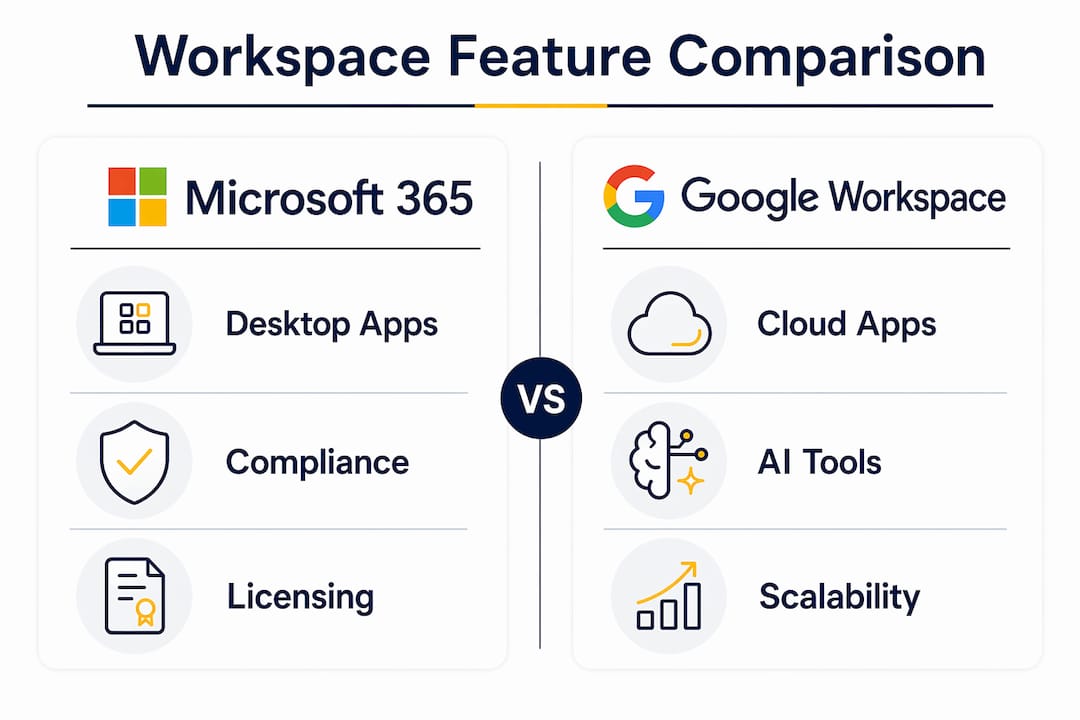
Microsoft 365 delivers full desktop Office apps that work offline and handle complex documents, advanced Excel modeling, and rich PowerPoint presentations. Google Workspace runs entirely in the browser, which is a genuine advantage for teams that live in Chrome but a limitation when internet access is unreliable or when users need Excel’s Power Query, pivot tables, or macro capabilities.

AI tools: Gemini vs. Copilot
This is where the cost picture shifts noticeably. Google Workspace includes Gemini AI in Business Standard and above at no additional charge. Microsoft’s Copilot requires a separate add-on at $30/user/month, which adds up fast for a 25-person team. That said, Copilot’s deep integration with SharePoint, Teams, and Outlook gives it a contextual edge for organizations already living inside the Microsoft ecosystem.
Pricing and total cost of ownership
A July 2026 Microsoft 365 price increase of 8–33% affects SMBs renewing licenses after June 30, 2026, driven by bundled Defender, Copilot Chat enhancements, and Intune expansion. Factor that into your renewal math. Microsoft 365 Business Premium bundles Intune, Defender, and Entra ID P1, which can actually reduce third-party security tool costs and lower your total spend compared to a bare Google Workspace plan plus separate endpoint protection.
Security and compliance
Microsoft 365 holds over 90 compliance certifications including FedRAMP High, HIPAA BAA, and ITAR. Google Workspace covers FedRAMP Moderate, HIPAA BAA, SOC 1/2/3, and ISO 27001 — roughly 30 certifications. For Ohio businesses in healthcare, defense contracting, or financial services, that gap matters. Google Workspace lacks HITRUST, CJIS, and ITAR coverage, which disqualifies it for certain regulated workloads.

Pro Tip: If your Ohio business handles protected health information or works with federal contracts, Microsoft 365 is not just a preference — it may be a compliance requirement. Verify your specific regulatory obligations before choosing a platform.
How do you choose the right productivity platform for your business?
The decision comes down to four practical questions.
1. What does your current IT environment look like?
If your team runs Windows PCs and you already use Azure Active Directory or any Microsoft cloud service, Microsoft 365 is the natural fit. Mixing platforms creates two separate identity systems, which increases administrative overhead and raises security risk from shadow IT. Consolidating to one platform with unified identity management is best practice.
2. What are your compliance requirements?
Ohio manufacturers supplying the defense sector, healthcare providers subject to HIPAA, and financial firms with SOC 2 obligations should default to Microsoft 365. Google Workspace is appropriate for non-regulated SMBs where SOC 2 and ISO 27001 coverage is sufficient.
3. How does your team actually work?
Browser-first teams that co-edit documents constantly and rarely need offline access will find Google Workspace faster to deploy and easier to manage. Teams that build complex financial models, produce detailed reports, or rely on advanced Excel functionality will hit Google Sheets’ limitations quickly.
4. What is your real total cost?
Compare the full stack: platform license plus security tools plus any AI add-ons. Microsoft 365 Business Premium at $22/user/month bundles security that Google Workspace requires you to source separately. Add Gemini’s included AI against Copilot’s $30/user/month add-on, and the gap between the two platforms narrows considerably at the mid-market tier.
- Audit your existing software licenses before deciding — you may already be paying for Microsoft tools
- Survey department heads on workflow preferences, especially finance and operations teams
- Assess migration complexity: moving from Google Workspace to Microsoft 365 (or vice versa) involves data migration, workflow adjustments, and user retraining
- Consider whether you have internal IT capacity to manage the platform or need a managed services partner
Pro Tip: Never evaluate these platforms in isolation. Check what your line-of-business applications — your CRM, ERP, or accounting software — integrate with natively. Many Ohio SMBs find their existing tools already favor one ecosystem, which makes the decision straightforward.
What should you know about user adoption and training?
Switching platforms is rarely just a technical project. It is a people project. Microsoft 365 carries a steeper learning curve, particularly for Teams governance, SharePoint permissions, and the Intune device management console. Google Workspace is faster to onboard for users new to both platforms, but employees who have used Microsoft Office for years often find the transition to Google Docs frustrating, especially around formatting and advanced features.
Plan for structured training regardless of which direction you go. Budget time for department-specific sessions, not just a general overview. Finance teams need Excel-to-Sheets (or Sheets-to-Excel) walkthroughs. Operations teams need to understand file storage and sharing permissions in either OneDrive/SharePoint or Google Drive. The Microsoft 365 features most teams underuse — like Teams Channels, SharePoint co-authoring, and Power Automate — are also the ones that deliver the most productivity gains once adopted.
Can your platform scale as your Ohio business grows?
Both platforms scale well, but they do it differently. Microsoft 365 offers a clear licensing ladder: Business Basic, Business Standard, Business Premium, and then E3/E5 for larger organizations. Each tier adds security, compliance, and management capabilities, so you are not forced to jump to an enterprise contract to get meaningful security features. Business Premium at $22/user/month is genuinely well-suited for Ohio SMBs with 10–300 users who need endpoint protection without a dedicated security team.
Google Workspace scales cleanly too, with Business Starter, Standard, Plus, and Enterprise tiers. The pooled storage model at lower tiers can become a constraint as file volumes grow, and the jump to Enterprise pricing requires a custom quote. One practical consideration: as your headcount grows past 100 users, Microsoft 365’s compliance and governance depth becomes increasingly valuable, while Google Workspace’s simplicity advantage starts to diminish as IT complexity grows regardless of platform.
For Ohio businesses planning acquisitions, adding remote workers, or entering regulated markets, Microsoft 365’s licensing flexibility and compliance depth give it a longer runway. You can also explore secure file sharing practices that apply across both platforms as your team scales.
Mavericksofficesolutions: your local Microsoft 365 partner in Ohio
Choosing the right platform is only half the equation. Getting it deployed, secured, and actually used by your team is where most Ohio SMBs run into trouble.
Mavericksofficesolutions acts as your outsourced IT department, handling Microsoft 365 deployment, ongoing management, and cybersecurity so you are not figuring it out alone. The local Ohio-based help desk averages a response time under 12 minutes, with no offshore call centers. Whether you need Microsoft 365 licensing guidance, Intune device management, or a full security assessment before your next renewal, the team at Mavericksofficesolutions brings the expertise to get it right the first time.
Ready to get your Microsoft 365 environment working the way it should? Contact Mavericksofficesolutions through their managed IT services page to start a conversation about your Ohio business’s specific needs.
Key Takeaways
For most Ohio SMBs, Microsoft 365 delivers the stronger compliance, security, and desktop productivity foundation, while Google Workspace suits lean, browser-first teams with simpler regulatory requirements.
| Point | Details |
|---|---|
| Compliance depth matters | Microsoft 365 holds 90+ certifications including HIPAA BAA and FedRAMP High; Google Workspace covers roughly 30. |
| AI cost differs significantly | Google Workspace includes Gemini AI in Business Standard; Microsoft Copilot costs $30/user/month as an add-on. |
| Total cost of ownership | Microsoft 365 Business Premium at $22/user/month bundles Defender, Intune, and Entra ID, reducing third-party security costs. |
| Platform fit follows your stack | Microsoft 365 suits Windows-heavy, Azure-connected environments; Google Workspace fits cloud-native, browser-first teams. |
| Mavericksofficesolutions | Ohio SMBs can rely on Mavericksofficesolutions for local Microsoft 365 deployment, management, and cybersecurity support. |