

The essential office IoT sensor stack has four categories: occupancy and people counting, CO2/indoor air quality, desk-level presence, and noise/light sensors. Together they drive three measurable gains: better space utilization, demand-controlled ventilation with cleaner air, and lower energy costs from occupancy-driven lighting and HVAC. Most deployments pay back in 12 to 24 months, but only when the sensor data feeds a workplace platform instead of sitting in a standalone dashboard.
TL;DR:
- Ultrasonic sensors outperform PIR in obstructed layouts but are more susceptible to HVAC interference, while mmWave and ToF sensors provide high accuracy without privacy concerns.
- Demand-controlled ventilation using CO2 sensors can cut energy consumption by up to 50 percent, especially when combined with occupancy-based HVAC adjustments.
- Connecting sensors to a workplace platform rather than standalone dashboards enables automated space management, such as releasing unused rooms and optimizing HVAC control.
- Costs range widely, with PIR sensors being the cheapest and most battery-friendly, but a typical payback period for active, integrated deployments is 12 to 24 months.
- Proper cybersecurity measures, including network segmentation and device identity management, are essential to mitigate risks associated with office IoT sensors.
Table of Contents
- What Are the Best Occupancy Sensors for the Office?
- How Do Environmental Sensors Support Air Quality and Comfort?
- What Are the Measurable Benefits of Office IoT Sensors?
- How Should You Choose and Integrate Office Sensors?
- What Security and Privacy Risks Do Office Sensors Create?
- Deployment Checklist for a Sensor Pilot
- An Integration-First View on Office Sensor Rollouts
- A Managed Approach to Sensor Integration and Monitoring
- Sources
- FAQ
What Are the Best Occupancy Sensors for the Office?
Occupancy and presence detection is where most facility teams start, and picking the wrong technology for a given space is the most common rollout mistake. Each detection method has a distinct trade-off between cost, accuracy, and privacy.
PIR (passive infrared) sensors are the cheapest and most battery-friendly option. They detect motion by sensing changes in infrared heat, which makes them a solid fit for under-desk mounting and small enclosed rooms. Their weakness shows up with someone sitting still at a desk reading or on a call. PIR sensors can miss that person and cut the lights, which is why vacancy sensors, which require a manual switch on but shut off automatically, are often preferred over occupancy sensors for spaces under strict energy-code compliance.
Ultrasonic sensors work by measuring reflected sound waves, so they perform better than PIR in partitioned cubicles or spaces with obstructed sightlines. The trade-off is interference. HVAC airflow and vibrating equipment can trigger false positives, so placement away from vents matters.
mmWave radar and time-of-flight (ToF) sensors represent the more capable tier. They detect stationary occupants that PIR would miss, and they can count people within a zone with far higher precision. Because they read distance and motion rather than a visual image, mmWave and ToF sensing gives facility teams occupancy accuracy without the privacy exposure of a camera feed.
Thermal versus camera-based sensors sit at opposite ends of the privacy spectrum. Thermal imaging produces an anonymized heat map, useful for headcounts without identifying anyone. Camera-based systems deliver the highest raw accuracy, including line-crossing counts and dwell time, but they demand real governance: retention limits, access controls, and a clear policy on what gets recorded and why.
Entrance people counters and zone presence sensors solve different problems. Counters mounted at doorways track flow in and out of a building or floor, feeding capacity and safety numbers. Zone sensors, usually ceiling or desk-mounted, tell you whether a specific room or desk is in use right now. Mixing the two gives a fuller picture:
- PIR: lowest cost, best for small rooms and under-desk mounting, weak on stationary occupants
- Ultrasonic: strong in obstructed layouts, sensitive to HVAC interference
- mmWave/ToF: high accuracy for counting and stationary detection, privacy-preserving
- Thermal: anonymized headcounts, moderate accuracy
- Camera-based: highest accuracy, requires strict privacy governance
- Entrance counters: measure flow, not zone-level occupancy
How Do Environmental Sensors Support Air Quality and Comfort?
CO2 concentration is the most practical proxy a building has for whether a room is getting enough fresh air. As people breathe, CO2 rises steadily in a poorly ventilated space, and that rise tracks closely with how much outdoor air is actually reaching the room. EPA and ASHRAE guidance treats adequate outdoor-air supply as central to indoor air quality, with CO2 monitoring paired with ventilation serving as an important control tactic rather than a stand-alone fix. Air cleaners can help, but only as an adjunct to ventilation, and only when sized and maintained correctly.
This is what makes demand-controlled ventilation possible. Instead of running HVAC at a fixed rate all day, a CO2 sensor lets the system ramp outdoor air up when a conference room fills and back down when it empties, cutting energy use without sacrificing air quality.

Temperature and humidity sensors round out comfort management, feeding data that adjusts HVAC setpoints room by room rather than by a single building-wide guess. Noise sensors flag when an open-plan area is getting loud enough to hurt concentration, useful for space planning decisions about where to put focus rooms. Light sensors track daylight levels and inform automated dimming.
Practical roles these sensors play:
- CO2: ventilation adequacy signal, drives demand-controlled ventilation
- Temperature/humidity: thermal comfort tuning, HVAC setpoint automation
- Noise: identifies problem zones, informs layout changes
- Light: enables daylight harvesting and automated dimming
All four feed into the building management system (BMS), where the real value shows up as automated responses rather than a chart nobody checks.
What Are the Measurable Benefits of Office IoT Sensors?
The return on office sensors comes from a handful of specific operational changes, not from data collection itself.
- Recovering ghost-booked desks and rooms. Booking systems often show a desk or conference room as reserved when it sits empty. Pairing desk sensors with booking data exposes that gap and lets facilities reclaim square footage that was never actually used.
- Right-sizing meeting rooms. Occupancy counts reveal that a 10-person room regularly hosts groups of three, informing smarter room allocation and automatic release of no-show bookings after a set grace period.
- Cutting energy costs through occupancy-driven controls. The Department of Energy’s guidance on wireless occupancy sensors documents meaningful lighting savings by room type: roughly 45% in conference rooms, 30% to 90% in restrooms, and 13% to 50% in private offices. Pairing occupancy data with HVAC control adds further reductions; pilot projects combining occupancy sensing with predictive HVAC control have targeted roughly 20% combined savings on HVAC and lighting together.
- Dynamic operations scheduling. Real occupancy patterns let facility teams shift cleaning crews, catering setup, and elevator dispatch to match actual usage instead of a fixed calendar.
- Safety headcounts and badge validation. Entrance counters provide an independent check against badge-swipe data, useful during emergencies and for spotting access anomalies.
How Should You Choose and Integrate Office Sensors?
The single rule that separates a successful deployment from an expensive pile of hardware: pick sensors that feed your existing workplace platform. Standalone dashboards make for interesting charts and rarely change how a building operates, while sensor data tied into an IWMS or BMS through BACnet, Modbus, or REST APIs turns into automated desk releases and HVAC adjustments.
Start pilots in intermittently used spaces, conference rooms, phone booths, and satellite offices, where occupancy swings are large and savings show up fastest. If your footprint is under roughly 5,000 square feet or you don’t have an integration plan yet, hold off on hardware until that plan exists.
Cost varies by sensor class. Simple PIR units run cheapest and need no wiring; mmWave, ToF, and multi-sensor nodes cost more per unit but scale better across open floors. Wired installations add labor cost but skip battery replacement; battery units are faster to deploy but need a maintenance schedule. Most buyer guidance places realistic payback around 12 to 24 months once data is actually driving decisions.
Before signing a contract, confirm:
- Open APIs and documented data export formats
- Edge processing capability to reduce network load
- Vendor SLAs covering uptime and support response
- Hardware warranty terms and battery replacement policy
- Clear data retention and deletion policy
Pro Tip: Run your first pilot for 8 to 12 weeks minimum. Predictive scheduling models need that full window of data to stabilize, and shorter pilots tend to overreact to one unusual week.
What Security and Privacy Risks Do Office Sensors Create?
IoT devices carry risks that differ from standard office IT, largely because they’re numerous, often headless, and frequently deployed with default credentials. NIST’s guidance on managing IoT cybersecurity and privacy risk recommends treating device identity, provisioning, and lifecycle management as distinct disciplines from conventional endpoint security.
Practical controls that hold up in real deployments:
- Segment sensors onto their own VLAN, isolated from finance and HR systems
- Require certificate-based device identity rather than shared passwords
- Process and anonymize data at the edge so raw feeds carry minimal personal information
- Set a patching and firmware update schedule, and put it in writing with the vendor
- Monitor for anomalous readings that suggest a spoofed or compromised sensor
During a pilot, cross-check sensor counts against badge swipes and booking logs. A sensor reporting occupancy when badge data shows an empty room is either miscalibrated or compromised, and catching that early avoids scaling a flawed dataset. A cybersecurity review of your network before adding dozens of new connected devices is worth the time it takes.
Deployment Checklist for a Sensor Pilot
- Mount sensors by space type: ceiling for open zones, under-desk for presence, entrance-mounted for flow counts.
- Run the pilot 8 to 12 weeks, cross-checking against badge and booking data weekly.
- Track battery life and firmware version on every device from day one.
- Set acceptance thresholds (accuracy, uptime) before greenlighting a full rollout.
An Integration-First View on Office Sensor Rollouts
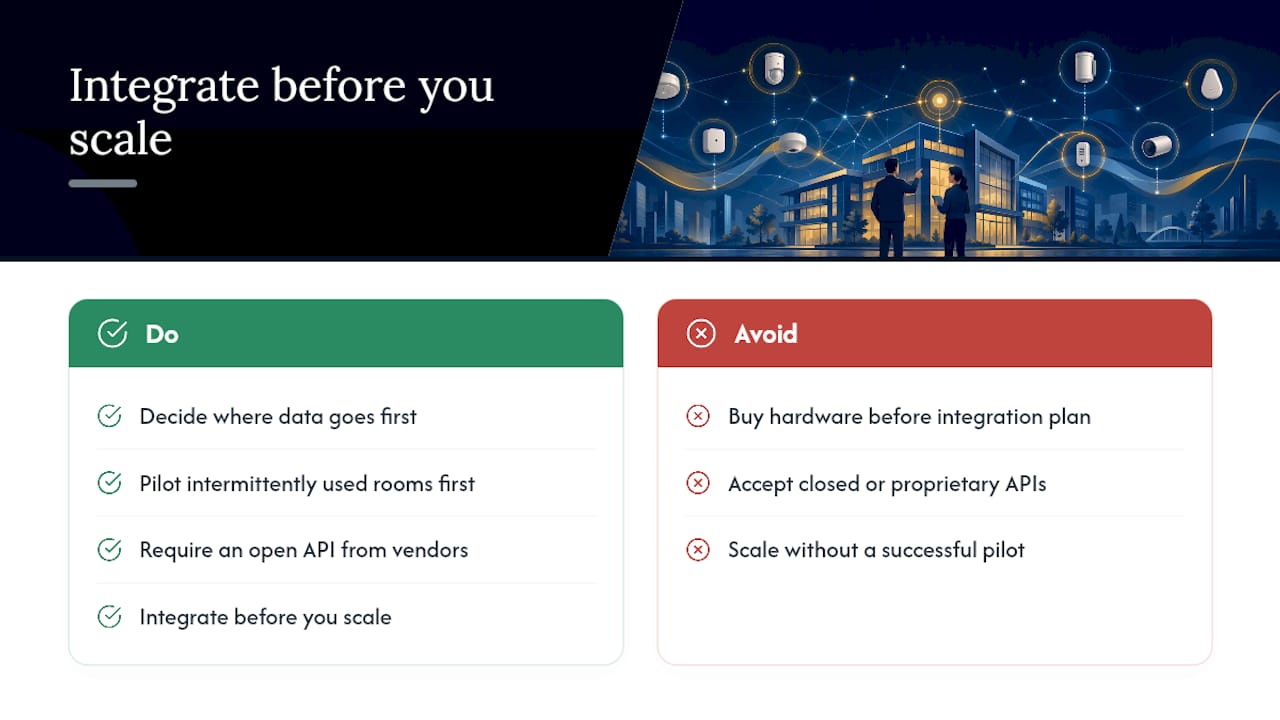
Most sensor projects fail for the same reason: teams buy hardware before deciding where the data goes. Integrate before you scale, always. Pilot your intermittently used rooms first, and refuse any vendor who won’t hand over an open API. That single requirement separates a system that gets used from one that gets unplugged within a year.
— Jeffrey
A Managed Approach to Sensor Integration and Monitoring
Running a sensor pilot is one thing. Keeping dozens of connected devices patched, segmented, and feeding your BMS correctly for years is another job entirely, and it’s the piece most facility teams underestimate.

Mavericks Office Solutions is the alternative to hiring and managing that integration work in-house: a single provider that handles device onboarding, network segmentation, firmware monitoring, and BMS/IWMS integration under one contract instead of juggling separate vendors for hardware, security, and support. That means one point of accountability when a sensor goes offline or a data feed breaks, and it means faster time to value because integration and monitoring are already built into the service rather than something you assemble after the fact. Backed by a 100% USA-based help desk with an average response time under 12 minutes, Mavericks Office Solutions keeps your sensor network monitored around the clock instead of waiting on an offshore queue. If you’re planning a pilot or scaling an existing deployment, Managed IT Services is the place to start the conversation.
Sources
- Wireless Occupancy Sensors for Lighting Controls: An Applications Guide for Federal Facility Managers
- Considerations for Managing Internet of Things (IoT) Cybersecurity and Privacy Risks — NIST
- What Is a Smart Office? | IBM
- Ventilation and air quality in offices — EPA
FAQ
How much do IoT sensors cost?
Costs vary widely by sensor class: basic PIR occupancy sensors are the cheapest option, while mmWave, ToF, and multi-sensor nodes cost more per unit but scale better across open floors. Wired installations add labor cost but avoid battery upkeep, and most organizations see payback within 12 to 24 months once the data feeds an active workplace platform.
What is the most common IoT sensor used in offices?
PIR motion sensors are the most widely deployed office sensor because they’re inexpensive, battery-friendly, and simple to mount under desks or on ceilings. CO2 sensors are close behind, given their growing role in ventilation and air quality management.
What are the best occupancy sensors for the workplace?
For open-plan or partitioned areas, mmWave radar and time-of-flight sensors deliver the strongest accuracy while avoiding the privacy concerns of cameras. For small enclosed rooms and under-desk use, PIR sensors remain the practical, low-cost choice, though vacancy sensors are often preferred where energy codes require manual activation.
What are some examples of IoT sensors used in offices?
Common examples include PIR and mmWave occupancy sensors, desk-level presence sensors, entrance people counters, and environmental sensors covering CO2, temperature, humidity, noise, and light. Each type feeds into a broader workplace platform rather than operating as an isolated device.
Do office sensors need IT security oversight?
Yes. IoT sensors introduce risks distinct from standard office equipment, and NIST guidance recommends network segmentation, certificate-based device identity, and lifecycle management for every connected device. Businesses without an internal team to manage this can offload it through Managed IT Services.