

For most small and medium businesses, building an outsourced IT department is the right move. You get predictable monthly costs, enterprise-grade security coverage, and a team of specialists you could never afford to hire individually. The qualifier: it works best when you choose a model that matches your actual control needs, not just your budget.
Three reasons this verdict holds for most SMBs:
- Cost predictability. Outsourcing converts unpredictable hiring costs, benefits, and equipment into a fixed monthly operating expense, making IT budgeting far more manageable.
- Staffing and expertise. A single managed IT provider gives you access to help desk technicians, network engineers, security analysts, and a virtual CIO without the overhead of recruiting and retaining each role separately.
- Security and SLA coverage. A contracted provider is accountable to response-time guarantees and security outcomes in writing, something a stretched internal generalist rarely delivers.
Your immediate next step: request a scoping call with a provider and ask for a sample SLA and a copy of their onboarding checklist. That one document tells you more about a vendor’s operational maturity than any sales deck.
Table of Contents
- What does an outsourced IT department actually include?
- Core services you should expect from an outsourced IT team
- Which engagement model fits your business?
- What are the measurable benefits of outsourcing your IT department?
- How much does outsourced IT cost?
- How do you choose the right outsourced IT provider?
- What does onboarding actually look like?
- What security and compliance responsibilities must your provider cover?
- How Mavericks Office Solutions delivers a comprehensive outsourced IT department
- Key Takeaways
- What most SMBs get wrong about outsourcing IT
- Mavericksofficesolutions: your IT department, fully covered
- Sources and further reading
What does an outsourced IT department actually include?
The industry term for this arrangement is managed IT services, and it covers far more than a help desk ticket queue. Under a typical monthly recurring contract, the provider owns the outcomes: uptime, security posture, response times, and project delivery. You pay a flat or per-user fee; they staff the roles.
Those roles typically span a help desk (Tier 1 and Tier 2 support), a Network Operations Center (NOC) for infrastructure monitoring, a Security Operations Center (SOC) for threat detection, cloud operations engineers, and a virtual Chief Information Officer (vCIO) for technology strategy. Not every provider bundles all of these, so knowing which roles you need before you sign is critical.
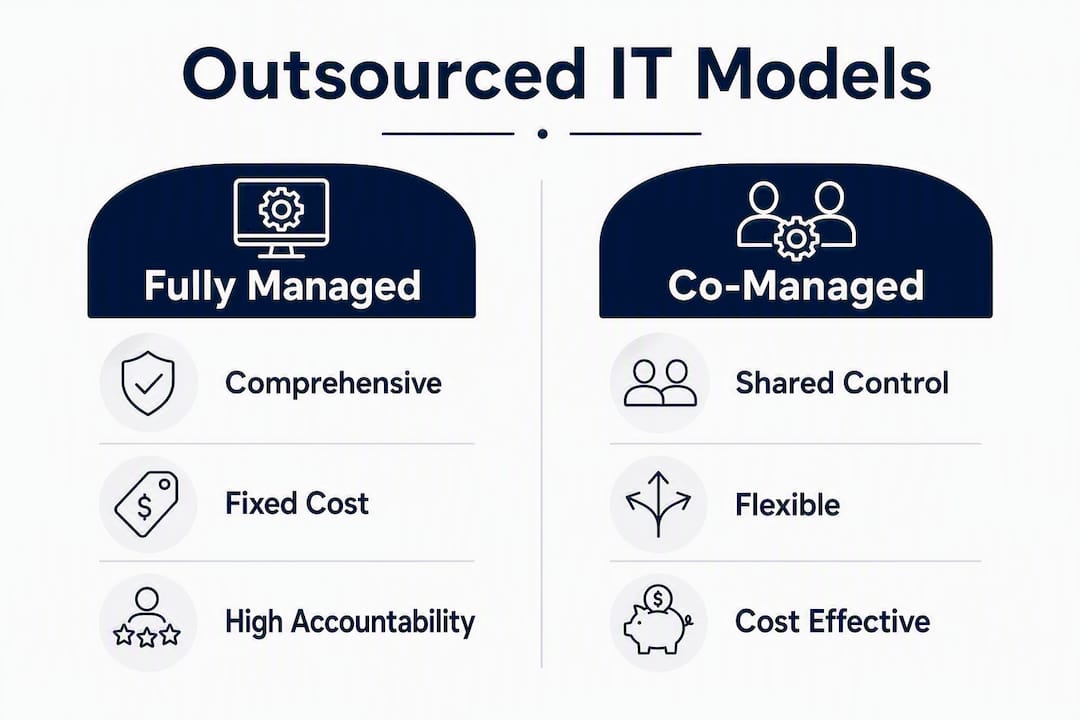
The distinction that matters most: a fully managed provider owns your IT outcomes end-to-end. A co-managed arrangement keeps your internal IT staff in place for design and project control while the provider handles execution and monitoring. Staff augmentation simply fills a seat. Each model has a different risk profile, billing structure, and accountability chain — and confusing them is the most common mistake SMBs make when scoping a vendor.
Core services you should expect from an outsourced IT team
Not all managed IT providers offer the same service catalog. The table below groups common services by function so you can map each one to your current gaps.

| Function | Services Included | Typical SLA Expectation |
|---|---|---|
| Support & Help Desk | Tier 1/2 remote and on-site support, ticketing, user onboarding | Response under 15 minutes; resolution within 4 hours for P1 |
| Infrastructure & Cloud | Server management, Microsoft Azure/365, backup and disaster recovery | —; daily backup verification |
| Security & MDR | Endpoint detection and response (EDR), patch management, managed detection and response, SIEM | 24/7 monitoring; incident response within 1 hour |
| Communications & VoIP | UCaaS and VoIP phone systems, unified messaging, video conferencing | —; same-day provisioning |
| Print & Office Hardware | Managed print services, copier fleet management, supply fulfillment | Proactive toner replenishment; next-business-day service |
| Fractional vCIO / Strategy | Technology roadmap, vendor management, budget planning, compliance oversight | Monthly or quarterly business reviews |
A few practical notes on bundling:
- Typically included in base contracts: remote monitoring, patch management, antivirus/EDR, and help desk access.
- Usually priced separately: on-site visits beyond a set monthly allotment, major infrastructure projects, hardware procurement, and compliance audit preparation.
- Often optional add-ons: vCIO services, advanced SOC coverage, VoIP, and managed print. Bundling these with a single provider usually reduces total cost and eliminates the coordination overhead of managing multiple vendors.
Which engagement model fits your business?
Choosing between engagement models is the decision that shapes everything else: your contract terms, your monthly bill, and how much control you retain day to day.

| Model | How It Works | Best Fit | Risk Profile |
|---|---|---|---|
| Fully Managed | Provider owns all IT outcomes; you have no internal IT staff | SMBs with no IT headcount, small to medium user base | Low operational risk; higher dependency on vendor |
| Co-Managed | Internal IT team handles design and projects; provider handles monitoring, help desk, and execution | SMBs with 1–3 internal IT staff who need scale | Balanced control; requires clear scope boundaries |
| Break-Fix | Provider responds to issues on demand; no proactive monitoring or SLA | Very small businesses with minimal IT complexity | Higher operational risk with unpredictable costs |
The fully managed model is the right choice when your leadership team is currently absorbing IT tasks, when you have no dedicated IT staff, or when a security incident would materially harm your business. Co-managed works well when you have an internal IT director or manager who wants to retain architectural control but needs execution capacity underneath them. Break-fix still makes sense for a five-person office with a single cloud application and no compliance obligations, though most businesses outgrow it faster than they expect.
Pro Tip: If you are evaluating co-managed arrangements, ask the vendor to define in writing which party owns escalation decisions. Ambiguity here is the single most common source of finger-pointing during an outage.
A hybrid model, keeping a thin internal leadership team and outsourcing execution, often delivers the best balance of strategic control and delivery speed for growing product teams. The key is documenting the handoff points before the contract is signed, not after the first incident.
What are the measurable benefits of outsourcing your IT department?
The financial case for outsourcing IT is straightforward when you run the numbers honestly.
Leadership teams that move to a fully managed model typically reclaim 20–30 hours per week previously spent on IT management tasks such as vendor calls, troubleshooting escalations, security reviews, and procurement decisions, resulting in substantial recovered productive capacity annually.
Cost comparison snapshot (50-user SMB):
In-house IT: one mid-level IT generalist at $65,000 salary + $15,000 benefits + $10,000 tools and training = $90,000/year, with no after-hours coverage and limited security expertise.
Outsourced managed IT: $150–$250/user/month × 50 users = $90,000–$150,000/year, with 24/7 monitoring, a full security stack, help desk, vCIO, and defined SLAs.
The numbers often land close to even on paper, but the outsourced model delivers far more coverage. You are not comparing one generalist to one managed IT contract; you are comparing one generalist to a team of specialists across every discipline.
Additional operational benefits worth quantifying internally:
- Uptime improvement. Proactive monitoring catches hardware failures, certificate expirations, and configuration drift before they become outages.
- Faster project delivery. Outsourcing converts fixed hiring timelines into on-demand capacity, compressing project delivery for cloud migrations, office expansions, and software rollouts.
- Broader expertise access. A managed provider maintains certifications across Microsoft, Cisco, and security frameworks that no single internal hire can match.
- Predictable budgeting. Monthly recurring fees replace the lumpy capital expenditure of hardware refreshes and emergency contractor calls.
How much does outsourced IT cost?
Per-user pricing is the most common billing model, and market rates vary widely depending on scope, coverage hours, and security depth. Per-site pricing is an alternative for businesses with simple user environments but complex physical infrastructure.
| Plan Component | Typical Monthly Range (per user) |
|---|---|
| Basic remote monitoring and help desk | Starting around $99 |
| Full managed IT (monitoring, patching, help desk, EDR) | $99–$500+ |
| Full managed IT + advanced security (SOC, MDR, SIEM) | $99–$500+ |
| Enterprise-level with vCIO, compliance, and project hours | $500+ |
The main variables that move your quote:
- Coverage hours. 24/7 monitoring costs more than business-hours-only support, but for most SMBs the security benefit justifies the delta.
- Security services. Adding SOC, MDR, or compliance management (HIPAA, SOC 2) adds $50–$150/user/month to a base contract.
- Number of sites and devices. Multi-location businesses and high device-to-user ratios increase monitoring and on-site visit costs.
- Project work. Infrastructure migrations, new office buildouts, and compliance audits are almost always billed separately from the monthly recurring fee.
- SLA tier. Faster guaranteed response times and dedicated account management carry a premium.
When comparing vendor proposals, always ask for a line-item breakdown. A low headline number that excludes security, on-site visits, and project hours will cost more in practice than a higher all-in rate.
How do you choose the right outsourced IT provider?
Vendor selection is where most SMBs make avoidable mistakes. A polished website and a friendly sales call are not due diligence. Use this framework.
Selection criteria checklist
- SLA specifics. Demand written response and resolution time commitments by priority level (P1, P2, P3). Vague language like “we respond quickly” is not an SLA.
- Escalation paths. Who handles a P1 outage at 2 AM? How many escalation tiers exist, and what are the handoff times?
- Security certifications. Look for SOC 2 Type II, HIPAA experience where applicable, and evidence of regular penetration testing.
- Documentation and runbooks. A mature provider maintains current network diagrams, asset inventories, and runbooks for your environment. Ask to see a sample.
- Staffing model. Is support delivered by employees or subcontractors? Offshore or domestic? U.S.-based help desks reduce time-zone friction and cultural misalignment for U.S. businesses.
- vCIO availability. Is fractional IT leadership included, or is it an add-on? How often do you meet, and what does the agenda look like?
- Data ownership clause. Your configurations, documentation, and data must be contractually yours. Providers who withhold this create vendor lock-in.
Interview questions to ask every vendor
- What is your average first-contact resolution rate, and how do you measure it?
- Walk me through your onboarding process, step by step. How long does it take?
- Who specifically handles my account, and what is their technical background?
- How do you handle a major security incident outside business hours?
- What happens to my documentation and configurations if I terminate the contract?
- Can you provide two client references in a similar industry and size?
- What does your SLA remediation process look like when you miss a target?
Red flags in proposals and contracts
- Project work is excluded from the monthly fee with no cap or estimate provided.
- SLA language uses “best effort” instead of defined time commitments.
- No data ownership or handover documentation clause in the contract.
- The vendor cannot name the specific tools they use for monitoring, EDR, or backup.
- References are unavailable or only provided after signing a letter of intent.
Providers who publish outcome metrics like first-contact resolution rates and SLA adherence percentages are demonstrating operational accountability. Those who deflect these questions during the sales process will deflect them during an incident.
What does onboarding actually look like?
Onboarding is the most underestimated phase of any managed IT engagement. Rather than a one-day cutover, thorough onboarding for a typical SMB environment spans several weeks and requires active participation from your internal team.
| Phase | Activities | Typical Duration |
|---|---|---|
| Discovery | Asset inventory, network mapping, stakeholder interviews, existing vendor review | Week 1–2 |
| Documentation | Network diagrams, user accounts, software licenses, runbook creation | Week 2–3 |
| Security Baseline | Vulnerability scan, MFA enforcement, EDR deployment, patch gap analysis | Week 2–4 |
| Shadowing | Provider shadows existing support processes; users introduced to new ticketing system | Week 3–4 |
| Cutover | DNS, monitoring, and help desk routing transferred to provider | Week 4–5 |
| QA and Governance | First business review, SLA baseline established, escalation paths tested | Week 5–6 |
Risks that extend timelines include undocumented legacy systems, missing software licenses, and slow responses from departing IT vendors. Budget for at least one week of buffer beyond the vendor’s stated timeline.
Measure a successful onboarding by three early KPIs: help desk ticket volume stabilizes within 30 days, first-contact resolution rate meets the contracted target, and the first monthly business review produces a written technology roadmap. If any of these are missing at the 60-day mark, escalate before the relationship calcifies around poor habits.
What security and compliance responsibilities must your provider cover?
Security is where the gap between a capable managed IT provider and a basic one becomes most visible. For U.S. SMBs, the compliance landscape includes HIPAA for healthcare-adjacent businesses, SOC 2 readiness for companies handling customer data, and increasingly CMMC for defense supply chain participants. Your provider should have documented experience with whichever frameworks apply to your industry.
Technical controls your outsourced IT team must deliver:
- Multi-factor authentication (MFA) enforced across all user accounts and administrative access.
- Endpoint detection and response (EDR) deployed on every managed device, with 24/7 SOC monitoring.
- Automated patch management with documented patch cycles and exception handling.
- Encrypted, tested backups with a defined recovery time objective (RTO) and recovery point objective (RPO).
- A written incident response plan with defined roles, escalation paths, and client notification timelines.
- SaaS security controls covering Microsoft 365, Google Workspace, and any other cloud platforms in your stack.
How to validate security claims before you sign:
- Request the vendor’s most recent penetration test summary (not the full report, but the executive summary and remediation status).
- Ask for evidence of SOC 2 Type II certification or an in-progress audit timeline.
- Review their incident response runbook for your environment specifically, not a generic template.
- Confirm data residency: where are your backups stored, and are they subject to U.S. jurisdiction?
The Identity Theft Resource Center’s 2024 data breach report documents that data breaches continue to affect businesses of all sizes, with SMBs frequently targeted precisely because their defenses are thinner. A managed IT provider that cannot answer detailed security questions during the sales process is not equipped to defend you during an actual incident.
How Mavericks Office Solutions delivers a comprehensive outsourced IT department
Mavericksofficesolutions operates as a single-vendor outsourced IT department for SMBs, covering managed IT, cybersecurity, VoIP, managed print, and fractional IT leadership under one recurring contract. For business owners who have been managing multiple technology vendors, that consolidation alone eliminates significant coordination overhead.
The operational differentiator most clients notice first is response time. Mavericksofficesolutions runs a USA-based help desk with an average response time under 12 minutes, with no offshore call center routing. For a business owner who has waited 45 minutes on hold with an overseas support queue, that gap is immediately felt.
What this looks like in practice for an SMB: A 40-person professional services firm transitions from a break-fix arrangement to Mavericksofficesolutions’s fully managed model. Within the first 60 days, the owner stops fielding IT calls from staff, the firm passes a cyber insurance renewal audit without remediation items, and the monthly IT spend becomes a single predictable line item replacing four separate vendor invoices.
24/7 monitoring means threats are detected and contained outside business hours, when most ransomware attacks execute. The vCIO function gives leadership a technology roadmap tied to business goals rather than a reactive list of hardware replacements.
To explore what a scoped engagement looks like for your business, request a discovery call through Mavericksofficesolutions’s managed IT page and ask for a sample SLA document at the same time.
Key Takeaways
An outsourced IT department delivers the most value when the provider is accountable to written SLAs, covers security end-to-end, and operates a U.S.-based help desk with defined response times.
| Point | Details |
|---|---|
| Model selection drives everything | Choose fully managed for no internal IT staff; co-managed when you have an internal IT lead who needs execution support. |
| Pricing ranges widely by scope | Per-user costs vary widely monthly; always request a line-item breakdown to compare proposals accurately. |
| Onboarding takes weeks, not days | Plan for a 5–6 week phased onboarding covering discovery, security baseline, and cutover for a typical SMB. |
| Security must be contractual | Demand written SLAs, EDR coverage, MFA enforcement, and a data ownership clause before signing any contract. |
| Mavericksofficesolutions as single vendor | Mavericksofficesolutions covers managed IT, cybersecurity, VoIP, and print under one contract with a sub-12-minute U.S.-based help desk response. |
What most SMBs get wrong about outsourcing IT
The conventional wisdom says outsourcing IT is about cutting costs. That framing leads businesses to optimize for the lowest monthly fee and then wonder why the relationship underperforms.
The real value of a managed IT department is accountability. When your IT is in-house, accountability is diffuse: the generalist is overwhelmed, the owner absorbs the overflow, and nobody owns the security posture in writing. When you outsource to a provider with defined SLAs, a written incident response plan, and quarterly business reviews, accountability has a name and a contract behind it.
The businesses that get the most from outsourced IT treat the vendor relationship as a strategic partnership, not a utility subscription. That means showing up to business reviews with questions, pushing back when SLA targets are missed, and asking the vCIO to connect technology decisions to revenue goals. Outsourcing removes the operational burden; it does not remove your responsibility to govern the relationship.
One overlooked risk: vendor lock-in. Providers who control proprietary tooling or withhold your configuration documentation create a switching cost that grows every year. Before you sign, confirm in writing that all runbooks, network diagrams, and configurations are yours at termination. That clause costs nothing to add and protects you from a negotiating disadvantage you will not notice until you need it.
The SMBs that thrive with outsourced IT are the ones who treat the discovery call as a two-way interview, not a sales meeting. Ask hard questions about escalation, references, and exit terms before you are impressed by the demo.
Mavericksofficesolutions: your IT department, fully covered
Mavericksofficesolutions gives SMBs something most managed IT providers cannot: a single point of accountability for every technology layer in the business. Managed IT, cybersecurity, VoIP communications, and managed print all run under one contract, one help desk, and one monthly invoice.
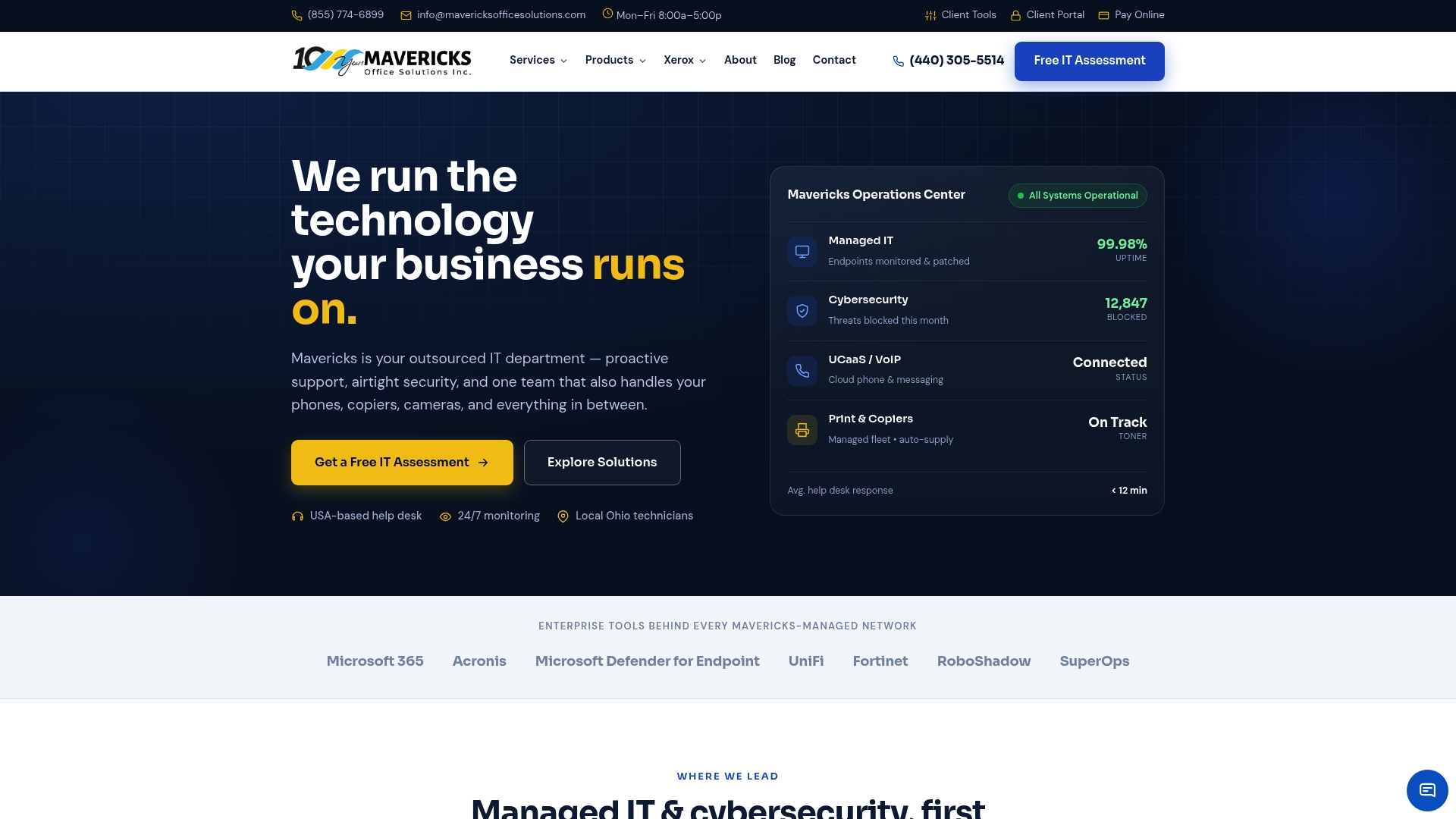
The help desk is staffed by U.S.-based technicians with an average response time under 12 minutes. No offshore routing, no language barriers, no time-zone delays. The 24/7 monitoring catches threats and outages before your team notices them. And the fractional vCIO function means your technology roadmap is tied to your business goals, not just your hardware refresh cycle.
For SMBs ready to move past break-fix or consolidate a fragmented vendor stack, the practical next step is a scoped discovery call. Visit Mavericksofficesolutions’s managed IT services page to request a call and ask for a sample SLA. You will know within one conversation whether the fit is right.
Sources and further reading
The claims and pricing data in this article draw from the following sources. Each link provides additional depth for decision-makers conducting vendor due diligence.
| Source | What It Covers |
|---|---|
| Complete Guide to Outsourced IT Services – Hypershift | Financial framing of outsourcing: CapEx-to-OpEx shift and project timeline compression |
| Pros & Cons of IT Outsourcing – ConnectMKD | Leadership time reclaimed weekly and strategic IT framing |
| Pros and Cons of IT Outsourcing – Kaopiz | Fully managed vs. co-managed model trade-offs and hybrid approach guidance |
| How Much Do Outsourced IT Services Cost? – Rekall Tech | Per-user pricing varies widely and cost benchmarking |
| Outsourced IT Services – Lutz Tech | Onboarding phases: discovery, documentation, security baseline, cutover |
| IT Outsourcing Services – Amalga Group | SLA outcome metrics: FCR, response time, and operational accountability |
| The Pros and Cons of Outsourcing IT – Miller Bernstein | U.S.-based help desk advantages for domestic SMBs |
| 2024 Data Breach Report – Identity Theft Resource Center | SMB breach frequency and threat landscape context |
| HIPAA Compliance and Enforcement – HHS | HIPAA compliance requirements for healthcare-adjacent businesses |
| CMMC – DoD CIO | Cybersecurity Maturity Model Certification requirements for defense supply chain |
| Mavericksofficesolutions – Managed IT, Security, Print & VoIP | Full service overview and contact options for SMBs ready to scope an engagement |