

A vulnerability management program is a repeatable, continuous process for finding security weaknesses in your systems, ranking them by real risk, fixing or reducing them, and proving the fix worked. Microsoft describes it as a way to identify, assess, and address weaknesses before attackers can exploit them. For a small or mid-sized business, the goal is not a perfect scan report. It is a short list of the fixes that matter most, owned by a named person, with a date attached.
This guide walks you through the stages, how to prioritize, what a remediation workflow looks like, and how to tell whether the program is working.
TL;DR
- A vulnerability management program is a loop, not a project: inventory, assess, prioritize, resolve, verify, report, then repeat.
- You cannot protect what you have not listed. Start with an asset inventory, including cloud services and unmanaged devices.
- Rank findings by exploitability and asset importance, not by severity score alone.
- Every finding ends in one of three outcomes: fix it, reduce the risk with a compensating control, or formally accept the risk.
- Track a few numbers over time, such as mean time to remediate and how many critical issues stay open.
Table of Contents
- What a vulnerability management program actually is
- The five stages of a vulnerability management program
- Metrics that show the program is working
- How to start in the next 30 days
- Common mistakes that stall programs
- Our perspective
- Let us run the loop for you
- FAQ
- Sources
What a vulnerability management program actually is
A vulnerability is a flaw that could let someone gain access, steal data, or disrupt your operations. It might be an unpatched Windows server, a router still using its default password, an old copier running outdated firmware, or a cloud storage bucket open to the internet.
A program is what turns scattered fixes into a habit. According to Microsoft’s overview, the benefits include better visibility, a focus on the vulnerabilities that matter, and support for compliance. That last point matters if you handle payment cards, health data, or defense contracts, because auditors and cyber insurers increasingly ask to see evidence of a working process, not just a recent scan.
Three terms get mixed up, so here is how they relate:
- Vulnerability assessment is a point-in-time check: a scan or review that produces a list of weaknesses.
- Patch management is narrower. NIST defines enterprise patch management as identifying, prioritizing, acquiring, installing, and verifying patches, updates, and upgrades across an organization. Many vulnerabilities are fixed by patching, but not all of them.
- Vulnerability management is the umbrella. It includes assessment and patching, plus prioritization, exceptions, verification, and reporting, run continuously.
If you want the patching piece in detail, see our guide to a patch management policy you can defend in an audit.
The five stages of a vulnerability management program
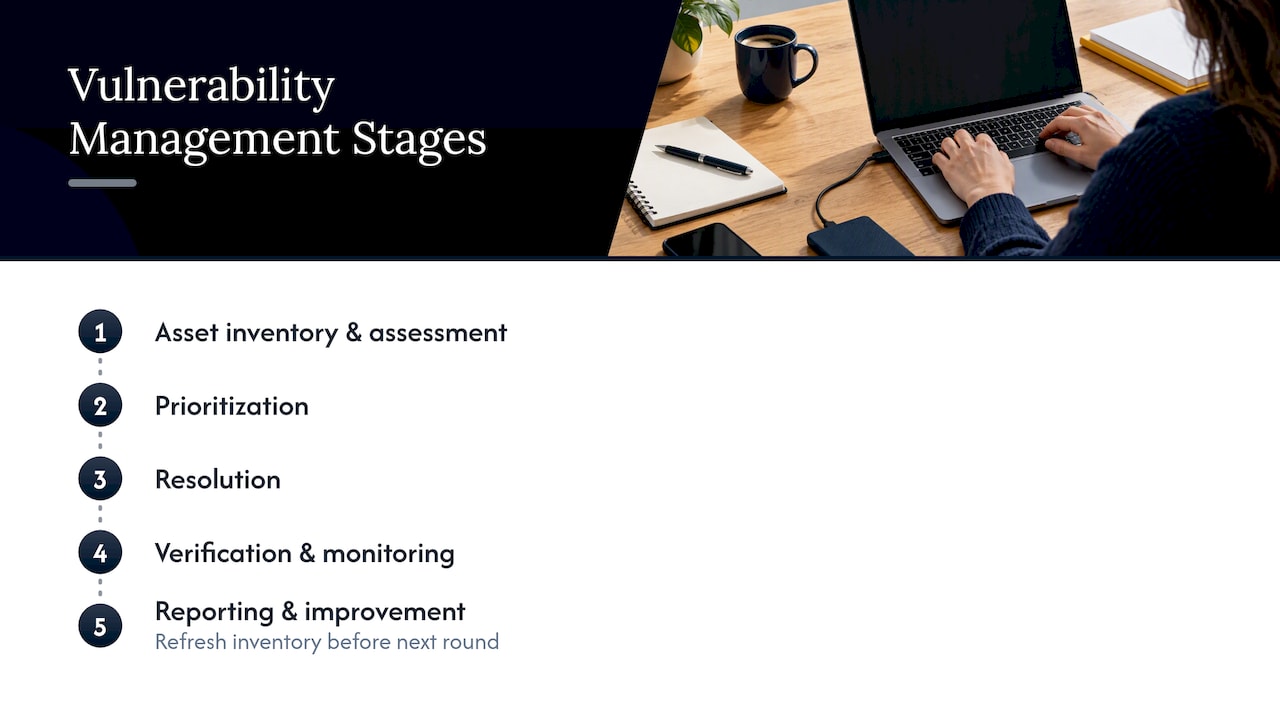
IBM describes a typical lifecycle with five stages: asset inventory and vulnerability assessment, prioritization, resolution, verification and monitoring, and reporting and improvement. The cycle is continuous, and the inventory is refreshed before each round. Here is what each stage means for a business with 10 to 250 employees.
Stage 1: Inventory your assets and scan them
Asset discovery means cataloging what you own and run. Microsoft’s guidance says this should cover servers, endpoints, network devices, cloud workloads, and unmanaged devices, across on-premises, cloud, and hybrid environments.
For a typical Ohio or Michigan small business, that list usually includes:
- Laptops, desktops, and phones that touch company email
- Servers and virtual machines, on-site or hosted
- Firewalls, switches, Wi-Fi access points, and routers
- Printers, copiers, and multifunction devices, which are full network computers
- Cloud services such as Microsoft 365, file sharing, and line-of-business apps
- Security cameras, door controllers, and VoIP phones
Printers and cameras are the ones most often forgotten. They run firmware, sit on your network, and rarely get updates unless someone owns the job. Our guide to IT asset lifecycle management covers how to build and maintain the list.
Once you have the inventory, scan it. NIST’s continuous monitoring guidance notes that automated tools such as vulnerability scanners can make monitoring more cost-effective, consistent, and efficient. Authenticated scans, which log in to the device, find far more than scans that only look from the outside, so use them where you can.
Stage 2: Prioritize by real risk
A first scan of a small network often returns hundreds of findings. You cannot fix them all this week, and you do not need to. The skill is in ordering.
OWASP’s guidance recommends combining CVSS severity with exploitability signals such as EPSS and CISA’s Known Exploited Vulnerabilities (KEV) catalog, plus context such as reachability and asset criticality. It specifically advises against relying on severity alone.
In plain terms, ask four questions about each finding:
- Is it being exploited in the wild? A flaw on the KEV list goes to the top.
- Can an attacker reach it? A flaw on an internet-facing firewall is more urgent than the same flaw on a isolated lab machine.
- What does the asset hold or control? The accounting server and the domain controller outrank a conference room display.
- Is there already a compensating control? Multi-factor authentication or network segmentation may lower the urgency, though they rarely erase it.
For federal agencies, CISA’s older directive BOD 22-01 pushed agencies to focus on known exploited vulnerabilities instead of ones unlikely to be used in real attacks. The directive has since been revoked, but the logic of working from “actually exploited” first is still a sound way for a private business to cut a long list down. CISA’s own AWARE scoring shows the same idea at scale: it rates defect type, age, and system value together rather than a single number.
A simple internal rule set is enough to start:
| Priority | Typical criteria | Example target window |
|---|---|---|
| Urgent | Known exploited, internet-facing or critical asset | Days |
| High | Severe flaw on an important internal system | Within 2 to 4 weeks |
| Standard | Moderate severity, limited exposure | Next regular maintenance cycle |
| Low | Minimal impact, strong compensating control | Review quarterly |
The windows above are examples for you to set with your leadership, not a regulatory standard. Pick targets you can actually meet, write them down, and measure against them.
Stage 3: Resolve each finding
This is the remediation process, and it is where many programs stall. CISA’s Cyber Resilience Review guide describes three approaches to resolution: full remediation (fix the flaw), mitigation (apply compensating controls to reduce risk), or formal acceptance of the residual risk. Every action is tracked in a repository until it is closed, and a defined exception process applies when timelines are missed.
In practice:
- Remediate. Install the patch, upgrade the firmware, change the configuration, or retire the device. This is the default.
- Mitigate. When you cannot patch right away, because a vendor has no fix yet or an application would break, reduce exposure. Isolate the system on its own network segment, block the vulnerable service at the firewall, tighten access, or add monitoring. Controls like encryption and strict access management, of the kind described in this overview of security standards and encryption, are examples of what reduces the damage if something is reached.
- Accept. Sometimes the cost of fixing outweighs the risk. That is a legitimate business decision, but it needs a named owner, a written reason, and a review date. “Nobody got to it” is not acceptance.
One practical lesson from that CISA guide: the team that finds a vulnerability is often not the team that fixes it. Coordination with application owners, vendors, and managers is part of the job. Build that into your workflow by assigning every ticket to a specific person, not to “IT” in general.
For endpoint fixes specifically, our endpoint hardening rollout lays out CISA and CIS priorities across a 30 to 90 day plan.
Stage 4: Verify the fix and keep monitoring
A closed ticket is not a fixed vulnerability. NIST’s patch management guidance explains that verification confirms the response was implemented successfully, while continuous monitoring checks that it stays in place. The CISA resource guide adds that validation means rescanning the asset to confirm the fix and to make sure nothing new was introduced.
Build two habits:
- Rescan after every remediation, and close the ticket only when the scan comes back clean.
- Watch for drift. A patched system can be rebuilt from an old image, or a setting can be reversed, and the flaw returns.
Stage 5: Report and improve
Reporting turns the work into decisions. The CISA guide recommends that organizations record discovered vulnerabilities, categorize and prioritize them, and analyze root causes. Root cause is the part most teams skip. If the same kind of flaw keeps appearing, such as laptops that miss updates because they are rarely on the office network, the answer is a process change, not another round of fixes.
Metrics that show the program is working
You do not need a dashboard with 40 widgets. IBM suggests tracking mean time to remediate (MTTR), mean time to detect (MTTD), the total number of critical vulnerabilities, and recurrence rates over time to establish a baseline and find improvements. NIST’s continuous monitoring bulletin adds that a monitoring program should define metrics and monitoring frequencies and automate collection and reporting where possible, in line with the organization’s risk tolerance.
A starting scorecard for a small business:
| Metric | What it tells you |
|---|---|
| Asset coverage | Share of known devices that are scanned regularly |
| MTTR for urgent findings | How fast you close the dangerous ones |
| Open critical findings | Whether the backlog is growing or shrinking |
| Overdue items and open exceptions | Where the process is breaking down |
| Recurrence | Whether fixes actually stick |
Review these monthly with whoever owns the budget. A trend line that improves over three or four quarters is better evidence of maturity than any single clean scan.
How to start in the next 30 days
You do not need an enterprise toolset to begin. A workable first month looks like this:
- Week 1: Name an owner. One person is accountable for the program, even if the work is shared with an outside provider.
- Week 1 to 2: Build the inventory. List every device, server, cloud service, and network appliance. Mark which ones hold sensitive data.
- Week 2 to 3: Run the first authenticated scan. Expect a long list. Do not panic.
- Week 3: Apply your priority rules. Pull out the known exploited and internet-facing items first.
- Week 4: Fix, mitigate, or formally accept the top group, rescan, and record the results.
- Set the rhythm. Monthly scans at minimum, with extra scans after major changes, and a quarterly review of exceptions and metrics.
If you are also preparing for a cyber insurance renewal or a customer security questionnaire, pair this with a cybersecurity audit checklist built around the six NIST functions. And because your vendors’ weaknesses become yours, consider extending the process through a vendor risk management program.
Common mistakes that stall programs
- Scanning without owning. Reports pile up because no one is assigned to act on them.
- Treating severity scores as the plan. A critical score on an unreachable test machine is not your biggest risk.
- Ignoring non-computer devices. Printers, cameras, and phone systems are part of your attack surface.
- No exception process. Without one, missed deadlines become invisible instead of being decided.
- Skipping verification. The ticket says done, the flaw is still there.
- Running it once a year. New flaws appear constantly. The program has to keep pace.
Our perspective
We see the same pattern at small businesses across Ohio and Michigan. The scan is rarely the problem. The tools are affordable and the reports are easy to generate. What goes missing is someone whose job it is to read the report on Tuesday morning, decide what matters, push the fix through, and check that it held.
That is why we run vulnerability management as part of an outsourced IT department rather than as a separate product. When the same team that manages your endpoints, your Microsoft 365 tenant, your network, and your printers also owns the findings, there is no handoff where a ticket can die. Our help desk is USA-based and local to Ohio, and our average help desk response is under 12 minutes, so when a patch breaks an application, you reach a person who already knows your environment.
Our advice: start smaller than you think you should. Cover every device, set three or four priority rules, fix the urgent items, and measure. Add sophistication once the habit is steady. A plain program that runs every month beats an impressive one that runs twice a year.
Jeffrey
Let us run the loop for you
Mavericks Office Solutions operates as an outsourced IT department for small and mid-sized businesses, combining managed IT services with cybersecurity under one provider, with proactive support and 24/7 monitoring. If you want continuous detection and response on top of vulnerability work, see our overview of managed detection and response.

Tell us how many devices and locations you have, and we will walk you through what a right-sized program would cover. Start at mavericksofficesolutions.com.
FAQ
What are the 5 steps of vulnerability management?
The common lifecycle is asset inventory and assessment, prioritization, resolution, verification and monitoring, and reporting and improvement. Some frameworks name them differently, such as discover, prioritize, assess, report, remediate, and verify, but the sequence is the same. The cycle repeats, and the inventory is updated before each round.
What is the difference between vulnerability management and patch management?
Patch management is the process of identifying, prioritizing, acquiring, installing, and verifying updates. Vulnerability management is broader: it includes patching but also covers flaws that have no patch, such as misconfigurations, through mitigation or formal risk acceptance. Most small businesses need both, run together.
How often should we scan for vulnerabilities?
Monthly is a reasonable minimum for most small businesses, with extra scans after major changes such as new servers or a firewall replacement. Internet-facing systems benefit from more frequent checks. NIST’s guidance on continuous monitoring says the program should define its own monitoring frequencies based on the organization’s risk tolerance, so write yours down.
Do we need a full-time security person to run a program?
No. You need a named owner and a reliable process. Many small businesses assign accountability to an office or operations manager and hand the scanning, prioritization, and remediation work to an outsourced IT provider. A fractional IT leader can also set strategy and reporting without a full-time hire.
Sources
- What Is Vulnerability Management? | Microsoft Security
- What is the Vulnerability Management Lifecycle? | IBM
- Bulletin on continuous monitoring | NIST
- Vulnerability Management | OWASP DevSecOps Guideline
- CDM Program AWARE Scoring | CISA
- BOD 22-01: Reducing the Significant Risk of Known Exploited Vulnerabilities | CISA
- CRR Supplemental Resource Guide, Volume 4: Vulnerability Management | CISA
- Guide to Enterprise Patch Management Planning | NIST SP 800-40 Rev. 4