
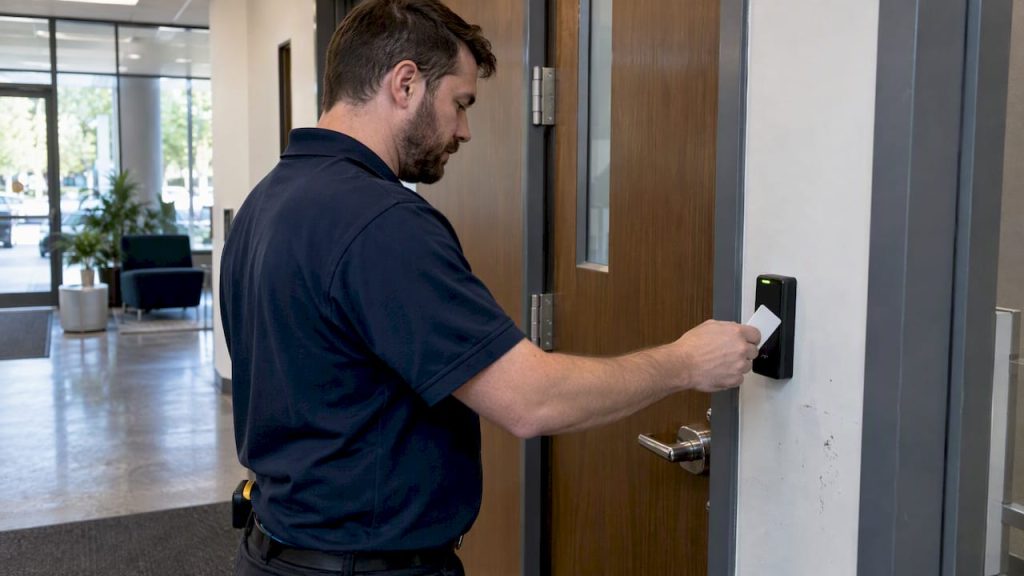
An access control audit examines the physical systems that guard your building’s doors: readers, locks, controllers, alarms, and the logs they generate. If you’re preparing for one, start now by exporting recent access logs covering the typical review period auditors expect and pulling together a current device inventory. The rest of this guide walks you through the checklist, the evidence auditors expect, and a remediation timeline you can actually follow.
TL;DR:
- Before the audit, export logs with identities, doors, timestamps, outcomes, and denial reasons; inventory devices, firmware, patch history, badge revocations, and key changes.
- Test high risk portals fully, then sample secondary doors randomly; verify badge rejection, relock timing, emergency release, alarm routing, timestamp consistency, and log backups.
- Review after hours activity weekly, investigate forced or propped door alarms the same day, and document a retention schedule long enough for investigations and audits.
- Critical safety failures need repair within days; high findings within 30 days, medium within 90 days, and low within 180 days; auditors require retest evidence before closure.
- Treat networked readers and controllers as IT assets: track firmware and network configuration, since an unpatched access panel creates a cybersecurity exposure beyond building security.
Table of Contents
- What a Physical Access Control Audit Covers
- Evidence and Preparation: Files and Records to Gather Before the Audit
- Audit Checklist and Performance Tests for Hardware, Software, and Integrations
- Interpreting Findings and Building a Prioritized Remediation Plan
- Mavericks’ Perspective: Frequent Audit Failures and How Managed Support Helps
- Audit Trail and Log Review: What to Capture and How Often
- Standards and Compliance Requirements Behind Access Control Audits
- Why Access Control Belongs in Your Cybersecurity Conversation
- Updating and Enforcing Access Control Policy After an Audit
- Tools That Help Automate and Streamline the Audit Process
- Why Most Businesses Get Access Control Audits Backward
- How We Support Access Control Audits and Remediation
- FAQ
- Sources
What a Physical Access Control Audit Covers
A physical access control audit looks at every component that controls who gets through a door and when. That means entry doors, badge readers, panel controllers, electronic and mechanical locks, biometric scanners, panic hardware, and any CCTV systems tied into the access platform. Auditors treat these as one connected system, not a pile of separate gadgets, because a failure in one spot (a reader that misreads badges, a door that doesn’t relock) can undermine the whole security plan.
Performance testing sits at the center of a credible audit. The Physical Security Systems Assessment Guide from the Department of Energy includes a dedicated appendix on testing entry control and detection equipment, and that distinction matters: a policy review alone tells you what should happen, while performance testing tells you what actually happens when someone walks up to a door. Expect auditors to check reader accuracy at typical badge-read range, confirm anti-passback logic prevents one credential from opening two doors in a row, and time how quickly a door relocks after someone passes through.
By the end of a thorough audit, you should walk away with three things:
- A verifiable audit trail showing who accessed which doors and when, with no gaps.
- Written policies that match what your hardware and staff actually do, not what was drafted three years ago.
- A prioritized list of fixes, ranked by how much risk each one carries.
Skipping the performance tests and relying only on paperwork is the most common shortcut that leaves buildings exposed. A badge reader that “works” in the sense that it opens the door isn’t the same as one that correctly rejects an expired credential every time.
Evidence and Preparation: Files and Records to Gather Before the Audit
Auditors move faster, and trust your results more, when you arrive with organized evidence instead of answering questions from memory. Here’s the order to pull records in:
- Export access logs covering the review period, formatted to include the person’s identity, the specific door or location, the exact timestamp, the result (granted or denied), and the reason for any denial. These fields are what investigators need if an incident happens later, and their absence is one of the fastest ways to fail a review.
- Compile a device inventory listing every reader, controller, and lock, along with firmware versions and patch history. Outdated firmware on a controller is a common finding, and you want to know about it before the auditor does.
- Pull badge issuance and revocation logs to confirm that credentials for former employees or contractors were actually disabled, not just flagged for disabling.
- Gather key and combination change records, especially for any mechanical locks that back up electronic ones. A door with an electronic reader but a master key that hasn’t been rekeyed in years is still a vulnerability.
- Assemble policy artifacts, including your written access control policy, visitor management procedures, and data retention schedule for logs and footage.
On cadence, a weekly review of after-hours activity catches most anomalies before they become incidents; door-forced and door-propped alarms deserve same-day attention rather than waiting for the next scheduled review.
Audit Checklist and Performance Tests for Hardware, Software, and Integrations
Once the paperwork is in hand, the hands-on testing starts. This is where a lot of businesses discover that a system looks fine on paper but fails under actual use.
Hardware tests confirm the physical mechanics work as intended:
- Reader accuracy at normal badge distance, including rejection of expired or revoked credentials.
- Relock timing after a door opens, checked against your policy’s stated delay.
- Lock bolt condition and door alignment, since a misaligned strike plate can leave a door unsecured even when it appears closed.
- Emergency egress function, confirming doors release properly during a fire alarm or power loss.
Integration tests verify the pieces talk to each other correctly. Door-forced and door-propped alarms need to trigger and route to the right person, not just log silently. If cameras are tied to your access system, confirm the CCTV integration timestamps match the access log timestamps; a few minutes of drift between systems can make footage useless for corroborating an incident.
Log integrity checks look for tamper evidence, consistent timestamps across devices, and confirmed backup of log data per your retention schedule.
On sampling, test your highest-risk portals (main entrances, server rooms, loading docks) in full, then pull a random sample of secondary doors. This approach, recommended in guidance on physical security audits, catches configuration drift and opportunistic bypass attempts without requiring you to test every door in a large facility.
Pro Tip: Photograph or screen-record each test as you run it, with a timestamp visible, so you have evidence ready if an auditor asks you to demonstrate a result rather than describe it.
Interpreting Findings and Building a Prioritized Remediation Plan
Not every finding carries the same weight, and treating them all the same way wastes time and budget. A simple four-tier rubric keeps things clear:
- Critical: issues with immediate safety or compliance exposure, like a fire exit that doesn’t release or a terminated employee’s badge still active. Fix within days.
- High: gaps like missing revocation logs or a reader with outdated firmware on a sensitive door. Target 30 days.
- Medium: policy mismatches or inconsistent review cadence. Target 90 days.
- Low: cosmetic or convenience issues, like slow badge response on a low-traffic door. Schedule for the 180-day cycle alongside planned upgrades.
Remediation costs vary widely: a firmware update might take an afternoon, while replacing aging controllers across a building is a budgeted project. Staff retraining on visitor procedures is often the cheapest fix with the biggest payoff.
Once you’ve made a fix, retest it the same way you tested it originally and keep that evidence. An auditor closes a finding based on proof the fix works, not a statement that it was addressed.
Mavericks’ Perspective: Frequent Audit Failures and How Managed Support Helps
In our experience supporting small and medium businesses, the same three gaps show up again and again: access logs that were never configured to export properly, readers left on default sensitivity settings since installation, and key rotation records that simply don’t exist. A quick way to check your own building: ask whoever manages your system to pull last week’s denied-access report on the spot. If that takes more than a few minutes, your logging setup needs attention.
Our monitoring and help desk support aim to catch and correct issues like a misconfigured reader or a stalled alarm feed long before an audit surfaces them.
— Jeffrey
Audit Trail and Log Review: What to Capture and How Often
Your audit trail is only as useful as the fields it captures and how consistently someone reviews it. At minimum, every log entry needs the person’s identity, the specific door or location, an exact timestamp, the outcome, and a denial reason when access was refused. These fields let you reconstruct what happened during an incident instead of guessing.
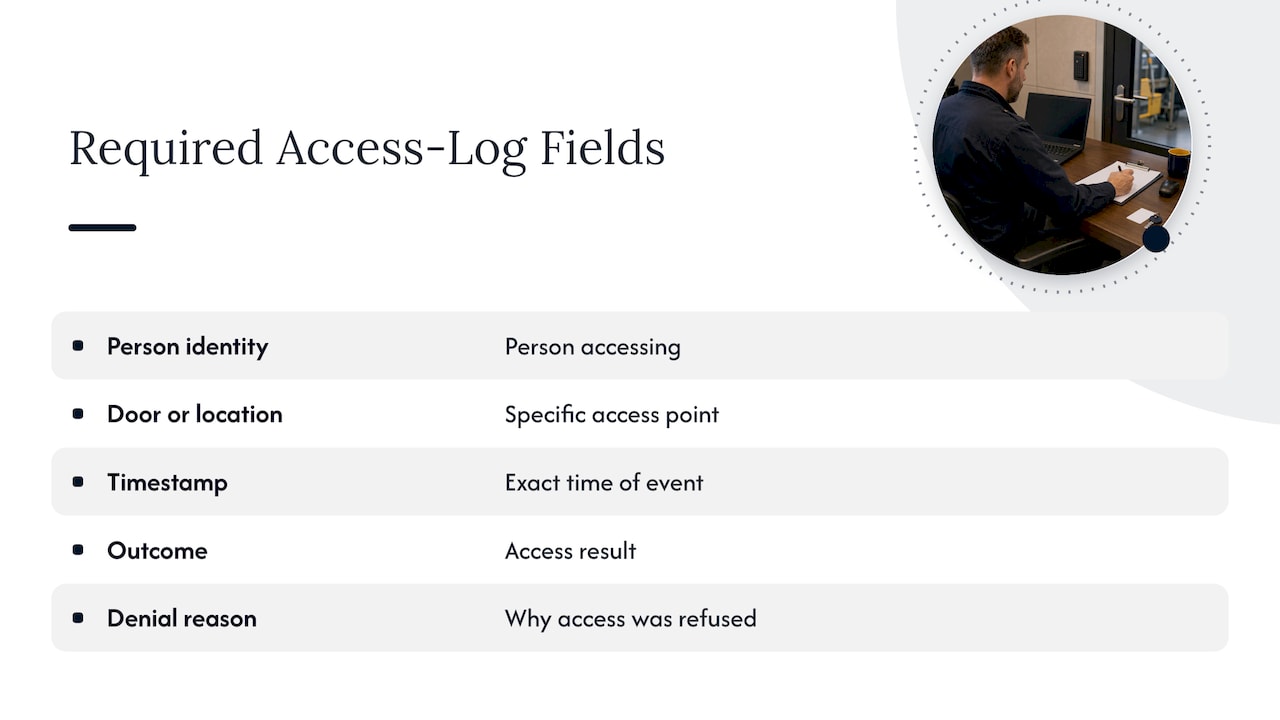
NIST’s ePACS overlay maps these logging expectations to formal audit and accountability controls, recommending specific event types to capture and setting expectations for how often logs get reviewed. The overlay ties this directly to the AU-2 and AU-3 control families, which cover what gets logged and how much detail each entry needs.
Review cadence matters as much as capture. A weekly check of after-hours access activity catches most anomalies, but door-forced and door-propped alarms warrant same-day review rather than sitting until the next scheduled pass. Businesses that only review logs once a quarter typically find the anomalies long after they mattered.
Retention is the other half of this picture: logs need to be kept long enough to support an investigation or audit cycle, and your retention schedule should be written down as a policy artifact rather than left to whatever your system’s default storage allows.
Standards and Compliance Requirements Behind Access Control Audits
Several frameworks shape what a thorough access control audit looks for, even outside regulated industries. The DOE Physical Security Systems Assessment Guide provides the performance-testing methodology many commercial auditors adapt, even for buildings with no federal reporting requirement.
NIST contributes two relevant pieces. The ePACS overlay translates SP 800-53 audit and physical access controls into practices specific to electronic access systems, and FIPS 201 and related SP 800-116 guidance describe credential standards for high-assurance areas, cautioning against relying on easily cloned legacy credentials like magnetic stripe or basic proximity cards in sensitive zones. For organizations handling federal contract information, NIST SP 800-171 assessment procedures map directly to Access Control, Audit and Accountability, and Physical and Environmental Protection control families, giving assessors a structured way to evaluate facility controls alongside IT controls.
If your business handles health information, HIPAA’s physical safeguards requirement overlaps directly with access control audits, since controlling who can physically reach a server room or records area is part of protecting that data. ISO 27001 takes a similar angle through its physical and environmental security controls, treating building access as one input into a broader information security management system.
None of these frameworks require the exact same checklist, but they converge on the same core idea: test the hardware, log the activity, and review the logs on a set schedule.
Why Access Control Belongs in Your Cybersecurity Conversation
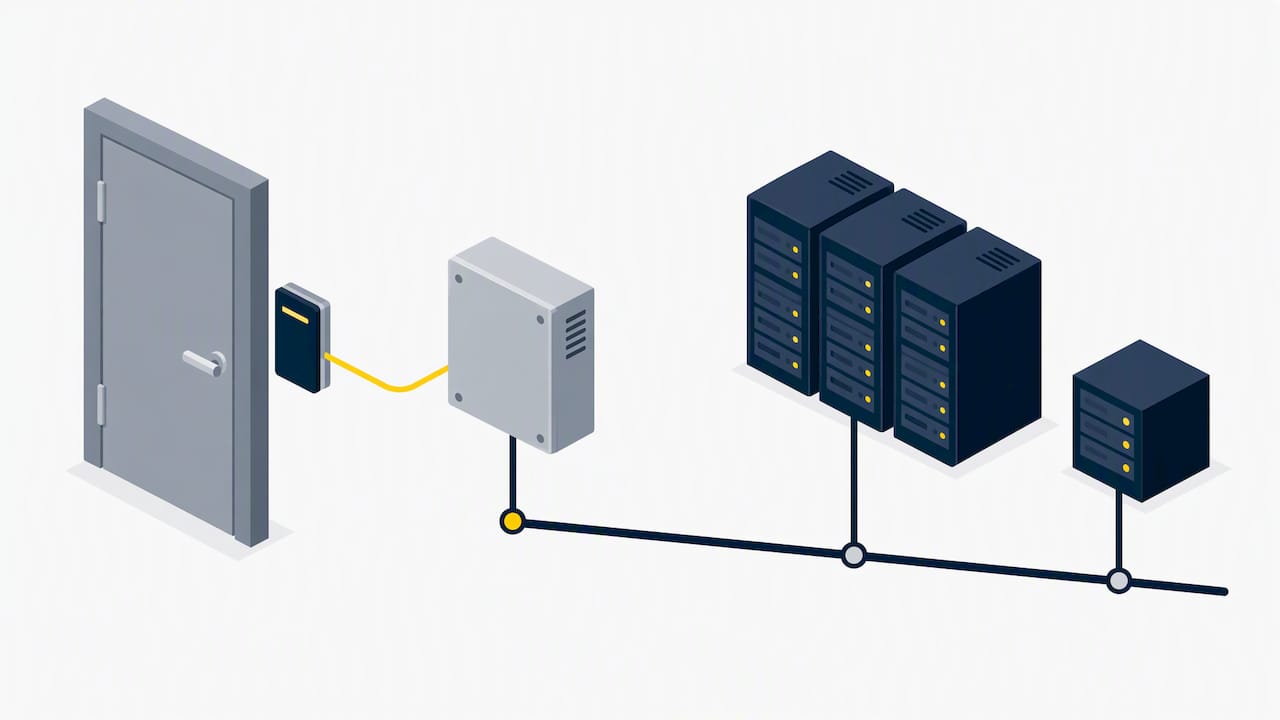
Treating door security and network security as separate conversations creates blind spots. A badge reader is a networked device, often sitting on the same infrastructure as your servers and workstations, which means an unpatched controller is a cybersecurity risk, not just a facilities issue.
This is exactly why NIST built an overlay mapping ePACS to standard IT security controls instead of writing a separate standard from scratch. The same audit and accountability expectations that govern your network logs apply to your door logs, and the same patch management discipline that keeps your servers secure needs to extend to access control panels and readers.
Practically, this means your IT team or managed IT provider should have visibility into your access control system’s firmware status and network configuration, the same way they monitor any other connected device. A forgotten access controller running outdated firmware on your network is a way in for an attacker, regardless of how good your badge policy looks on paper.
Updating and Enforcing Access Control Policy After an Audit
A policy that doesn’t match what your hardware and staff actually do is worse than no policy, because it gives a false sense of coverage. After an audit, update your written access control policy to reflect what the testing revealed, not what you wish were true.
Build in a few habits that keep the policy from going stale again:
- Set a fixed review date (quarterly or semiannually) rather than reviewing only when something breaks.
- Assign one person as the owner of badge issuance and revocation, so accountability doesn’t disappear between departments.
- Require new hires and vendors to sign off on visitor and access procedures as part of onboarding, not as an afterthought.
Enforcement matters more than wording. A detailed policy that nobody checks against actual badge logs is just a document. Tie policy review directly to your log review cadence so discrepancies surface quickly instead of accumulating until the next audit.
Tools That Help Automate and Streamline the Audit Process
Manually cross-checking logs, device inventories, and badge records is slow and error-prone at any scale beyond a handful of doors. Most modern access control platforms include built-in reporting that can export logs in the fields auditors expect, which removes a major prep step if your system is configured correctly from the start.
Cloud-based access control platforms add another layer of value here, since they typically centralize logs across multiple locations and keep devices working through offline fallback modes if the network drops, which matters both for uptime and for maintaining a continuous audit trail.
On the monitoring side, automated alerting tools that flag door-forced or door-propped events in real time save significant review time compared to scanning logs after the fact. For businesses layering in broader automation, platforms built for runtime monitoring and operational controls illustrate how automated alerting concepts extend beyond IT into physical security contexts, catching anomalies as they happen rather than during a scheduled review.
Device inventory tools that track firmware versions across your reader and controller fleet also cut audit prep time substantially, since that information often lives scattered across installer invoices and emails otherwise.
Why Most Businesses Get Access Control Audits Backward
Most advice on this topic treats an access control audit as a paperwork exercise: gather policies, check boxes, file the report. That gets the order wrong. The DOE and NIST guidance both put performance testing first, because a reader that technically works but misreads badges or a door that relocks two seconds late than policy states is a real gap no policy document will catch.
The businesses that struggle most with audits aren’t the ones with bad policies. They’re the ones whose policies and hardware drifted apart over time, usually because nobody owned the job of checking logs weekly or rotating keys after a vendor’s contract ended. If you take one thing from this guide, make it this: assign log review to a specific person on a fixed schedule before your next audit, not after a finding tells you to.
Remediation timelines matter too. A 30/90/180 day structure works because it forces honest prioritization instead of treating every finding as equally urgent, which is how small issues crowd out the critical ones.
— Jeffrey
How We Support Access Control Audits and Remediation
Running an access control audit is more manageable with a partner who handles the technical pieces alongside you. Our Cameras & Access Control services cover system upgrades and integration work directly tied to audit findings, while our Managed IT Services and Cybersecurity offerings address the network and firmware side of the same systems.

A typical engagement follows a straightforward path:
- Discovery: we review your current system, logs, and device inventory.
- Audit: we run the performance tests and log integrity checks outlined above.
- Remediation: we prioritize fixes using a tiered timeline you can budget around.
- Retest and monitoring: we confirm fixes work and keep watching with ongoing monitoring and help desk support.
If you’re preparing for an audit or already have findings to address, reach out to request a discovery call and see where your current setup stands.
FAQ
What is included in an access control audit?
An access control audit examines physical entry systems: doors, badge readers, locks, controllers, biometric devices, and the access logs they generate. It checks both that the hardware functions correctly and that logs and policies accurately reflect what’s happening at each door.
How often should access control logs be reviewed?
A weekly review of after-hours activity catches most anomalies, while events like door-forced or door-propped alarms deserve same-day attention. Retention schedules should keep logs available long enough to support an investigation or the next scheduled audit.
What records should I gather before an audit?
Pull your access logs for the review period, a current device inventory with firmware versions, badge issuance and revocation records, and key or combination change logs. Auditors also expect your written access control policy and visitor procedures.
How do I prioritize fixes after an audit?
Classify findings as critical, high, medium, or low based on safety and compliance impact, then target critical issues within days, high findings within 30 days, and lower-priority items within 90 to 180 days. Retest each fix and document the result before considering a finding closed.
Does access control audit work overlap with cybersecurity?
Yes, because badge readers and controllers are networked devices that need the same patch management and monitoring as any other IT asset. NIST’s ePACS overlay maps physical access control logging to standard information security controls for exactly this reason.
Sources
- Physical Security Systems Assessment Guide (DOE PSS)
- Security Control Overlay of SP 800-53: ePACS overlay