

Immutable backups are copies of your data locked in a write-once, read-many state so no one, not even an administrator or an attacker with stolen credentials, can alter or delete them before a set retention period ends. That locked recovery point gives you a clean restore option after a ransomware attack encrypts or deletes everything else. Your next move is simple: set a retention policy on your critical backups and schedule a restore test this month.
TL;DR:
- Choose compliance mode when available because it blocks even account owners from shortening retention; enable object or vault locks when creating storage resources.
- Use locked cloud storage as the primary copy, then keep critical golden images and infrastructure templates offline so attackers cannot reach them through compromised networks.
- Restore backups first in an isolated environment, begin with low risk data, verify application consistency, and record recovery times to update incident response plans.
- Set retention around 30–90 days for critical systems as a starting point, then adjust it to match recovery targets and regulatory or legal requirements.
- Pilot immutability on one representative workload and run two to three restore drills over 30–60 days, documenting recovery times before expanding deployment.
Table of Contents
- What immutable backups actually mean
- Why immutable backups matter against ransomware and insider risk
- How object lock and retention modes actually work
- Choosing where immutable backups live: cloud, on-prem, hybrid, or air-gapped
- Your implementation checklist for immutable backups
- How to test restores without risking reinfection
- Where immutability falls short and what it costs
- Choosing your approach and starting your pilot
- Practical lessons from running managed IT for small businesses
- How we help you implement immutable backups
- FAQ
- Sources
What immutable backups actually mean
The term “immutable” gets used loosely, so it helps to pin down the pieces. The foundation is WORM, write-once-read-many, a storage model where data can be written once and then only read, never changed or erased, until the retention clock runs out.
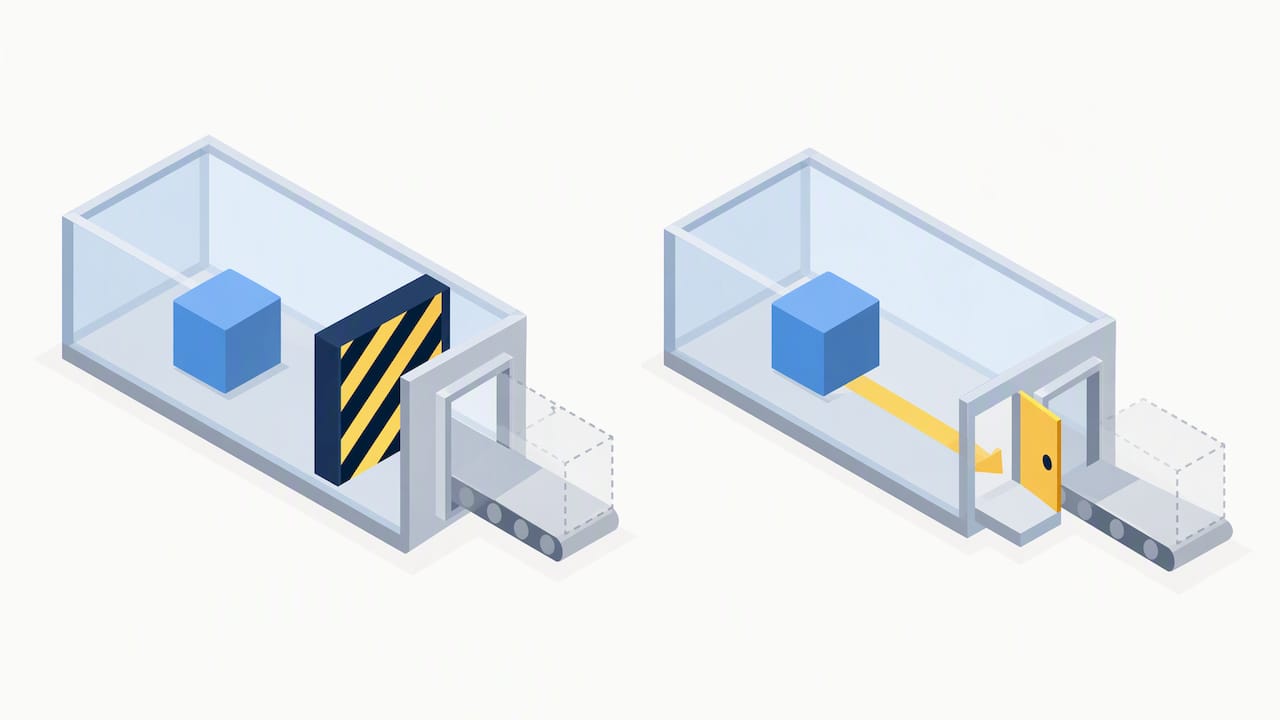
Most cloud providers split WORM protection into two modes. Governance mode lets privileged users with special permissions override or shorten the lock, useful for internal flexibility. Compliance mode blocks everyone, including the account owner, from altering the retention period once it is set, which is the stronger choice when ransomware resistance is the goal.
A few terms worth knowing before you configure anything:
- Retention lock: a timer that prevents deletion until it expires, set per object or per bucket default.
- Legal hold: an indefinite lock tied to a document or investigation, independent of the retention timer.
- Object lock: the feature name cloud providers use to apply WORM rules to stored objects.
- Versioning: keeps prior copies of an object so an overwrite does not erase the original, often paired with lock settings.
- Immutable snapshot: a locked point-in-time copy that still lives on or near production storage, distinct from an immutable backup that lives in isolated storage.
That last distinction matters more than most SMBs realize, and we come back to it below.
Why immutable backups matter against ransomware and insider risk
Modern ransomware groups do not just encrypt your live files. They actively search for connected backup systems and try to delete or encrypt them first, removing your leverage before they ever demand payment. An immutable backup breaks that playbook because the storage layer itself refuses the delete or overwrite command, regardless of what credentials the attacker is using.
Maintaining offline, encrypted backups and testing their availability and integrity regularly is a core recommendation in the CISA StopRansomware guidance, which specifically warns that many ransomware actors attempt to find and delete accessible backups during an attack. That single control, isolating backups from the credentials an attacker can compromise, does more to guarantee recovery than almost any other step in a security program.
Beyond ransomware, immutability also protects against insider mistakes, a disgruntled employee with admin rights, or a misconfigured retention policy that accidentally wipes a dataset. For regulated businesses, locked retention periods double as an audit trail that proves records were not altered after the fact.
How object lock and retention modes actually work
Each major cloud provider implements immutability a little differently, and the details decide whether your backups survive a determined attacker or just a careless one.
Amazon S3 Object Lock applies retention periods and legal holds at the object level. Compliance mode is the stronger of the two settings, preventing deletion by any user, including the account root, until the retention period expires; governance mode allows specially permissioned users to override it. Object Lock must typically be enabled when a bucket is created, since turning it on retroactively is limited.
Microsoft’s guidance on Azure backup protection recommends configuring blob immutability alongside delete protection, and Microsoft’s backup plan to protect against ransomware also recommends private endpoints and multi-factor authentication for anyone performing admin operations on backup vaults. Azure lets you set immutability as time-based (temporarily locked) or permanently locked once you are confident in the configuration.
Google Cloud’s backup vault model works through organization policies and vault-level locks rather than per-object settings. GCP’s best practices for immutable and indelible backups recommend configuring backup vaults with a locked minimum retention period and enforcing organization policies so backups cannot be deleted prematurely by any user, including those with normally elevated project permissions.
A few practical notes carry across all three platforms:
- Versioning combined with retention metadata is what actually blocks deletion, not just a setting labeled “immutable.”
- Compliance-style modes are stronger than governance-style modes because no override path exists.
- Object lock and vault lock settings are usually easiest to apply correctly at resource creation, not after data already exists.
- Retention metadata lives with the object or vault configuration, so moving data between storage classes or providers needs a deliberate migration plan to preserve the lock.
Choosing where immutable backups live: cloud, on-prem, hybrid, or air-gapped
Your architecture choice depends on budget, compliance obligations, and how fast you need to recover.
Cloud object storage with object lock or vault lock is the fastest path for most SMBs, since the immutability feature already exists inside services you likely use for Microsoft 365 or general cloud hosting. On-premises WORM appliances still have a place for businesses with strict data residency rules or very large datasets where egress costs make cloud-only storage expensive.
An air-gapped or offline copy adds a layer cloud immutability alone cannot match: a backup that is physically disconnected from any network cannot be reached by an attacker at all, immutable or not. CISA’s StopRansomware guidance recommends keeping golden images, infrastructure-as-code templates, and installers offline and under version control so a full rebuild does not depend on compromised systems.
Weigh these trade-offs before committing:
- Cloud-only immutability is cheaper to operate but ties you to that provider’s tooling and egress pricing if you ever migrate.
- A hybrid setup, cloud immutable copy plus an occasional offline physical copy, balances cost against the strongest possible recovery guarantee.
- Customer-managed encryption keys (CMEK) give you control over key rotation and revocation independent of the storage provider.
- Multi-cloud replication adds resilience against a single provider outage but roughly doubles configuration and monitoring work.
For most small and midsize businesses, the practical answer is a locked cloud copy as the primary defense, with a periodic offline copy of the most critical systems as insurance.
Your implementation checklist for immutable backups
Rolling out immutability well is less about picking a product and more about sequencing the work correctly.
- Map retention periods to your actual recovery targets. Decide how long you need data locked based on your RTO and RPO for each critical system, not a default setting.
- Enable object lock or vault lock at creation, since most providers limit your ability to add it after the fact.
- Document your default retention and legal hold policy so anyone on the team understands what is locked and for how long.
- Segregate the backup control plane from your general admin accounts, and enforce MFA and role-based access control for anyone who can touch backup settings.
- Keep offline, encrypted copies of golden images and infrastructure-as-code templates, following the practice CISA’s StopRansomware guidance recommends to speed rebuilds without depending on potentially compromised systems.
- Schedule and document restore tests on a recurring calendar, not just after an incident.
- Keep a hard copy of your incident response plan and runbooks, since a ransomware attack can take down the very systems where those documents are normally stored.
Pro Tip: Start your pilot with one line of business, not your entire environment. A single well-tested immutable backup beats ten untested ones.
If you want a deeper walkthrough on tying retention settings to recovery targets, our guide on building a data backup strategy that survives ransomware covers the scoping work in more detail.
How to test restores without risking reinfection
An immutable backup that has never been restored is a theory, not a plan. Testing on isolated infrastructure is what turns it into something you can trust during a real incident.
- Restore to an isolated network or air-gapped test environment first, never directly back into production, so a potentially compromised backup cannot reinfect clean systems.
- Start with low-risk, non-critical datasets to validate the restore process itself before touching anything mission-critical.
- Move to your highest-priority systems next, following a documented priority list rather than restoring in whatever order feels urgent.
- Check filesystem and application consistency against known-good golden images to confirm the restored data actually works, not just that files exist.
- Record the time each restore took and update your incident response plan with those numbers, since recovery time estimates are only useful when they come from real tests.
CISA and MS-ISAC’s Ransomware Guide specifically instructs organizations to prioritize critical services during recovery, avoid reinfecting clean systems, and document lessons learned to refine future response. Treat that documentation step as mandatory, not optional paperwork, because the next incident will move faster than the last one.
Where immutability falls short and what it costs
Immutability is a strong control, not a complete answer. A few honest limitations are worth planning around.
- Storage cost rises with retention length, storage class, and any cross-region replication you add for resilience.
- Locked retention is permanent for its duration, which means a misconfigured retention period cannot be shortened, even if you later realize you set it too long or locked the wrong dataset.
- Compliance mandates often require more than immutable storage, including access logging, audit trails, and documented policies; immutability supports those requirements but rarely satisfies them alone.
- Misconfiguration is common when object lock or vault lock settings are applied inconsistently across buckets or environments, leaving gaps an attacker can still exploit.
None of this argues against immutability. It argues for treating it as one layer in a broader backup and recovery program, alongside the access controls and monitoring discussed above.
Choosing your approach and starting your pilot
Before picking a provider or architecture, settle four questions: how large is your critical dataset, how long must you retain it, what can you budget for storage and egress, and what restore time can your business actually tolerate — the top backup plugins for Shopware can help guide that choice for SMBs.
A practical pilot scope looks like this:
- Pick one representative workload, ideally something business-critical but not your largest or most complex system.
- Enable immutability on that workload’s backups using compliance mode where your provider supports it.
- Run two to three restore drills over 30 to 60 days, documenting time-to-restore each time.
- Bring in outside help if the pilot reveals gaps in staffing, monitoring, or restore confidence that your internal team cannot close quickly.
That last point is where many SMBs decide a managed provider makes more sense than building and maintaining this in-house. Our breakdown of RTO and RPO planning in 90 days walks through how to set those recovery targets before you commit to a platform.
Practical lessons from running managed IT for small businesses
Running 24/7 monitoring and a US-based help desk for SMB clients has taught us one consistent lesson: immutability reduces risk, but it still needs governance and testing behind it. A typical pilot we see succeed starts small, one workload, a locked retention period, and a restore drill within the first month.
— Jeffrey
How we help you implement immutable backups
Setting up immutable backups correctly means getting retention policies, access controls, and restore testing right on the first try, not after an incident forces the issue. Our managed IT services and cybersecurity programs cover exactly that: configuring object lock or vault lock settings correctly from day one, segregating backup credentials from general admin access, and running the restore drills most internal IT teams never find time for.

We also manage the cloud hosting layer where many of these backups live, so your immutable storage, your production workloads, and your monitoring sit under one roof instead of three separate vendor relationships. With a local help desk team, you are not waiting on a ticket queue when a restore question comes up at 2 AM.
If you want a second set of eyes on your current backup configuration, get in touch about managed IT services and we will walk through what your retention policy and restore plan actually look like today.
FAQ
What is the difference between immutable backups and snapshots?
Snapshots are frequent, point-in-time copies that often sit on or near production storage, making them fast to create but potentially vulnerable if an attacker reaches that storage layer. Immutable backups live in isolated, locked storage specifically designed to resist deletion, which is why most guidance recommends using both together rather than relying on snapshots alone.
How long should I retain immutable backups?
Retention length should match your recovery point objectives and any regulatory requirements for your industry, not a generic default. A common starting point for SMBs is 30 to 90 days of locked retention on critical systems, extended further if compliance rules or legal hold requirements apply.
Can an administrator delete an immutable backup early?
Under compliance mode, no user, including the account owner, can delete or alter the backup before the retention period expires. Under governance mode, specially permissioned users can override the lock, which is why compliance mode is the stronger choice for ransomware resistance.
Do immutable backups protect against all ransomware attacks?
Immutable backups protect your recovery point from deletion or encryption, but they do not prevent the initial infection or stop an attacker from accessing unprotected systems. They work best as one layer in a broader plan that also includes access controls, monitoring, and tested incident response procedures, which is the kind of layered defense services like our cybersecurity programs are built around.
Should small businesses build immutable backups in-house or outsource them?
Either path can work, but outsourcing reduces the risk of misconfiguration, which is one of the most common gaps attackers exploit. Businesses without dedicated backup engineering staff often find a managed provider faster to get right and cheaper than recovering from a failed restore during an actual incident.
Sources
- CISA StopRansomware Guide (2025)
- Backup plan to protect against ransomware – Microsoft
- GCP Backup & DR best practices: immutable and indelible backups