

Yes, you can send and receive faxes over VoIP, but not reliably if you simply plug a fax machine into a phone system built for voice. A VoIP network treats a fax call like a voice call, and fax signals do not survive that treatment well. The fix is one of three setups: a fax machine on a properly configured analog adapter (ATA) with T.38 support, a fax server or gateway tied to your phone system, or cloud fax that removes the machine entirely.
This guide explains why faxes fail on VoIP, how each setup works, what to check before you cancel your copper lines, and how to troubleshoot when a fax will not go through. If you are moving an Ohio or Michigan office to a new phone system, read it before the cutover, not after your first failed fax.
TL;DR
- Fax was designed for the traditional phone network. Over IP, latency, jitter, packet loss and voice compression can corrupt it.
- The three workable options are an ATA with T.38, a fax server or gateway, or cloud fax. Cloud fax is the simplest for most small offices.
- If you keep a fax machine, set the line to an uncompressed codec (G.711) or T.38, and test it before you port numbers or cancel copper.
- Faxed documents are often sensitive. Secure the machine, clear stored copies, and consider moving to an inbox-based service.
- Test a fax on your actual phone system before cutover. Ask your provider in writing whether it supports T.38.
Table of Contents
- Why fax and VoIP do not get along
- The three ways to fax over VoIP
- What to check before you give up your copper lines
- How to troubleshoot a fax that will not send or receive
- Why interoperability trips people up
- Protecting sensitive documents when you fax
- Our perspective: fax is a migration problem, not a phone problem
- How Mavericks can help
- FAQ
- Sources
Why fax and VoIP do not get along
A traditional fax machine speaks a protocol called T.30. It sends a continuous stream of audio tones over a circuit that holds steady timing from end to end. That is what a copper phone line gave it.
VoIP works differently. It chops audio into packets, sends them over a shared network, compresses them to save bandwidth, and reassembles them at the other end. Voice tolerates that well. A person can ignore a half-second of missing sound. A fax cannot. According to Dialogic’s technical white paper, T.30 faxing was not designed to tolerate IP latency, jitter, packet loss and compression, which is why it can be unreliable over VoIP.
The symptoms are familiar to anyone who has tried:
- Pages that arrive with horizontal lines, gaps or garbled sections
- Calls that connect, then drop partway through a long document
- Faxes that slow to a crawl or fail on the third or fourth page
- A machine that never completes the handshake with the other side
If you want the broader background on the move from legacy lines to IP telephony, this overview of the shift to VoIP telecommunications covers the basics. What matters here is the practical point: fax is a legacy technology riding on a network it was never built for, so it needs help.
The three ways to fax over VoIP

Option 1: Keep your fax machine and add an analog adapter
An analog telephone adapter (ATA) plugs into your network on one side and your fax machine’s phone jack on the other. It converts the machine’s analog signal into IP traffic. This is the lowest-effort path if you already own a machine you like and your volume is steady.
Two settings decide whether it works:
- T.38 (fax relay). The adapter demodulates the fax tones and sends the data as error-tolerant packets, then rebuilds the tones at the far end. Dialogic’s white paper concludes that fax relay with T.38 is superior to passing fax audio through as ordinary voice. Both your adapter and your VoIP provider need to support it.
- G.711 pass-through. If T.38 is not available, G.711 is an uncompressed codec that sends the fax tones as ordinary audio. It works best on clean, low-latency connections. Compressed codecs such as G.729 should be avoided on a fax line.
An ATA also gives you something worth having: a physical device you can test, swap and troubleshoot on its own, separate from the rest of your phones.
Option 2: Use a fax server or gateway tied to your phone system
Larger offices, or those with heavy fax traffic, often connect a fax server to the PBX or hosted phone platform. Staff send and receive from their computers or multifunction printers, and the server handles the T.38 conversion and delivers received faxes as PDF files by email or to a shared folder.
This suits clinics, title and legal offices, and manufacturers that receive purchase orders or signed approvals by fax all day. It costs more in setup and maintenance than an ATA, but it centralizes logging and access control.
Option 3: Move to cloud fax
Cloud fax needs no machine and no analog line. You send a document from a web portal, email or app, and received faxes arrive as PDFs. Your fax number is either ported to the service or provided new. TechRepublic describes online fax as the easiest, cheapest and fastest alternative to a modem or machine, and notes that public options such as a library or print shop can fill in for one-off needs.
Cloud fax is usually the right answer when:
- You send or receive a handful of faxes a week, not hundreds
- Several people need access to the same fax number
- You want a searchable record instead of a paper tray
- You are retiring copper lines and do not want to buy new hardware
It is also the cleanest answer to the question “how do we fax without a landline?” You do not need a fax line at all.
Quick comparison
| Setup | Best for | What you need | Main drawback |
|---|---|---|---|
| Fax machine + ATA | One machine, low to moderate volume | ATA, T.38 or G.711 support from your provider | Still depends on tuning and network quality |
| Fax server or gateway | High volume, regulated workflows | PBX or hosted phone integration, server or appliance | More setup and upkeep |
| Cloud fax | Most small offices, remote staff | Internet access, a ported or new fax number | Ongoing service fee, depends on a third-party service |
What to check before you give up your copper lines
Many small businesses discover their fax problem only after the phone company retires the line it ran on. The FCC’s Tech Transitions page advises small businesses to confirm with their providers whether existing equipment, including fax machines, will stay compatible as networks move away from copper to fiber or wireless service.
Before any cutover, work through this list:
- Inventory every device on a phone line. Fax machines, alarm panels, credit card terminals and elevator phones often hide on lines nobody thinks about.
- Decide which faxes you actually need. Some partners have moved on. Others, such as insurers, pharmacies and government offices, may still require fax.
- Ask your provider about T.38 in writing. “We support fax” is not an answer. Ask whether T.38 is supported, on which lines, and what the provider recommends for fax.
- Check whether your fax number can be ported. Your number is yours to keep in most cases, but confirm the timeline and what happens to the line during the switch.
- Run a test before the old line is cancelled. Send and receive multi-page documents, including one with photos or dense graphics, in both directions.
Power is the other easy-to-miss item. The FCC notes that phone service delivered over new networks may not work during a power outage unless backup power is available, and advises testing, monitoring and maintaining backup batteries as instructed. A fax that depends on a router, an ATA and a modem all losing power at once will fail along with everything else. Our guide to VoIP failover covers how to keep business phones, and fax lines with them, working through an outage.
How to troubleshoot a fax that will not send or receive
Work from the simplest test outward. Cisco’s fax relay troubleshooting guide recommends first reducing the problem to two fax machines and verifying basic connectivity and VoIP configuration, then checking for packet loss and jitter. It also suggests disabling error correction mode (ECM) on lossy networks, or testing G.711 pass-through.
In practice, here is the order we would follow:
- Confirm a voice call is clean. If voice calls have choppy audio, fix that first. Our guide to fixing VoIP call quality issues walks through jitter, packet loss and bandwidth.
- Check the codec. On a non-T.38 line, make sure the line is set to G.711, not a compressed codec.
- Turn on T.38 if the adapter and provider both support it. If they disagree, calls can fall back to a mode that fails.
- Lower the transmit speed. Dropping the fax machine from 33.6 kbps to 14.4 or 9.6 kbps often rescues a marginal connection.
- Disable ECM as a test. This can help on lossy networks, though it trades away some error protection.
- Remove other devices from the line. A telephone sharing the fax port, or an old answering device, can interrupt the call.
- Switch off line features. Fax Authority’s support page lists call waiting, billing tones, privacy block, security screen, anonymous call rejection and privacy manager as features that can interrupt fax communication.
- Test with a different destination. If faxes fail to one recipient only, the problem may be on their side.
If you have worked through these and still see failures, the network itself is usually the cause: an overloaded router, a firewall rewriting traffic, or a provider handoff that does not pass T.38 cleanly. At that point it is cheaper to move to cloud fax than to spend more hours tuning.
Why interoperability trips people up
Even when your own setup is correct, the call may cross several networks before it reaches the other fax machine. An official FCC advisory council report observed that two common VoIP signaling standards, H.323 and SIP, perform similar functions but do not directly interoperate, which creates interoperability challenges. That report is from 2003, and equipment has improved a great deal since, but the lesson holds: more handoffs between carriers, gateways and signaling types mean more places for fax to break. This is a common reason a fax works to one recipient and fails to another.
The practical answer is to reduce hops. Use a provider that supports T.38 end to end, or use cloud fax, which sends the document as data for most of its journey.
Protecting sensitive documents when you fax
People fax because the document is important: medical records, signed contracts, financial forms. Moving to VoIP does not remove the risks that come with fax, and it adds a few of its own.
NIST’s guidance on electronic transmission of sensitive information warns that traditional fax machines may store digital copies of documents in internal memory, which can expose sensitive information if the memory is not cleared periodically. The same NIST publication says fax logs, which record successful and failed transmissions, can disclose phone numbers to unauthorized parties if physical access to the machine is not secured.
Translate that into office habits:
- Put the machine somewhere not open to visitors, or retire it
- Clear stored documents and review the log settings on the device
- Confirm the recipient’s number before sending, and use a cover sheet with a confidentiality notice
- Limit who can see received faxes. A shared tray is a risk. A permissioned inbox is better.
- Secure your VoIP side too: strong admin passwords, up-to-date firmware on adapters, and no unnecessary exposure of phone system management pages. Our 7-step VoIP security checklist covers the essentials.
If your office handles health information, your obligations under HIPAA apply to fax just as they do to email. Ask your compliance officer or attorney what safeguards your organization needs, and what any cloud fax service must agree to in writing, before you move.
If your fax machine is a multifunction copier, remember it has a hard drive too. See our guide to securing copier drives for what to do before a device leaves your building.
Our perspective: fax is a migration problem, not a phone problem
We move small and mid-sized offices from old phone lines to VoIP and unified communications all the time, and fax almost never comes up in the first conversation. It comes up the week before cutover, when someone realizes the doctor’s office across town only sends referrals by fax.
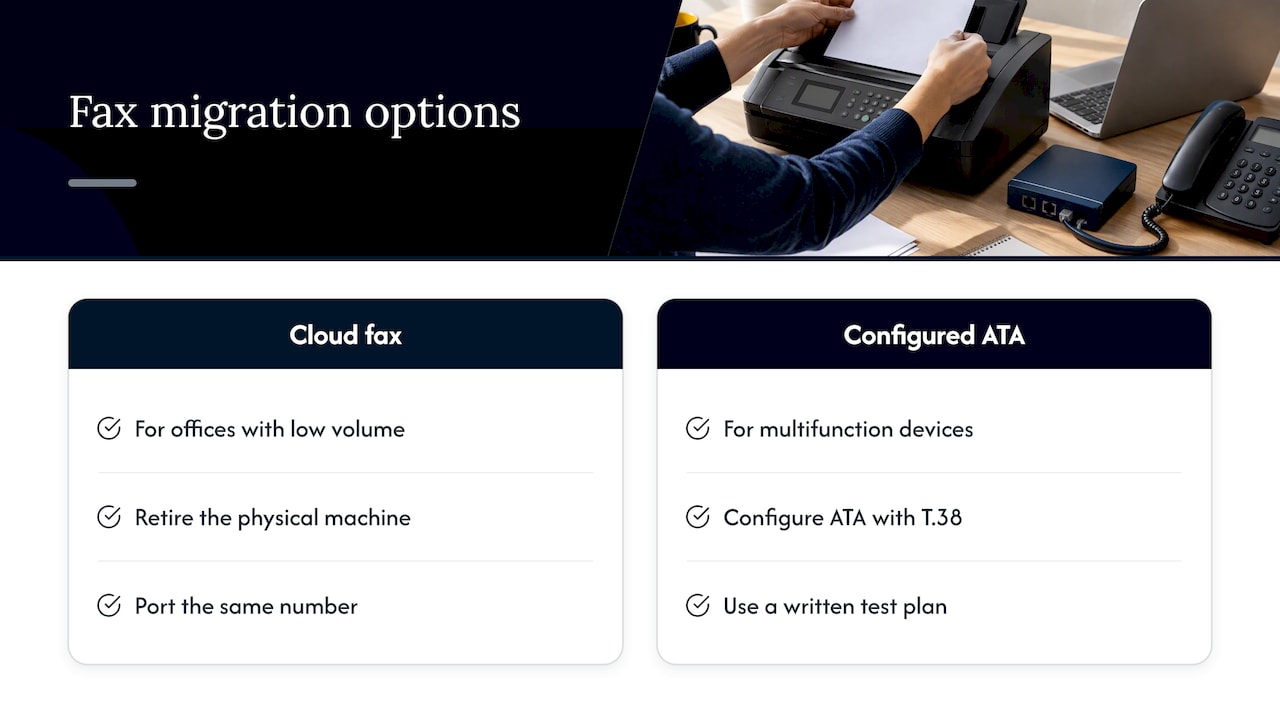
Our advice is consistent. Treat fax as its own workstream, with its own inventory, owner and test plan. Decide early whether each fax number is worth keeping. For most offices with low volume, we recommend retiring the physical machine and moving to cloud fax, ported to the same number, so nothing changes for the people who send you documents. For offices tied to a multifunction device, a correctly configured ATA with T.38 and a written test plan is a sound path.
What we do not recommend is cancelling copper and hoping. Our help desk is local, based in the USA, and our average response is under 12 minutes, so when a fax fails on a Monday morning, you are talking to someone who knows your setup rather than reading a script. Because we handle phones, network, security and print under one roof, nobody points at someone else when a fax fails.
— Jeffrey
How Mavericks can help
Fax sits where phones, network and printers meet, which is why it often gets orphaned between vendors. We manage all of them as your outsourced IT department. Our UCaaS and VoIP service covers business phone systems, and we plan fax into the migration from day one: which numbers to keep, what to port, and how to test. If your fax machine is part of a copier or multifunction printer, our managed print services cover the hardware side, including Xerox copiers and printers and Brother MFPs.

Talk to us before your next phone change, and we will map every line, fax number and device first. You can start at mavericksofficesolutions.com. If you are still weighing budgets, our VoIP phone system cost guide explains what drives pricing for small businesses.
FAQ
Can you send and receive faxes over VoIP?
Yes. It works best with T.38 fax relay, a properly configured ATA, or a cloud fax service. Plain fax audio over a compressed VoIP line often fails or produces garbled pages, so test before you rely on it.
How do I fax without a landline?
Use an online fax service that sends and receives from a web portal or email, or have your VoIP provider connect a fax server. For occasional needs, a library or print shop with a fax machine can also work. No copper line is required in any of these cases.
Do I need T.38 to fax over VoIP?
Not always, but it is the most dependable method. G.711 pass-through can work on a clean, low-latency network. If your faxes are important or long, T.38 or cloud fax gives you much better odds.
Can I keep my existing fax machine and number?
Usually yes. You can connect the machine to an ATA and port your number to your VoIP provider or a cloud fax service. Confirm port timing and test both directions before cancelling your old line.
Why does my fax fail on page two or three?
Long faxes expose small network problems such as jitter or packet loss. Try a lower transmission speed, switch the line to G.711 or T.38, and turn off ECM as a test. If failures persist, check your network quality.
Sources
- Adding Reliable Fax Capability to VoIP Networks (Dialogic white paper)
- Tech Transition: Modernizing Communications Services (FCC)
- Troubleshoot Fax Relay (Cisco)
- Cannot send or receive a fax (Fax Authority)
- Network Reliability and Interoperability Council VI report (FCC)
- Security Best Practices for the Electronic Transmission of Sensitive Information (NIST)
- You Can Still Use a Fax Modem, But There Is a Better Way (TechRepublic)
- Embracing VoIP: A Shift in Telecommunications