
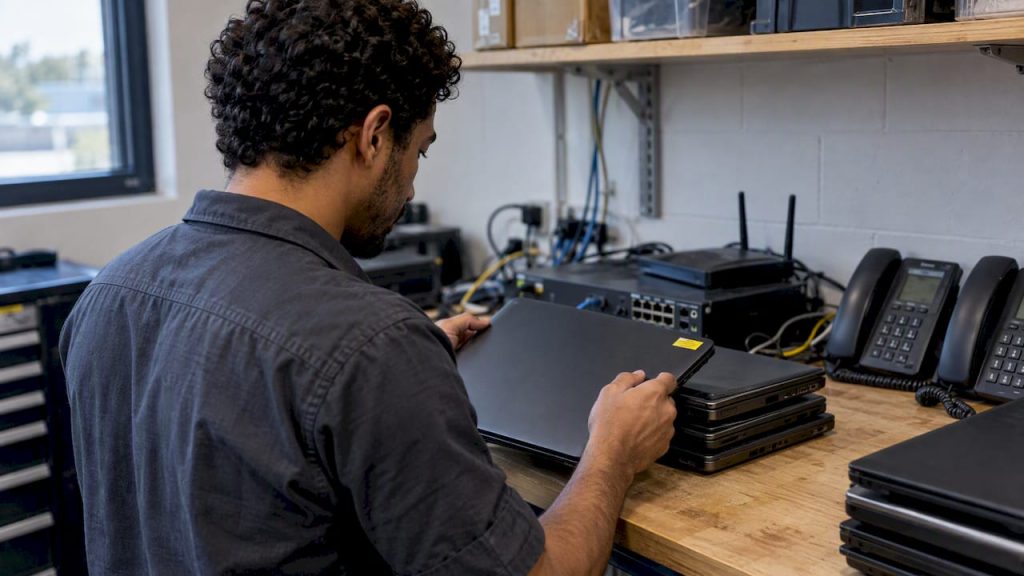
IT asset lifecycle management is the practice of tracking every piece of technology your company owns, from the day you plan the purchase to the day you wipe and retire it. For a small or midsize business, it means knowing what you have, when it needs patching or replacing, what it costs to keep, and how to dispose of it without leaking data. Done well, it turns surprise failures and emergency purchases into a budget you can predict.
This guide walks through the stages, shows how to build a purchasing and refresh plan, and covers the step most businesses skip: secure retirement, including the copier in the hallway.
TL;DR
- IT asset lifecycle management covers hardware, software, cloud and third-party-managed assets, from planning and purchase through retirement.
- A reliable inventory is the foundation. It shows what needs patching, what is nearing end of life and which devices should not be on your network at all.
- Replace on a planned schedule instead of waiting for failures. Set refresh cycles by role and workload, not by habit.
- Retire every device with data sanitization, including copiers, which store images on internal drives.
- Small teams without a full-time IT manager can hand the whole process to an outsourced IT department.
Table of Contents
- What IT asset lifecycle management actually covers
- The five stages of the IT asset lifecycle
- Start with an inventory you can trust
- Build an IT procurement strategy around the lifecycle
- Set a refresh cycle that fits your business
- Use lifecycle data for budgeting and security
- Retire assets securely
- Perspective: why we treat lifecycle as part of support, not a separate project
- How Mavericks can take this off your plate
- FAQ
- Sources
What IT asset lifecycle management actually covers
The FFIEC IT Examination Handbook defines IT asset management as tracking, managing and reporting on information and technology assets throughout their entire life cycle. Covered assets can include hardware, software, mobile, virtual, cloud, physical, digital-information and third-party-managed assets. That list is wider than most owners expect. Laptops and servers are obvious. Software licenses, cloud subscriptions, phones, printers and the firewall in the closet count too.
The terms get mixed up, so here is how they relate:
- Asset lifecycle management (ALM) is the broad idea. It applies to any asset a company owns, from vehicles to furniture, from acquisition to disposal. Tanium’s overview notes that IT asset lifecycle management splits off because IT assets age and change differently from general assets.
- IT asset lifecycle management applies the same idea only to technology: hardware, software and the data they hold.
- IT asset management (ITAM) is the day-to-day discipline of tracking and reporting on those assets. Lifecycle management is ITAM viewed through time: where each asset is in its life and what should happen next.
- Product lifecycle management (PLM) is a different thing. It governs how a manufacturer designs, builds and supports a product it sells. Unless you make products, you do not need it for your IT.
Why it matters to a business your size
HUD’s IT asset management policy lists what happens without formal, centralized control: higher IT costs, weaker vendor negotiation, greater risk of software license violations and a higher chance of cyber intrusion. That is a federal agency describing its own risk, but the same mechanics apply to a 40-person company. Every unknown laptop is an unpatched laptop. Every forgotten license is either wasted spend or an audit problem.
There is a compliance angle as well. If you handle patient data or card payments, lifecycle practices support HIPAA and PCI DSS obligations, according to Tanium. Retiring a device without wiping it is a reportable problem waiting to happen.
The five stages of the IT asset lifecycle
Frameworks differ in wording. HUD’s policy uses five stages, and they map cleanly to a small business:
| Stage | What happens | Small-business example |
|---|---|---|
| 1. Planning and budgeting | Decide what you need, for whom and at what cost | Budget next year’s laptop replacements by role |
| 2. Acquisition | Evaluate vendors, buy or lease, record the purchase | Compare quotes, confirm warranty and support terms |
| 3. Deployment and discovery | Configure, secure and add the asset to inventory | Standard image, encryption on, user assigned |
| 4. Management and maintenance | Patch, monitor, repair, track licenses | Monthly patch cycle, warranty alerts |
| 5. Retirement and disposal | Sanitize data, remove from systems, recycle or resell | Wipe, certify, update records, cancel licenses |
Stages follow HUD’s five lifecycle stages. ServiceNow describes a similar flow as request, fulfillment, deployment, monitoring, service and retirement, and notes that retirement also means transitioning users, updating records, canceling agreements, terminating licenses and planning replacements. The names do not matter. What matters is that every asset has a known stage and an owner.
Start with an inventory you can trust
You cannot manage what you cannot list. The FFIEC says inventories help management make architecture and interoperability decisions, identify patching needs and time frames, locate assets nearing end of life, focus vulnerability management and determine when extra security measures are needed. It also lists license utilization, support costs and unauthorized devices among the things an inventory exposes.
For each asset, record at least:
- Make, model, serial number and asset tag
- Purchase date, cost and warranty end date
- Assigned user, location and department
- Operating system and software version
- Lease or contract terms, if any
- Planned replacement date
HPE’s description of IT asset management stresses the same record-keeping: purchase dates, warranties, configurations, licenses and use histories. A spreadsheet works for a 10-person office if someone owns it. Past 25 or 30 devices, or with remote staff, automated discovery and a managed tool save real time, because the spreadsheet is out of date the week after you build it.
Do not forget the things that do not look like computers. Printers, copiers, phones, cameras, badge readers and Wi-Fi access points all run software, sit on your network and eventually age out.
Build an IT procurement strategy around the lifecycle
Purchasing is where lifecycle cost is decided. A cheap laptop with a short warranty and no standard configuration costs more over four years than a better one you can support easily.
An IDC guide to IT procurement best practices recommends involving procurement from the business-case stage, having IT experts guide requirements and governance, evaluating vendors objectively on company, product, contract terms and pricing, and running cybersecurity reviews on all contracts. In a small company, “procurement” may be the owner and an office manager, but the principle holds: IT should see the requirements before the purchase order is signed.
A practical purchasing checklist:
- Define the need by role. A bookkeeper, a field technician and a designer do not need the same machine.
- Standardize. Two or three approved models are far easier to patch, stock and replace than twelve.
- Compare total cost. Include warranty, support, licensing, accessories, deployment time and disposal.
- Check vendor security. CISA’s fact sheet on procuring safe and secure ICT products recommends a standardized supply-chain risk questionnaire covering governance, secure design, information and physical security, personnel security, supply-chain integrity and resilience. CISA frames this as risk reduction, not a guarantee: assessment improves visibility and helps match a product to your risk tolerance, but it does not eliminate risk.
- Read the end-of-term clauses. Know what happens to data, hardware and fees when a lease or contract ends.
Capex vs. opex: buy, lease or subscribe
Capital expenditure (buying equipment you own and depreciate) and operating expenditure (paying monthly for a service or lease) both have a place. Buying suits long-lived, stable assets. Leasing and subscriptions suit equipment that ages quickly or that you want refreshed on a schedule, because replacement is built into the contract and costs are flat. Cloud hosting and hosted phone systems shift hardware cost into a monthly line item. Tax treatment depends on your situation, so confirm the details with your accountant before choosing.
Copiers are the classic example. Our guide to copier lease vs. buy breaks down the trade-offs, and our copier lease cost article helps you budget before you request quotes.
Set a refresh cycle that fits your business
Searches for a hardware, PC or server refresh cycle usually want one number. There isn’t a universal one, and anyone who gives you one without asking about your workloads is guessing. What you can do is set a default and define reasons to move earlier or later.
The U.S. EPA, in its guide to extending the life of electronic equipment, suggests federal facilities review their policies and lease contracts and, if needed, develop guidance for a refresh rate of four years or longer. The same document names a cultural barrier: habits like replacing laptops every two years regardless of actual need. It also notes that basic upkeep, such as software updates, drive checks and cleaning, can improve performance and keep equipment in service longer.
Use these factors to set your own schedule:
- Vendor support status. Software that no longer gets security fixes forces the decision. Microsoft ended Windows 10 support on October 14, 2025, which means no technical assistance, feature updates or security updates for those PCs. Any machine still on it is now a security exposure, not a cost saving.
- Warranty end. Failure risk and repair cost rise once coverage lapses.
- Role. Heavy users (design, engineering, finance) hit limits sooner than light users.
- Performance and failure history. Track tickets per device. Repeat offenders are cheaper to replace than to keep fixing.
- Reuse options. The EPA describes a “trickle-down” approach: a still-capable machine moves from a demanding role to a lighter one instead of straight to disposal.
For servers, the same factors apply with higher stakes: hardware warranty, operating system support dates and the business impact of downtime. Many small businesses are better served moving workloads to cloud hosting than refreshing an on-site server, since it removes the hardware stage from your lifecycle entirely. Whatever you choose, put the planned replacement date in the inventory and the cost in next year’s budget.
Use lifecycle data for budgeting and security
Lifecycle records pay off in two places. First, budgeting. HHS says capturing financial information across the hardware lifecycle supports business decisions, software-spend management, savings through disposal and anticipation of future-year IT needs. In plain terms: when you know which devices expire in 2027, you can spread the cost instead of absorbing it in one bad quarter.
Second, security. The FFIEC calls comprehensive inventories of digital and physical information assets foundational for safeguarding against foreseeable threats. Every vulnerability alert is a question: do we run this, and where? An accurate inventory answers it in minutes. Our cybersecurity services start from exactly this list, because endpoint protection and patching only work on devices you know about.
Retire assets securely
Retirement is where lifecycle management protects you from the worst outcomes. The FTC tells businesses to use reasonable and appropriate practices to dispose of sensitive personal information. For old computers and portable storage, that means a wipe utility that overwrites the entire drive, since ordinary file deletion is usually not enough.
A retirement checklist:
- Confirm the device is in the inventory and mark it as retiring.
- Back up anything the business still needs.
- Sanitize the storage with a wipe utility, or physically destroy drives that cannot be wiped.
- Remove the device from directories, management tools and monitoring.
- Cancel or reassign licenses and support agreements.
- Recycle, resell or donate through a vendor that documents what happened.
- Record the disposal date and method.
If you want to prove the process before rolling it out, our guide to running a 5 to 10 device pilot for secure IT asset disposal shows how to test it on a small batch first.
Do not forget the copier
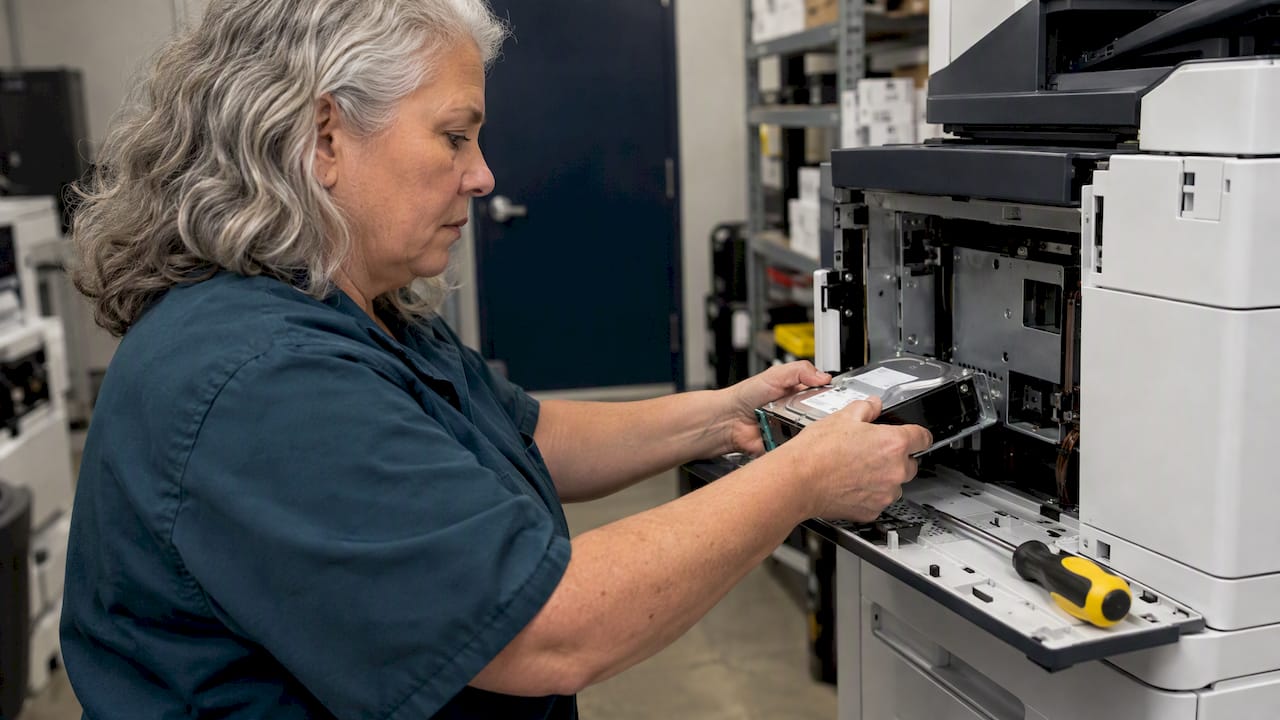
Digital copiers keep images on internal hard drives. The FTC’s digital copier data security guide says that before returning or disposing of one, you should arrange to keep the drive or have the provider overwrite it. For a leased or purchased copier, check that the agreement says you keep ownership of the drives or that the provider will overwrite them. Tax returns, contracts, HR forms and patient records pass through these machines. Our walkthrough on securing copier hard drives covers the steps, and managing the printer fleet as one set of assets keeps the rest of your devices from being forgotten.
Perspective: why we treat lifecycle as part of support, not a separate project
Most of the small businesses we meet in Ohio and Michigan do not have an asset lifecycle problem so much as an ownership problem. Everyone assumes someone else knows how old the file server is, when the copier lease ends, or which laptops still hold client data. Nobody does, until something breaks.

That is why we fold lifecycle tracking into the work of an outsourced IT department rather than selling it as a standalone audit. The same team that answers your help desk calls, from a local, USA-based help desk with an average response under 12 minutes, sees which machines generate repeat tickets, which are out of warranty and which are heading for end of support. That day-to-day view makes replacement planning far more accurate than a once-a-year spreadsheet.
Our advice: start small. Build the inventory first, set a default refresh cycle by role, and put disposal on paper before the first device retires. You will get most of the value from those three steps, and everything else builds on them.
— Jeffrey
How Mavericks can take this off your plate
If you do not have a full-time IT manager, lifecycle management is easy to postpone. Our managed IT services cover monitoring, patching and support under one agreement, and our managed print services handle copiers and printers from placement to secure retirement. If you need planning help without a new hire, our fractional IT leadership can own the refresh roadmap and budget. Not sure where to begin? Contact us through our main site and we will look at what you have.
FAQ
What are the five stages of the IT asset lifecycle?
One common model, used in HUD’s policy, is planning and budgeting, acquisition, deployment and discovery, management and maintenance, and retirement and disposal. Other frameworks use different labels, such as request, fulfillment, deployment, monitoring, service and retirement. They describe the same journey from need to disposal.
What is the difference between asset lifecycle management and IT asset management?
Asset lifecycle management is the general practice of managing any asset from acquisition to disposal. IT asset management applies that to technology and focuses on tracking, managing and reporting on it. Lifecycle management is the time view: where each IT asset stands and what happens next.
How often should we replace business PCs?
There is no single right answer. The EPA suggests federal agencies consider a refresh rate of four years or longer, and it warns against replacing laptops every two years out of habit. Base your own schedule on warranty, vendor support status, user role and repair history.
Is leasing better than buying IT equipment?
Leasing fits equipment that ages fast or that you want replaced on a fixed schedule, because costs are predictable. Buying can be cheaper for long-lived equipment you will keep. Compare total cost over the full term, including support and disposal, and ask your accountant about tax treatment.
How do we get rid of old computers and copiers safely?
Wipe computers and portable storage with a utility that overwrites the whole drive, since deleting files is usually not enough. For copiers, keep the internal drive or have the provider overwrite it, and get that in writing. Record the date and method for every device.
Sources
- FFIEC IT Examination Handbook: IT Asset Management
- HUD: Information Technology Asset Management Policy
- Tanium: What is IT asset lifecycle management?
- ServiceNow: What is IT Asset Management?
- HPE: What is IT Asset Management?
- IDC: IT Procurement Best Practices 2024
- CISA: Procuring Safe and Secure ICT Products and Services
- U.S. EPA: Extending the Life of Electronic Equipment
- Microsoft: Windows 10 support has ended
- HHS: Policy for Information Technology Asset Management
- FTC: Protecting Personal Information, A Guide for Business
- FTC: Digital Copier Data Security, A Guide for Businesses